14
EN
Start-up operations
Steering wheel control
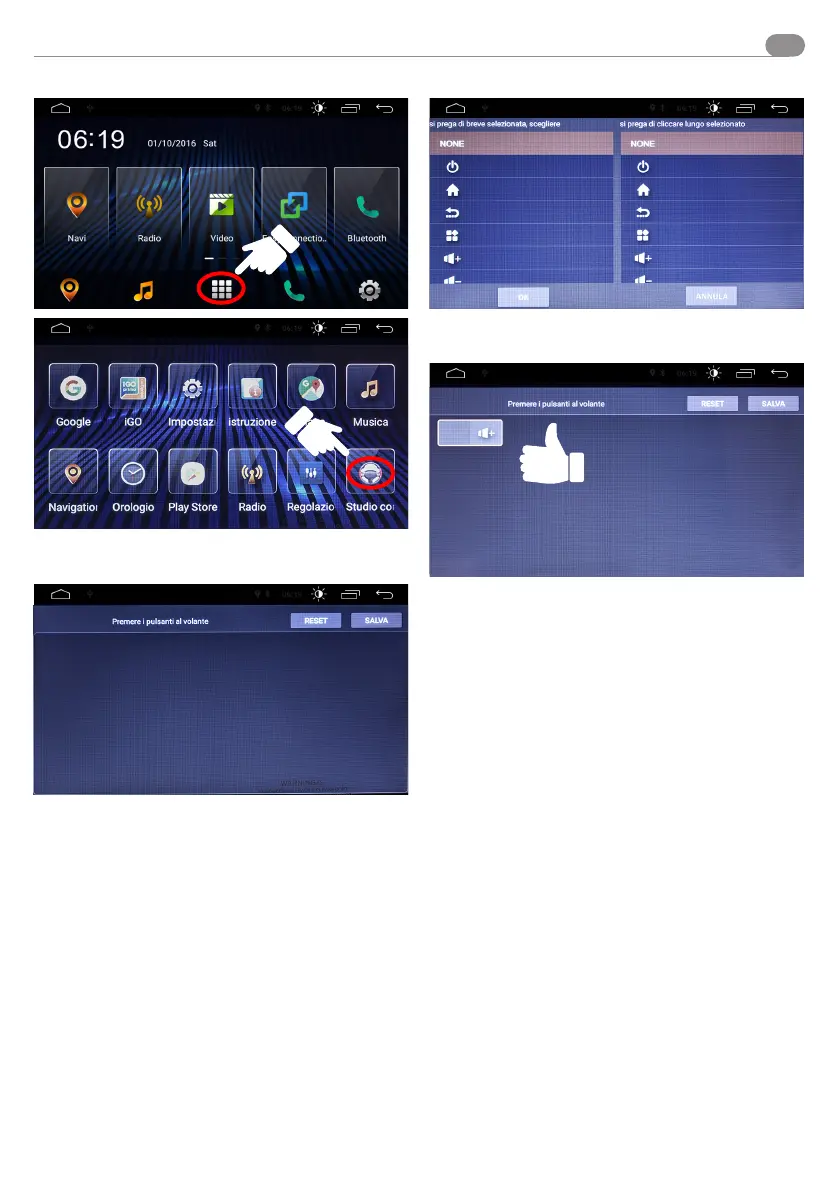
Enter the APP panel and press the shown icon to start the
steering wheel control panel.
Press any of the steering wheel control (of the car) to start the
pairing operation.
On this screen, select the steering wheel control you wish to
save.
Steering wheel control saved.
This operation must be carried out for all steering wheel
controls.


 To Next Page