6
IT/GB
IMPOSTAZIONI DI SISTEMA • SYSTEM SETUP
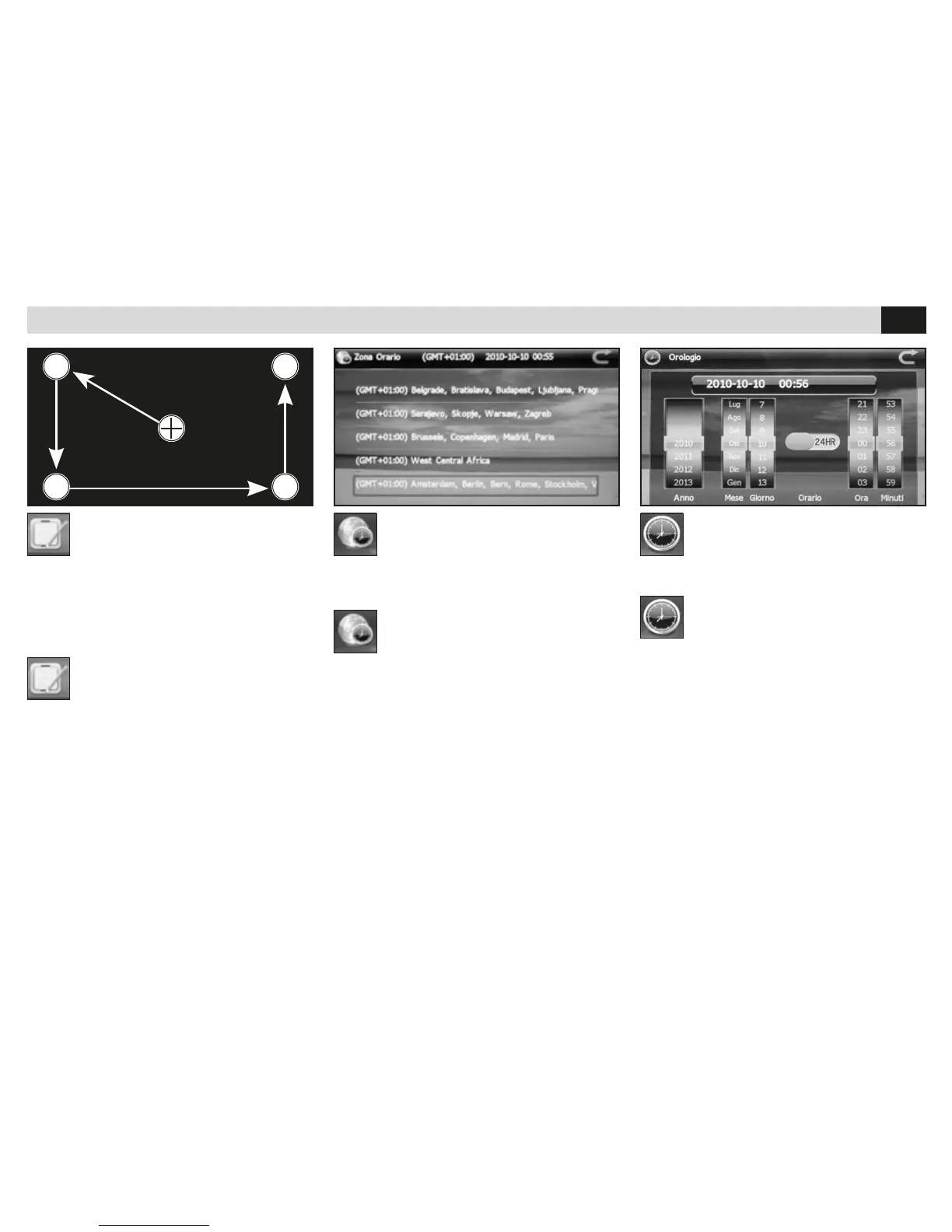
CALIBRAZIONE
• Effettua la calibrazione del touch screen.
Utilizzare il pennino in dotazione e toccare lo
schermo nel simbolo “+” al centro dello schermo.
Continuare con la sequenza fino alla fine della
calibrazione.
CALIBRATION
• Carries out the touch-screen calibration.
By using the supplied pencil, touch the symbol
“+” on the screen-centre.
Now follow the stated sequence and finish the
calibration-procedure.
ZONA ORARIO
• Imposta il fuso orario per la corretta visualizza-
zione dell’ora.
TIME-ZONE
• Set the time-zone, to get the correct time-
visualization.
OROLOGIO
• Regolazione data e ora.
CLOCK
• Setting Date and Time.
Dopo la calibrazione, cliccare sullo
schermo per uscire, alrtimenti la
calibrazione non verrà salvata.



 To Next Page