7
IT/GB
IMPOSTAZIONI DI SISTEMA • SYSTEM SETUP
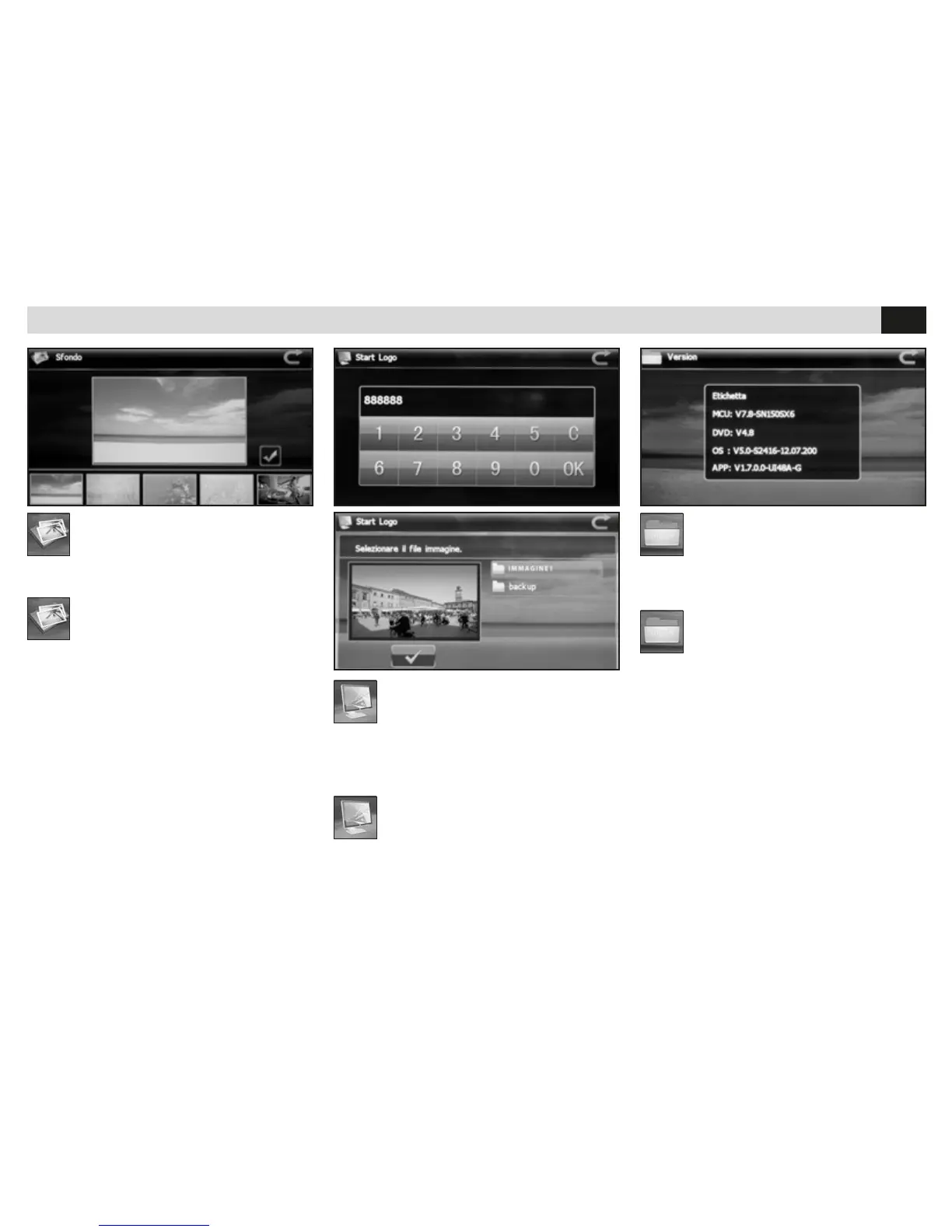
SFONDO
• Cambia lo sfondo dei menù.
BACKGROUND
• Changes the Menu-Backgrounds.
START LOGO
• Caricare il le su una micro SD Card
ed inserirla nello slot di navigazione.
Dopo aver inserito la password 888888 caricare
un file immagine con risoluzione 800x480 pixels
in formato BMP.
VERSION
• Visualizza la versione del software e le informa-
zioni sull’hardware.
START-LOGO
• Charge the file onto a micro-SD-card
and introduce the micro-SD-card into
the navigation-slot. Once the password 888888
has been introduced, charge a picture-file having
800x480 pixels resolution, in BMP format.
VERSION
• Visualize the Software-version and the
hardware-information.


 To Next Page