13
En
INSTRUCTION MANUAL
Resetting to Factory Defaults
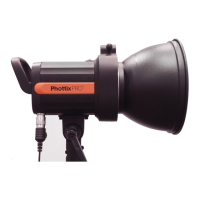
The Indra360 TTL Studio Light can be reset to factory defaults.
Press and hold both Function button 1 and the “Adjust/Set knob” for 3 seconds.
This will reset all function settings to factory defaults.
Checking the Studio Light Information
Pressing the combination keys can check the Phottix Indra360 TTL Studio Light
information: Hardware, software, icon library, and product serial number.
1. Press and hold Function button 2 and “Adjust/Set Knob” for 3 seconds. The
information display screen will show the hardware, software, icon library, and
product serial number.
2. Press any button to exit the information display screen and return back to
the standard screen.
3. Triggering the studio light or camera focusing, or taking photos when the
studio light is displaying the version information will cause the studio light to
exit the version display screen and return back to the standard screen.
Changes to the Studio Light Capacitor
If the Indra360 is not used for some time physical changes will take place
within the ash’s capacitor. Make sure to turn on the ash for a minimum of 10
minutes every three months to prevent any changes.
Technical Specication
Max power: 360Ws
Adjustable power stops: 8 Stops (4-360Ws)
Power adjustment: In 1/3stop or full stop increment
Flash modes: TTL Auto, Manual (M), Multi
Light angle: 60°
Guide Number: 32/105.1(ISO100, m/ft)
Color temperature: 5600±200K (Color temperature may vary at low power
settings)
Flash duration time: t=1 1/250s - 1/12000s
Stroboscopic ash: Frequency: 1-100Hz, Flash Count: 1-100 times
HSS&SCS: Support*
Recycling time(at 1/1 ash power levels; the indicator will light red)
Phottix Indra AC Adapter: Single/Two ashes: 0.8s/1.5s
Phottix Indra Battery Pack (10AH): H mode Single/Two ashes: 1.5s/2.5s
S mode Single/Two ashes: 2.0s/5.5s
Phottix Indra Battery Pack (5AH) H mode Single/Two ashes: 2.0s/5.0s
S mode Single/Two ashes: 4.0s/11s
Phottix Indra360 battery pack 5s
Input power:
Phottix Indra AC Adapter: AC 220V/110V, 50HZ/60HZ
Phottix Indra Battery Pack: 14.8V/5Ah, 600 full power ashes
14.8V/10Ah, 1100 full power ashes
Phottix Indra360 battery pack: 14.8V/4Ah, 300 full power ashes
Modeling Light Power: about 4.5W
Modeling Light Modes: OFF, Manual 1-9 levels
Wireless connectivity method: Radio Frequency and Optical pulse
Channel: 4
Wireless receiving modes: Odin-C, Odin-N, Strato II, Opt-Slave, RX OFF (Can
only be red via 3.5mm sync port)
Receiving range (Approx.): Radio: 100m+
Display: 320X240 TFT LCD display, Support 3 color screen settings
LCD Display Senor Setting: Sense direction automatically and make a
180-degree turn according to the direction
Heat Dissipation Method: Automatically turn on according to the temperature
Recycle conrm: Can be enabled or disabled
Sync Port: 3.5mm mini port
Firmware Upgrade: Upgrade of rmware is made via the USB mini port
Dimension: Length*Diameter: 266mm*180mm
Weight: 2.0kg (Excluding the Studio Light Power Cable)
Please note: Product specications and external design are subject to change
without further notice.
*On compatible cameras


 To Next Page
 Loading...