7
En
INSTRUCTION MANUAL
Menu Settings
Use the four function buttons below the LCD display to select the
corresponding function setting options. You can edit each setting when the
selected function is highlighted. Depending on the LCD color screen settings
this will be in either: red, white, or yellow (The LCD color screen setting and the
LCD display sensor setting will be shown in the Menu list).
1. Turn the “Adjust/Set knob” to change the setting.
2. When nished press the corresponding function button, or the “Adjust/Set
knob” to conrm and exit.
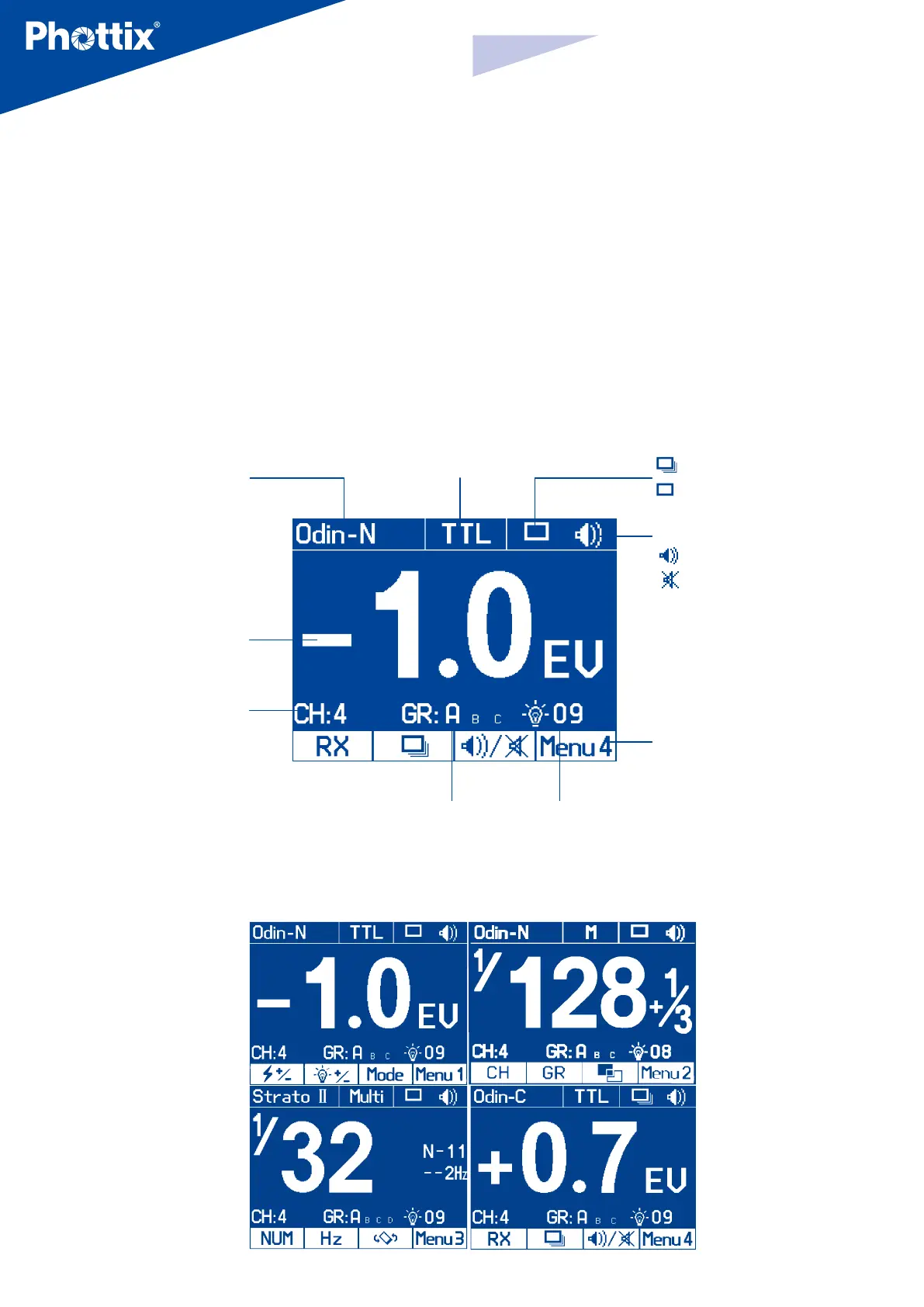
The LCD Display
Wireless receiving modes:
Odin-C,
Odin-N,
Strato II,
Opt-Slave
RX OFF
Flash modes:
TTL, M, Multi
Quick ash
: Enable
: Disable
Beep signal
ON
OFF
Menu: see more
details in Menu
function part
Flash exposure
compensation/
Flash output
Wireless receiv-
ing channel
Wireless
receiving group
Modeling light: Manual
01-09 levels, OFF
Menu Screen



 To Next Page