10
Using the Strato TTL to trigger
ashes
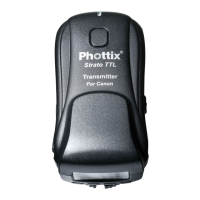
1. Half-press the camera shutter button while
the Strato TTL transmitter is connected to
the camera hot shoe and powered on. The
AF assist light of ashes connected to Strato
TTL receivers on the same channel as the
transmitter will illuminate. The Status LEDs on
the transmitter and receiver will turn green.
2. A full-press of the camera shutter button
will fire flashes connected to Strato TTL
receivers on the same channel as the
transmitter. Status LEDs on the Transmitter
and Receiver will turn red.
Please Note:
-Pressing the Shutter Button on the Strato TTL
transmitter – flashes connected to receivers
on the same channel will not re.
-Pressing the Test Button on the Strato TTL
transmitter – flashes connected to receivers
on the same channel will re.
Adjusting EV Levels
The Strato TTL Flash Trigger System will fire
remote flashes by wireless radio signal. EV
Adjustments can be made to remote ashes
using the EV -/+ Adjustment Buttons on the
transmitter.
To adjust EV levels
1. Press the EV -/+ Adjustment Buttons on
the Strato TTL Transmitter. Changes will be


 To Next Page