
 Need help?
Do you have a question about the PICASO 3D Designer XL PRO and is the answer not in the manual?
Requirements for 3D printer installation location.
List of items included in the starter kit.
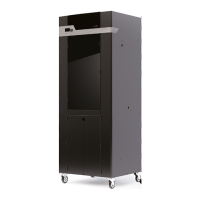
Overview of the printer's front-facing components.
Overview of the printer's side and rear components.
Overview of the printer's internal components.
Procedure for replacing the printer's nozzles.
Adjusting the nozzle's vertical position for optimal first layer.
Steps to calibrate the nozzle cleaning system for print quality.
Aligning dual nozzles for precise material deposition.
Guide to updating the printer's firmware.
List of common errors and user actions required.
Explanation of available print speed modes and their uses.
Instructions for removing and replacing the heating unit.
Explains printer status indicators and debug screen data.
Locating serial number and available actions during printing.
Understanding and creating material profiles for printing.
Recommendations for storing and drying filament spools.
Information on material compatibility and printlist usage.
Steps for resolving filament flow issues and loading problems.
Information on printer maintenance, calibration, and required service.
Reasons for printing pauses and the purpose of build plate magnets.
 General
| Build Volume | 360 x 360 x 610 mm |
|---|---|
| Filament Diameter | 1.75 mm |
| Technology | FDM (Fused Deposition Modeling) |
| Number of print heads | 2 |
| Heated Bed | Yes |
| Nozzle Temperature | up to 410°C |
| Display | 7-inch Touchscreen |
| Nozzle Diameter | 0.4 mm |
| Connectivity | USB, Ethernet, Wi-Fi |
| Supported Materials | PLA, ABS, PETG |

 To Next Page
