EN
15
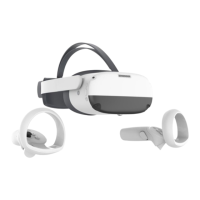
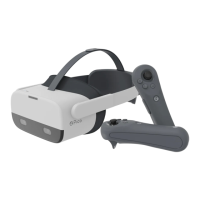
VR Headset Status Indicator Legend
Blue: Powered on with battery over 20%
Yellow: Charging: Battery is less than 98%
Red: Charging: Battery is less than 20%
Green: Charging: Battery is more than 98% or charge complete
Blue ashing: Shutting down
Red ashing: Battery is less than 20%
Off: Sleeping or Powered off
USB-C Interface
Left/Right Speaker
Proximity Sensor
The system wakes up
when the VR headset is
put on, sleeps when VR
headset is taken off.
⑨
⑩
⑪
RGB See Through Camera
Do not block during use.
Top Strap
Removable
Strap Dial
Tracking Cameras
Do not block during use.
⑤
⑥
⑦
⑧
Power
Power on: Long press for 2 seconds
Power off: Long press for 5 seconds
Hardware reset: Long press for 10 seconds
Short press to enter sleep or wake up
Status Indicator
Face Cushion
Volume
①
②
③
④
Product Details
Eye Tracking Cameras
Pro version only.
Do not block during use.
Face Tracking Camera
Pro version only.
Do not block during use.
⑫
⑬


 To Next Page