PX 30 and PX 120 Operating Manual
2-3
Features
The following features have been incorporated into the units:
• IBM character set
• Flash-EPROM as text memory, programmable within the PX-unit.
• Either parallel (via I/O-level) or serial (via V24) drive
• Optimum speed
• Shallow modular depth
• Automatic brightness control on the display (dimmer function)
• Extended scrolling options
• Networkable
• Status display
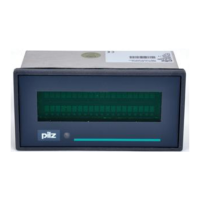
The main difference between the PX 30 and PX 120 is their display format and the
number of inputs they have available:
Unit Display Format Number of PX Inputs
PX 30 2 lines of 20 characters; 5 mm character height; 16
5 x 7 dot matrix
PX 120 2 lines of 40 characters; 9 mm character height; 24
5 x 12 dot matrix
Data transmission varies depending on the number of inputs. These differences are
explained in Chapter 2.
Flash-EPROM Memory
Flash-EPROMs are used as text memory. These are currently the quickest memory chips
available for text displays. Just like EEPROM-chips, they are programmed and cleared
electrically. Flash-EPROMs can be programmed directly inside the PX-unit, combining
the data security of an EPROM with the flexibility of a RAM. The ability of the EEPROM to
clear byte by byte is not availabe on the Flash-EPROM, but this facility is not required on
text displays.
The simplest way to create text is to use an IBM-compatible PC with ADIT DOS (version
4.0 and above). This software has been specially designed for organising data transmis-
sion on these PX-units. Texts, attributes for text and variables (eg. flashing representa-
tion) and text masks for variables are all edited through dialogue.
The Flash-EPROM is programmed directly inside the PX-unit. When the text display is
ready for operation, (ie. 24 V is supplied), just connect it up to a PC through its serial
interface and the text memory can be programmed quite simply using the ADIT DOS Text
Editor (under MS DOS).
The programming of the Flash-EPROM in the PX-unit via the serial interface (V24) is not
described in this manual. For further details please refer to the ADIT DOS Manual.
Artisan Technology Group - Quality Instrumentation ... Guaranteed | (888) 88-SOURCE | www.artisantg.com


 To Next Page
 Loading...