6
Setup Wizard
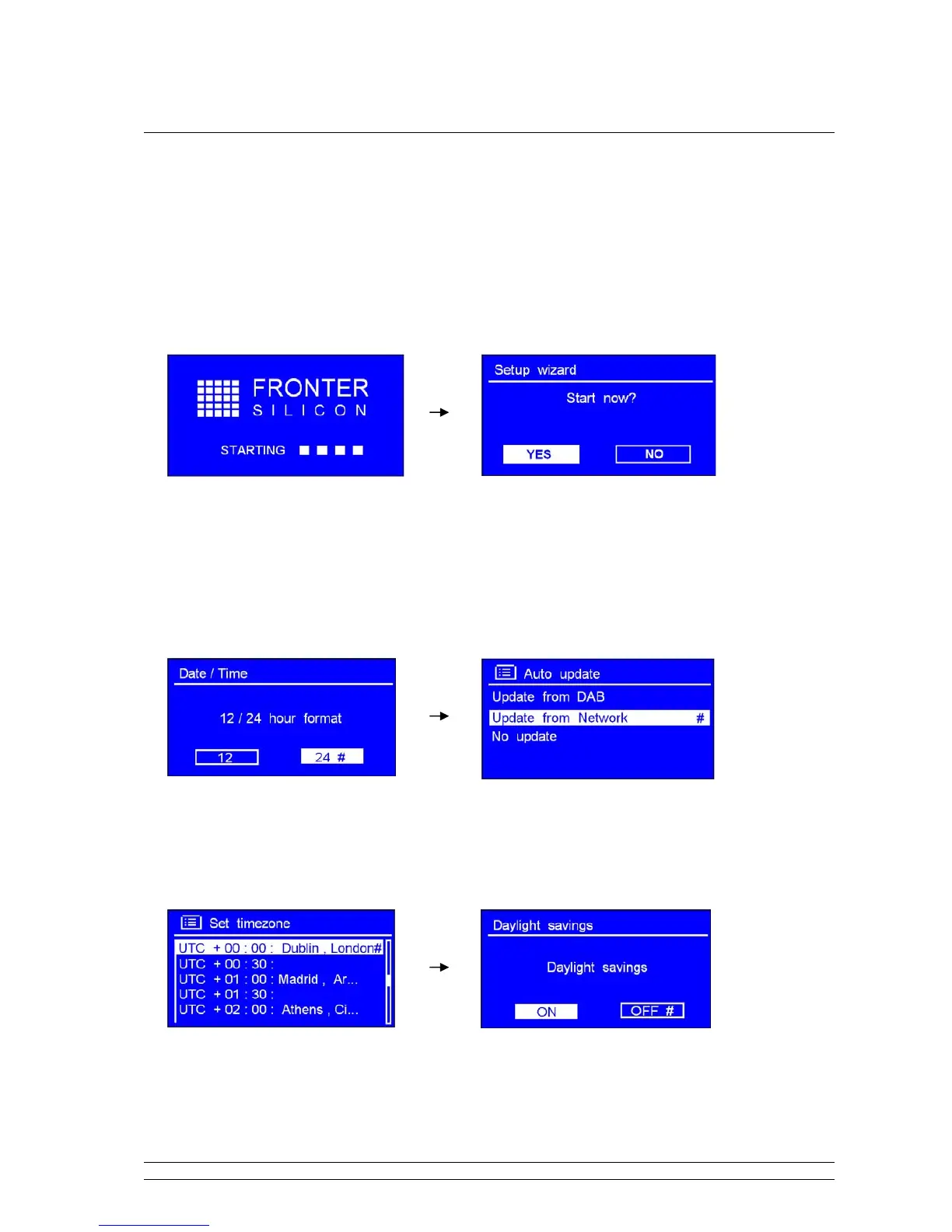
Step 1 - Power up
1. Connect to your Internet Radio adapter and ensure the power LED is lighting up.
2. In use, it can be switched on or off by pressing STANDBY/ON. For initial use, it will ask you ‘Setup
wizard’.
Step 2 – Setup wizard
1. Continue above, press the SCROLL knob to confirm ‘YES’, and then turn this knob to your ideal
‘hour format’, press it to confirm.
2. Press the SCROLL knob to confirm ‘Update from Network’.
3. Turn the SCROLL knob to your local ‘timezone’, and then press it to confirm.



 To Next Page