VI. Additional Information
Using the Pinnacle PCTV Remote Control
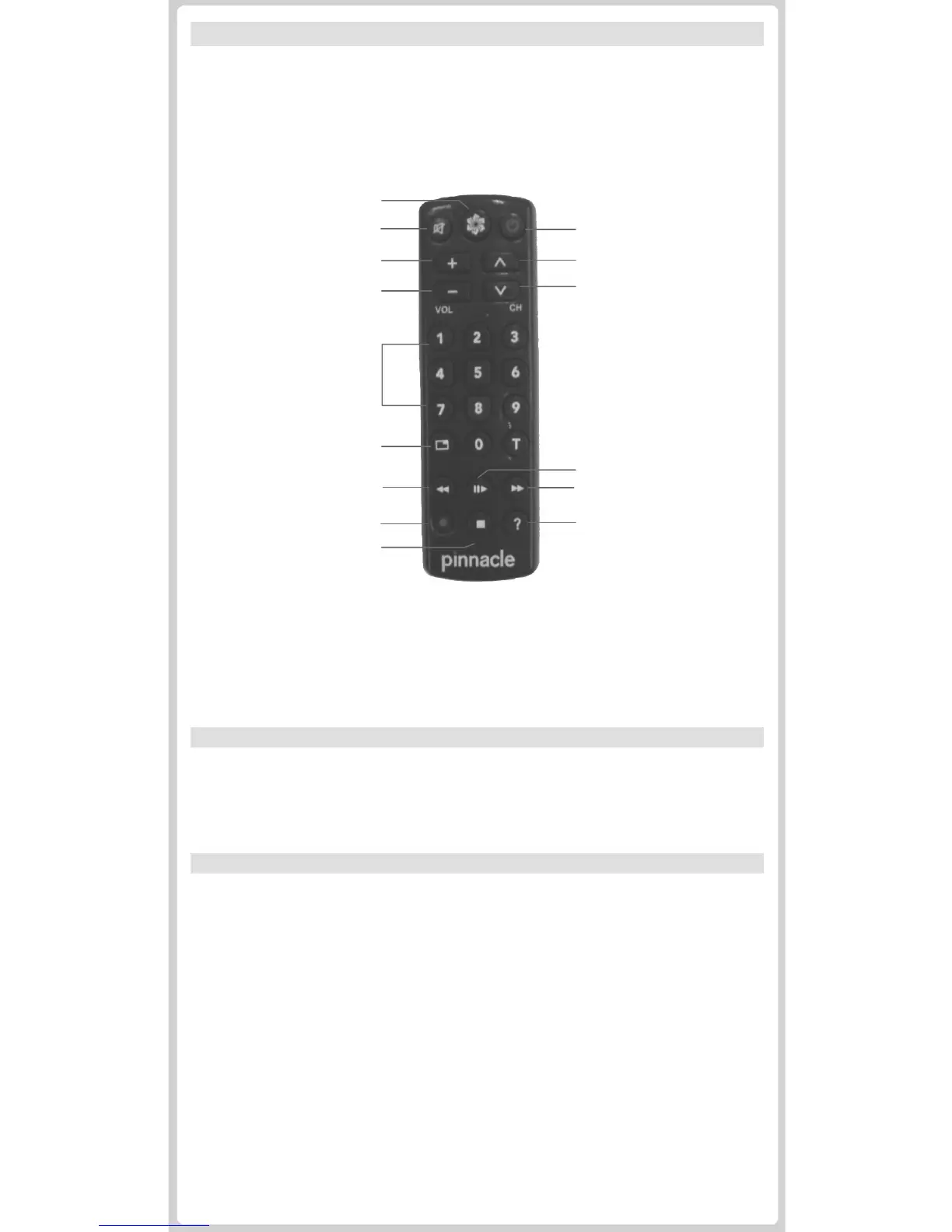
This reference diagram displays the various functions of the PCTV remote
control. For more in-depth information, you can find the Remote Control
User Guide by opening your Windows start menu and going to:
Pinnacle MediaCenter > Help >Remote Control
On / Off
Channel +
Channel -
Input buttons 0-9
Full Screen
Sound On/Off
Volume +
Volume -
Start Page / Menu
Rewind
Playback / Pause
Start Recording
Help
Stop
Fast Forward
Advanced Features
Your MediaCenter software comes with a handy User Guide that will show you
how to enrich your PCTV experience by using advanced features. To access this
document, open your Windows start menu and go to:
Pinnacle MediaCenter > Help >User Guide
Support
Are you in need of further assistance ? We´re happy to help you. For 24 hour
product support, call 1-650-267-5196 or visit www.pinnaclesys.com/Support. You
can also find useful documentation, by opening your Windows start menu and
going to:
Pinnacle MediaCenter > Help > Service & Support
Pinnacle Studio QuickStart overview
Pinnacle Studio QuickStart allows you to edit your home movies and transfer
them to DVD, complete with custom menus and soundtracks.
For optimum capture results, please use Pinnacle MediaCenter for capturing
(from e.g. your camcorder): click on the Channel Name/Number field to pull up
the channel list. Select S-Video or Composite video feed at the bottom of this list.
Then press the record button to start capturing.
You can then edit the captured file in Pinnacle Studio QuickStart.
To install the Pinnacle Studio QuickStart software, insert the CD-ROM into your
PC’s CD or DVD drive and follow the on-screen instructions. Be sure to register
your software for product support, exciting downloads, and more.
For Studio QuickStart support and documentation, open your Windows start
menu and go to Studio QuickStart > Help. If you are in need of further assistance,
call our product support line at 1-650-267-5196 or visit us online at
www.pinnaclesys.com/StudioQSsupport.


 To Next Page