EasyManua.ls Logo

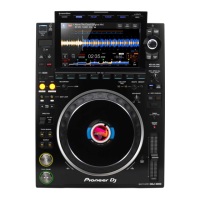
PIONEER DJ AlphaTheta CDJ-3000 - User Manual

PIONEER DJ AlphaTheta CDJ-3000
89 pages
Print Icon
To Next Page IconTo Next Page
Loading...
ORDER NO.
© 2020
6F, Yokohama i-Mark Place, 4-4-5 Minatomirai, Nishi-ku, Yokohama, Kanagawa 220-0012 JAPAN
CDJ-3000
RRV4701
MULTI PLAYER
CDJ-3000
CDJ-3000-W
THIS MANUAL IS APPLICABLE TO THE FOLLOWING MODEL(S) AND TYPE(S).
THIS SERVICE MANUAL SHOULD BE USED TOGETHER WITH THE FOLLOWING MANUAL(S).
Model Type Power Requirement Remarks
CDJ-3000 LSYXJ AC 110 V to 240 V
CDJ-3000 AXJ AC 220 V
CDJ-3000 UXJCB AC 120 V
CDJ-3000-W AXJ AC 220 V
CDJ-3000-W UXJCB AC 120 V
CDJ-3000-W PXJ AC 110 V to 240 V
Model Order No. Remarks
CDJ-3000, CDJ-3000-W RRV4702 SCHEMATIC DIAGRAM, PCB CONNECTION DIAGRAM, PCB PARTS LIST
K-ZZZ AUG. 2020

Questions and Answers

  • B
    bobbyreedNov 26, 2025
    How to troubleshoot no sound from the analog output jack on my PIONEER DJ Equipment?
    • K
      Kevin FryeNov 26, 2025
      If there's no sound from the analog output jack of your PIONEER DJ Equipment, it could be due to a mute circuit defect. In this case, confirm Q1351, Q1352, Q1353, Q1354, Q1355, Q1356, Q1357, Q1359 and the peripheral circuit of these parts, and repair the defective soldering and replace parts if found. Alternatively, there may be an audio power supply circuit defect, requiring you to check IC5001, IC5002, IC5003 and the peripheral circuit of these parts, and repair the defective soldering and replace parts if found. It could also be a DAC power supply circuit defect, necessitating a check of the associated power supply ICs and their peripheral circuits. A reset circuit defect may also be the cause, so confirm the DACDIT_xRST circuit from MAIN Assy. A defect in the Master CLK or the I2S circ...
  • S
    Stephanie FoxAug 27, 2025
    Why my PIONEER DJ Equipment doesn't recognize the SD card?
    • Z
      zkellyAug 27, 2025
      If your PIONEER DJ Equipment isn't recognizing an SD card, ensure it's properly formatted (e.g., FAT32). The issue could also stem from a defect in the detection signal circuit to the MAIN Assy, requiring repair of defective solder and connections. Alternatively, a card bus power supply defect might be the cause, prompting a check of IC2801 and its peripheral circuit. An SD signal circuit issue from the MAIN Assy is another possibility, also requiring repair of defective solder and connections. Finally, the MAIN CPU could be defective, so confirm the peripheral circuit of IC1801 (MAIN CPU) and repair the defective soldering.
  • G
    Gregory ClarkAug 28, 2025
    Why my PIONEER DJ Equipment is not recognized by PC (USB-B)?
    • J
      Jesse EstesAug 28, 2025
      If your PIONEER DJ Equipment isn't being recognized by your PC via USB-B, the issue might be a defect in the VBUS circuit from the PC, requiring you to check the VBUS circuit from JA3601 (USBB jack). There could also be a USB HUB power supply defect, so check IC3604 and its peripheral circuit. Another possibility is a USB signal circuit issue from the MAIN CPU, requiring repair of defective solder and connections. Finally, the MAIN CPU or USBHUB could be defective, so confirm the peripheral circuit of IC1801 (MAIN CPU) and IC3602 (USB-B HUB), and repair the defective soldering.
  • S
    Sandra FarrellAug 29, 2025
    What causes the main LCD not to turn on or display abnormally on my PIONEER DJ Equipment?
    • P
      paulwashingtonAug 30, 2025
      If the main LCD on your PIONEER DJ Equipment doesn't turn on or displays abnormally, it could be due to several reasons. A defect in the backlight circuit, the TFT power supply circuit, or the power supply circuit from the MAIN Assy might be the cause. In this case, confirm the peripheral circuit of IC6004 (LCD BACKLIGHT DRIVER) or IC6001 (LCD POWER IC), or V+3R3D circuit from MAIN Assy and repair the defective soldering. The MAIN CPU or the LVDS circuit from MAIN Assy could also be defective, so confirm the peripheral circuit of IC1801 (MAIN CPU) or LVDS circuit from MAIN Assy and repair the defective soldering. Finally, the main LCD module itself might be defective and need replacement.
  • Q
    qstevensAug 31, 2025
    How to fix no sound from the digital output jack on my PIONEER DJ Equipment?
    • A
      Anna FieldsAug 31, 2025
      If there's no sound from the digital output jack on your PIONEER DJ Equipment, it could be due to a DIT power supply circuit defect. In this case, confirm the associated power supply ICs and their peripheral circuit, and repair the defective soldering. A reset circuit defect may also be the cause, so confirm DACDIT_xRST circuit from MAIN Assy and repair the defective soldering. A defect in the Master CLK or the I2S circuit from MAIN Assy are other possibilities, so confirm the associated peripheral circuit or I2S circuit from MAIN Assy and repair the defective soldering. Lastly, the DIT itself might be defective and need replacement.
  • E
    Eric SampsonSep 22, 2025
    Why is turning the jog so light on my PIONEER DJ Equipment?
    • L
      Lisa Aguirre PhDSep 22, 2025
      If turning the jog on your PIONEER DJ Equipment feels too light, it could be due to incorrect jog adjustment or assembly. If it is out of specification, refer to '8.4 JOG DIAL ROTATION LOAD ADJUSTMENT' for calibration. Wipe and reassemble Jog dial (DNK6777) as necessary.
  • C
    Caleb SmithSep 17, 2025
    Why does turning the jog make a strange noise on my PIONEER DJ Equipment?
    • M
      Matthew WilliamsSep 17, 2025
      If turning the jog on your PIONEER DJ Equipment makes a strange noise, it could be due to a defect in the jog brake. Wipe Jog dial (DNK6777) clean with ethanol and replace the brake. Another possibility is a defect in the jog roller. Remove any foreign materials or replace the roller.
  • J
    Jason OlsenSep 18, 2025
    Why is the switching of the Jog touch from ON to OFF slow on my PIONEER DJ Equipment?
    • A
      Anthony AllenSep 18, 2025
      If the switching of the Jog touch from ON to OFF is slow on your PIONEER DJ Equipment, it could be because the jog outer assembly is incorrect. Reassemble the damper to the correct position. Alternatively, the jog outer assembly might be defective, so replace the Jog dial (DNK6778).
  • D
    Derek WellsSep 9, 2025
    Why I cannot switch to the EUP mode on my PIONEER DJ Equipment?
    • H
      Hayley GillSep 9, 2025
      If you cannot switch to the EUP mode on your PIONEER DJ Equipment, it might be because AUTO STANDBY is turned OFF. Change the setting as necessary. The PANEL CPU could also be defective, so replace IC7202 (PANEL CPU). There may be defective connectors, so repair any poorly connected connectors among SW POWER SUPPLY, MAIN Assy and PNLB Assy if found. The SW POWER SUPPLY could be defective, so replace SW POWER SUPPLY.
  • V
    Victoria WilliamsSep 7, 2025
    Why is the TOUCH/BRAKE volume not working on my PIONEER DJ Equipment?
    • K
      Kathleen GreenSep 7, 2025
      If the TOUCH/BRAKE volume on your PIONEER DJ Equipment isn't working, it could be due to a defect in the volume circuit. Repair defective solder, defective connections, and peeled patterns if found. The volume itself might be defective, so replace VR8200 (TOUCH/BRAKE). Finally, the PANEL CPU could be defective, so replace IC7202 (PANEL CPU).

Summary

SAFETY INFORMATION

1. SERVICE PRECAUTIONS

Notes on soldering, replacing parts, and general service advice.

1.1 NOTES ON SOLDERING

Notes on using lead-free solder and soldering iron control.

1.2 NOTES ON REPLACING

Parts difficult to replace as discrete components.

1.3 SERVICE NOTICE

Caution on removing the Control panel section.

2. SPECIFICATIONS

3. BASIC ITEMS FOR SERVICE

3.1 CHECK POINTS AFTER SERVICING

Confirm recommended checks after repair.

3.2 JIGS LIST

List of jigs and tools for service.

4. BLOCK DIAGRAM

4.1 OVERALL WIRING DIAGRAM

Diagram showing electrical connections between components.

4.2 SIGNAL ROUTE BLOCK DIAGRAM

Diagram showing signal flow between components.

4.3 POWER BLOCK DIAGRAM

Diagram showing power distribution and circuits.

5. DIAGNOSIS

5.1 POWER ON SEQUENCE

Timing of signals during power-on.

5.2 TROUBLESHOOTING

Detailed troubleshooting guide for various issues.

5.3 JLCD ASSY DIAGNOSIS METHOD

Procedure for diagnosing JLCD Assy problems.

5.4 VOLTAGE MONITORING CIRCUIT

Circuit for monitoring power supply voltages.

5.5 ERROR CODE DISPLAY

List and meaning of error codes.

5.6 CONNECTION CONFIRMATION WITH THE PC

Method to confirm PC connection via USB.

6. SERVICE MODE

6.1 SERVICE MODE

Outline and usage of the service modes.

6.2 JOG LCD CALIBRATION

Procedure to calibrate the Jog LCD display.

6.3 ABOUT THE DEVICE

List of main components and their functions.

7. DISASSEMBLY

[1] Fan motor Section

Procedure for removing the fan motor assembly.

[2] Chassis Section

Procedures for disassembling the chassis and its components.

[3] Control panel Section

Procedures for disassembling the control panel components.

[4] LCD Section

Procedures for disassembling LCD section components.

[5] JOG dial Section

Procedures for disassembling JOG dial section components.

The procedure for positioning the gear

Adjusting positioning holes for gear installation.

Remarks

Notes on JOG rotation speed calibration.

8. EACH SETTING AND ADJUSTMENT

8.1 NECESSARY ITEMS TO BE NOTED

Essential checks and notes before and after repair.

8.2 UPDATING OF THE FIRMWARE

Procedure for updating the product's firmware.

8.3 WRITING THE SERIAL NUMBER OF THE UNIT

Method for writing the unit's serial number.

8.4 JOG DIAL ROTATION LOAD ADJUSTMENT

Procedure for adjusting JOG dial rotation load.

8.5 TEMPO ZERO POINT ADJUSTMENT

Procedure for adjusting the tempo slider zero point.

8.6 USER SETABLE ITEMS

List of user-configurable settings.

9. EXPLODED VIEWS AND PARTS LIST

9.1 PACKING SECTION

Exploded view and parts list for the packing section.

9.2 CHASSIS SECTION

Exploded view and parts list for the chassis section.

9.3 CONTROL PANEL (1;2) SECTION

Exploded view and parts list for control panel.

9.4 CONTROL PANEL (2;2) SECTION

Exploded view and parts list for control panel.

9.5 DISPLAY SECTION

Exploded view and parts list for display section.

9.6 JOG DIAL SECTION

Exploded view and parts list for jog dial section.

PIONEER DJ AlphaTheta CDJ-3000 Specifications

General IconGeneral
Signal-to-Noise Ratio115 dB
Audio FormatsMP3, AAC, WAV, AIFF, FLAC, ALAC
Key AdjustYes
Power SupplyAC 100-240 V, 50/60 Hz
Total Harmonic Distortion0.0018%
Weight5.5 kg
Display9-inch touchscreen LCD
Playable MediaUSB, SD, Rekordbox
TypeDigital Multi Player
Jog Wheel Size206 mm
LAN1 (1000Base-T)
USBUSB (Type A) x 1, USB (Type B) x 1
Audio OutputsAUDIO OUT (RCA) x 1, DIGITAL OUT (Coaxial) x 1
EffectsBeat Sync, Key Sync
ConnectivityLAN, USB
OutputsRCA, Digital Coaxial

Related product manuals