
 Need help?
Do you have a question about the Pioneer 7.1 VSX-AX2AV-S and is the answer not in the manual?
Guidelines for placing the unit on a level and stable surface, avoiding certain locations.
Explains the automatic speaker setup process using acoustic calibration.
Illustration and description of various input/output terminals on the rear panel.
High-quality audio/video connection to compatible HDMI devices.
Guidelines for connecting front, center, surround, and surround back speakers.
Guidelines for optimal speaker placement to achieve the best sound quality.
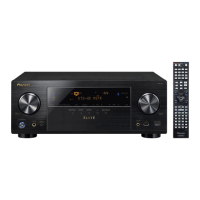
Overview of the receiver's front panel controls, indicators, and display.
Explanation of various indicators and information shown on the front panel display.
Explanation of the remote control layout and button functions.
Guide to listening to any source in surround sound based on speaker setup.
Select THX listening modes for cinema-like sound experience.
Switch between different calibrated listening position settings.
Select analog, digital, or HDMI input signals for connected components.
Configure automatic 6.1/7.1 decoding or generate surround back channels.
How to make detailed settings to specify receiver usage and speaker configurations.
Customize speaker setup options for detailed acoustic calibration.
Make detailed adjustments to surround sound settings manually.
Neutralize ambient room characteristics for flat equalization.
Minimize unwanted room reverberation effects for optimal calibration.
Store, copy, rename, or clear MCACC presets for different listening positions.
Make detailed settings for speaker configuration, levels, and distances.
Connect your iPod to the receiver for playback and on-screen control.
Connect HDMI or DVI components for high-definition digital audio/video.
Connect components with an i.LINK connector for high-speed digital audio/video.
Power up to three independent systems in separate rooms.
Connect a Pioneer plasma display using an SR+ cable for enhanced features.
Check Professional Acoustic Calibration EQ results graphically using a computer.
Set up input functions for connected equipment according to default settings.
Make customized settings to reflect how you are using the receiver.
Make additional sound and picture settings using the AV Parameter menu.
Reset all receiver settings to the factory default.
Assign input source buttons to control other components using preset codes.
Guide to resolving operational problems and malfunctions.
Troubleshooting steps for power-related issues like no power or auto shutoff.
Troubleshooting steps for problems related to no sound output.
Highlights core features like Advanced MCACC setup, Phase Correction, and connectivity options.
 General
| Channels | 7.1 |
|---|---|
| Total Harmonic Distortion (THD) | 0.09% |
| Frequency Response | 5Hz-100kHz |
| Weight | 17.4 kg |
| HDMI Inputs | 2 |
| HDMI Outputs | 1 |
| Component Video Inputs | 3 |
| Component Video Outputs | 1 |
| Digital Audio Output | 1 Optical |
| Analog Audio Inputs | 9 |
| Analog Audio Outputs | 2 |
| THX Certified | Yes |
| Signal-to-Noise Ratio | 100 dB |
| Surround Sound | Yes |
| Composite Video Inputs | 5 |
| Phono Input | Yes |
| Multi-room Output | Yes |
| Remote Control | Yes |
| Surround Sound Formats | Dolby Digital, DTS, Dolby Pro Logic II |
| Digital Audio Inputs | 5 (3 Optical / 2 Coaxial) |
| Amplifier Design | Direct Energy HD |
| Input Sensitivity/Impedance | 200 mV / 47 kΩ |
| Speaker Impedance | 6 - 16 Ω |
| Input/Output | Multiple analog and digital inputs/outputs |




 To Next Page
