EasyManua.ls Logo

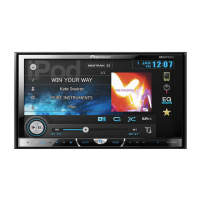
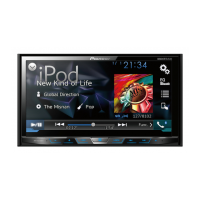
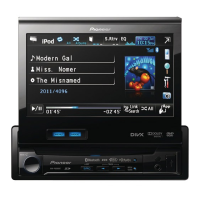
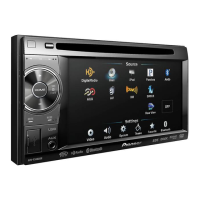
Pioneer AVH-3300BT - User Manual

Pioneer AVH-3300BT
96 pages
Print Icon
To Next Page IconTo Next Page
Loading...
Operation Manual
DVD RDS AV RECEIVER
AVH-P4300DVD
AVH-3300BT
English

Table of Contents

Questions and Answers

Summary

Section 01 Precautions

IMPORTANT SAFEGUARDS

Read all safety instructions regarding your display and retain them for future reference.

To ensure safe driving

Warnings and precautions for safe operation of the vehicle while using the display.

To avoid battery exhaustion

Tips to prevent draining the vehicle battery when using the unit.

Section 02 Before you start

About this unit

General information and frequency allocation for the unit.

Operating environment

Specifies the recommended operating temperature and test conditions.

In case of trouble

Instructions on what to do if the product fails to operate properly.

Resetting the microprocessor

Procedure to reset the unit to its initial settings without losing bookmark information.

Section 03 Whats what

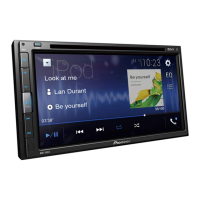
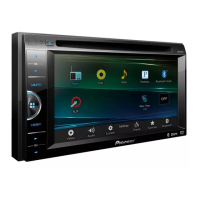
Head unit

Identifies and explains the parts of the head unit for different models.

Section 04 Basic operations

Basic operations

Explains how to select sources, adjust volume, and turn the unit on/off.

Touch panel keys

Describes the functions of various touch panel keys for playback and display control.

Adjusting the LCD panel angle

Instructions on how to adjust the LCD panel angle for better viewing.

Ejecting a disc

Steps to eject a disc from the unit for different models.

Setting the clock

Guide on how to set the unit's clock to the correct date and time.

Section 05 Tuner

Introduction of tuner operations

Overview of tuner operations, including touch panel keys and button controls.

Section 06 Playing moving images

Introduction of video playback operations

Explains how to play various video sources like DVD, iPod, etc.

Section 07 Playing audio

Introduction of sound playback operations

Guide to playing audio files from various sources like CD, iPod, USB, SD.

Section 08 Playing still images

Introduction of still image playback operations

Instructions on viewing still images from various media sources.

Introduction of still image playback as a slideshow operations

Details on viewing still images as a slideshow and controlling it.

Section 09 Bluetooth Telephone

Introduction of Bluetooth telephone operations

Covers basic telephone standby display and touch panel operations.

Section 10 TV tuner

Introduction of TV tuner operations

Explains how to control a TV tuner using the unit, including touch panel keys.

Section 11 Using Bluetooth wireless technology

Introduction of Bluetooth telephone operations

Explains Bluetooth telephone operations during and except during calls.

Bluetooth audio operations

Details how to control Bluetooth audio playback with the unit.

Section 12 Detailed instructions

Storing and recalling stations

How to store and recall radio/TV stations using preset tuning keys.

Receiving traffic announcements

How to receive traffic announcements automatically with TA function.

Calling a number in the phone book

How to make calls using the transferred phone book from a Bluetooth phone.

Pairing from this unit

Establishing a Bluetooth connection by searching for devices from the unit.

Using a Bluetooth device to pair

Connecting to Bluetooth devices that are difficult to pair.

Section 13 Menu operations

Introduction of menu operations

Overview of accessing and navigating the unit's menus.

Audio Adjustments

Adjusting sound settings like fader/balance, equalizer curves, and loudness.

Digital Signal Processor

Detailed DSP adjustments for creating a finely-tuned sound field.

Setting up the DVD player

Configuring DVD player settings like subtitle and audio language.

System settings

Adjusting system-wide settings like auxiliary input, AV input, and FM tuning.

RDS setting

Managing RDS features like regional programming and alternative frequencies.

Entertainment settings

Customizing illumination colors, OSD color, and background display.

Customizing menus

Allowing users to customize the menu columns for easier access.

Section 14 Other Functions

Changing the picture adjustment

Adjusting display settings like brightness, contrast, color, and hue.

Adjusting the response positions of the touch panels (Touch Panel Calibration)

Calibrating the touch screen for accurate input response.

Using an AUX source

Connecting and using auxiliary audio/video devices.

Using an external unit

Controlling basic functions of connected Pioneer external units.

Pioneer AVH-3300BT Specifications

General IconGeneral
MP3 playbackYes
Audio formats supportedAAC, MP3, WMA
Image formats supportedJPG
Supported radio bandsAM, FM
Preset stations quantity24
Product colorBlack
Audio output channels4.0 channels
Equalizer bands quantity8
Maximum power per channel50 W
Aspect ratio16:9
Display typeLCD
Display diagonal5.8 \
Compatible memory cardsSD, SDHC
I/O ports1x USB 1x Aux-in

Related product manuals