EasyManua.ls Logo

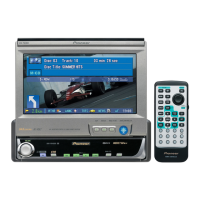
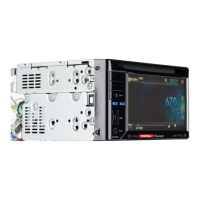
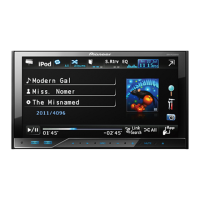
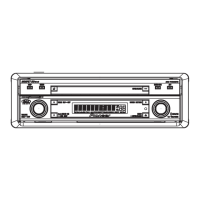
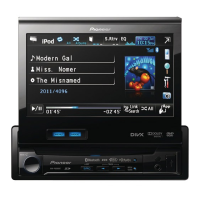
Pioneer AVH-P6300BT - User Manual

Pioneer AVH-P6300BT
104 pages
Print Icon
To Next Page IconTo Next Page
Loading...
Owners Manual
DVD AV RECEIVER
AVH-P6300BT
English

Table of Contents

Questions and Answers

  • S
    salinasbrittanyAug 18, 2025
    What to do if my Pioneer Car Receiver says 'Unplayable Disc'?
    • D
      dnguyenAug 18, 2025
      If your Pioneer Car Receiver displays 'Unplayable Disc', it means the inserted disc does not contain any playable files. Replace the disc with a suitable one.
  • E
    Edward SimmonsAug 20, 2025
    Why does my Pioneer Car Receiver skip tracks?
    • S
      samuelatkinsAug 20, 2025
      If your Pioneer Car Receiver skips tracks, it is likely that the inserted disc contains DRM protected files. Try replacing the disc.
  • L
    Laura WatsonAug 23, 2025
    What to do if my Pioneer Car Receiver power will not turn on?
    • A
      Ashley GarciaAug 23, 2025
      If the power of your Pioneer Car Receiver will not turn on, double-check that all leads and connectors are correctly connected. Also, check the fuse; if it's blown, find out what caused it and replace it with a fuse of the same rating.
  • C
    Christine MorrisonAug 26, 2025
    What to do if my iPod doesn't operate correctly with my Pioneer Car Receiver?
    • K
      Katie McneilAug 26, 2025
      If your iPod is not operating correctly with the Pioneer Car Receiver, ensure the cables are correctly connected. Also, consider updating the iPod software to the latest version.
  • S
    Steven WhiteAug 27, 2025
    What does TEMP mean on my Pioneer Car Receiver?
    • R
      Ronald GentryAug 28, 2025
      The 'TEMP' message on your Pioneer Car Receiver indicates that the unit's temperature is outside the normal operating limits. Wait until the unit returns to a suitable temperature.
  • B
    Benjamin PittmanAug 30, 2025
    What to do if my Pioneer Car Receiver says it's a 'Different Region Disc'?
    • T
      Tiffany LuceroAug 30, 2025
      If your Pioneer Car Receiver displays 'Different Region Disc', it means the DVD does not have the same region number as the unit. Replace the DVD with one that has the correct region number.
  • S
    Samantha RosalesSep 1, 2025
    What does 'Protect' mean on my Pioneer Car Receiver?
    • B
      beverlymoralesSep 1, 2025
      The 'Protect' message on your Pioneer Car Receiver indicates that all the files on the inserted disc are embedded with DRM. Use an audio file not embedded with Windows Media DRM 9/10.
  • L
    Lindsey BrownSep 4, 2025
    How to fix a blurry or dark image on my Pioneer Car Receiver during playback?
    • K
      kleinlaurenSep 4, 2025
      If the image is unclear, distorted, and dark during playback on your Pioneer Car Receiver, disconnect the cable from the iPod. Once the iPod’s main menu is displayed, reconnect the iPod and reset it.
  • T
    Tammy MaySep 7, 2025
    Why does my Pioneer Car Receiver show 'No Data Provided'?
    • C
      catherine05Sep 7, 2025
      This unit cannot receive artist name/song title information or program service name information.
  • W
    woodkatelynSep 9, 2025
    How to fix playback issues on my Pioneer Car Receiver?
    • K
      kathleenhernandezSep 9, 2025
      If playback is not possible on your Pioneer Car Receiver, try the following: * Clean the disc. * Check the disc type to ensure it's compatible. * If using a DivX file, make sure it's within the recommended size and transmission rate.

Summary

01 Precautions

IMPORTANT SAFEGUARDS

Essential safety guidelines for operating the unit and vehicle.

To ensure safe driving

Safety instructions for operating the vehicle while using the unit.

02 Before you start

04 Basic operations

Basic operations of this unit

Overview of fundamental unit controls and source selection.

05 Tuner

06 Playing moving images

Introduction of video playback operations

Guide to playing video content from various sources like DVD, iPod.

07 Playing audio

Introduction of sound playback operations

Guide to playing audio content from CD, USB, SD, and iPod.

10 Bluetooth Telephone

Introduction of Bluetooth telephone operations

Overview of hands-free calling features and phone connectivity.

13 Detailed instructions

Storing and recalling stations

How to save and retrieve radio presets for easy access.

14 Menu operations

Audio Adjustments

Adjusting sound settings like equalizer, fader, balance, and loudness.

15 Other Functions

Changing the picture adjustment

Adjusting display settings such as brightness, contrast, and color.

16 Installation

Connecting the units

General guidelines and warnings for connecting the main unit to vehicle systems.

Connecting the power cord

Wiring instructions for the power supply and speaker connections.

Appendix (Additional Information)

Troubleshooting

Solutions for common issues and error messages encountered with the unit.

Specifications

Pioneer AVH-P6300BT Specifications

General IconGeneral
MP3 playbackYes
Audio formats supportedAAC, MP3, WMA
Image formats supportedJPG
Video formats supportedDIVX, H.264, WMV
Preset stations quantity24
Output power50 W
Product colorBlack
Volume controlRotary
CD changer capacity1 discs
Audio output channels4.0 channels
Aspect ratio16:9
Display typeLCD
Display diagonal7 \
Display resolution480 x 240 pixels
USB version2.0
Bluetooth profilesHFP
Line outputs (RCA)3
USB ports quantity1
Compatible memory cardsSD, SDHC
Key illumination colorMulti

Related product manuals