EasyManua.ls Logo

Pioneer AVH-P2300DVD - User Manual

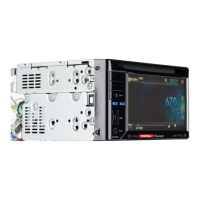
Pioneer AVH-P2300DVD
88 pages
Print Icon
To Next Page IconTo Next Page
Loading...
Owners Manual
DVD RDS AV RECEIVER
AVH-P2300DVD
English

Table of Contents

Other manuals for Pioneer AVH-P2300DVD

Questions and Answers

  • B
    Blake ClineJul 26, 2025
    Why won't my Pioneer Car Video System turn on?
    • N
      Nicole PaceJul 26, 2025
      If your Pioneer Car Video System isn't turning on, the leads and connectors may be incorrectly connected, so double-check all connections to ensure they are correct. Also, check the fuse; if it's blown, determine the cause and replace it with a fuse of the same rating.
  • S
    susan25Jul 30, 2025
    What to do if the sound and video skip on my Pioneer Car Video System?
    • W
      williamwhiteJul 30, 2025
      If the sound and video are skipping on your Pioneer Car Video System, it might not be firmly secured. Make sure the unit is properly and firmly secured.
  • V
    Victor AllenAug 3, 2025
    What to do if playback is not possible on Pioneer Car Video System?
    • N
      Nicholas RodriguezAug 3, 2025
      If playback isn't working on your Pioneer Car Video System, try these steps: First, if you're using a disc, clean it. Second, verify that the disc type is compatible with the unit. Third, if using a DivX file, ensure the file size and transmission rate are within the recommended limits. Create a DivX file that is within the recommended size and transmission rate.
  • B
    Brenda LucasAug 8, 2025
    Why is the volume level low on my Pioneer Car Video System?
    • P
      Patricia BanksAug 8, 2025
      If the volume level is low on your Pioneer Car Video System, the attenuator may be on. Turn the attenuator off.
  • B
    Bernard FloresAug 11, 2025
    What to do if there is no image displayed on my Pioneer Car Video System?
    • B
      bullockjonAug 12, 2025
      If there is no image displayed on your Pioneer Car Video System, noise or other factors might be causing the built-in microprocessor to operate incorrectly. Press RESET.
  • J
    jennifer81Aug 16, 2025
    How to fix remote control if it is not working with Pioneer Car Video System?
    • K
      Kristin EricksonAug 16, 2025
      If the remote control isn't working with your Pioneer Car Video System, press RESET.
  • S
    Sydney MooreAug 20, 2025
    What to do if there is no sound during still, slow motion or frame-by-frame playback on Pioneer Car Video System?
    • M
      morganpriceAug 20, 2025
      If there is no sound during still, slow motion, or frame-by-frame playback on your Pioneer Car Video System, the disc loaded may not be compatible with this video system, so change the disc to one that is compatible. Also, check if the cables are not connected correctly and connect the cables correctly.

Summary

Precautions

IMPORTANT SAFEGUARDS

Essential safety instructions for operating the display and handling the unit.

To ensure safe driving

Safety precautions to prevent driver distraction and ensure safe operation.

Playing moving images

Introduction of video playback operations

How to view video content from various sources like DVD, USB, iPod.

Playing audio

Introduction of sound playback operations

How to listen to audio content from various sources like CD, USB, iPod.

XM;SIRIUS tuner

Introduction of XM;SIRIUS tuner operations

How to operate XM and SIRIUS tuners.

HD Radio tuner

Introduction of HD Radio tuner operations

How to operate the HD Radio tuner.

Using Bluetooth wireless technology

Introduction of Bluetooth telephone operations

How to use the Bluetooth hands-free telephone function.

Other Functions

Installation

Connecting the units

Guidelines and warnings for connecting various units and components.

Additional Information

Troubleshooting

Common symptoms, causes, and actions for resolving issues.

Error messages

Explanation of error messages and recommended actions.

Pioneer AVH-P2300DVD Specifications

General IconGeneral
Audio systemDolby Digital, DTS
MP3 playbackYes
Audio formats supportedAAC, MP3, WMA
Image formats supportedJPG
Video formats supportedDIVX
Supported radio bandsAM, FM
Preset stations quantity24
Product colorBlack
Disc types supportedCD-R, CD-RW, DVD-R, DVD-RW
Audio output channels4.0 channels
Equalizer bands quantity5
Maximum power per channel50 W
Aspect ratio16:9
Display typeLCD
Display diagonal5.8 \
Key illumination colorMulti

Related product manuals