To Next Page


T
Taylor WallaceAug 15, 2025
How to update iPod version on Pioneer Car Receiver?
- ZzchristensenAug 15, 2025
If the digital output setting is set to Linear PCM on your Pioneer Car Receiver, update the iPod version.

How to update iPod version on Pioneer Car Receiver?
If the digital output setting is set to Linear PCM on your Pioneer Car Receiver, update the iPod version.
Why is there no sound from my Bluetooth audio source on my Pioneer Car Receiver?
There are several reasons why sound from a Bluetooth audio source might not play on your Pioneer Car Receiver: * If there's a call in progress on a Bluetooth-connected phone, reconnect the Bluetooth connection between the receiver and the phone. * If a Bluetooth-connected phone is being operated, avoid operating the phone at the same time. * If a call was made and immediately ended on a Bluetooth-connected phone, the sound will play when the call is fully terminated.
Why is the image unclear and dark during playback on my Pioneer Car Receiver?
If the image during playback on your Pioneer Car Receiver appears very unclear, distorted, and dark, it might be due to a copy protection signal on the disc. This isn't a malfunction.
What to do if PBC menu cannot be called up on Pioneer Car Receiver?
If you can't call up the PBC (playback control) menu on your Pioneer Car Receiver, it's because the Video CD you're playing doesn't have PBC. This function isn't available for Video CDs without PBC.
Why repeat play and track/time search are not possible on Pioneer Car Receiver?
If repeat play and track/time search aren't working on your Pioneer Car Receiver, it's because the Video CD you're playing has PBC. This function isn't available for Video CDs that feature PBC.
What to do if my iPod does not operate correctly with Pioneer Car Receiver?
If your Pioneer Car Receiver isn't operating your iPod correctly, disconnect the cable from the iPod. Once the iPod's main menu appears, reconnect the iPod and reset it.
Why repeat play and track/time search are not possible on my Pioneer Car Receiver?
Repeat play and track/time search are not available for Video CDs that feature PBC on Pioneer Car Receiver.
Why the PBC menu cannot be called up on Pioneer Car Receiver?
The PBC (playback control) menu cannot be called up on your Pioneer Car Receiver because this operation is not available for Video CDs that do not feature PBC.
Why Pioneer Car Receiver shows 'No Data'?
This Pioneer Car Receiver cannot receive program service name information.
Why Pioneer Car Receiver shows 'No Data Provided'?
This Pioneer Car Receiver cannot receive artist name/song title information.
Read all instructions for your display and retain them for future reference.
Warnings and cautions regarding safe driving practices while using the display.
Procedure to reset the unit to its initial settings.
Calibrating touch panel keys for accurate response.
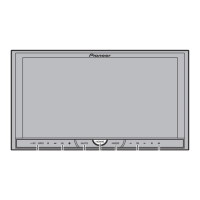
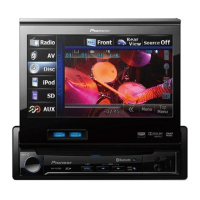
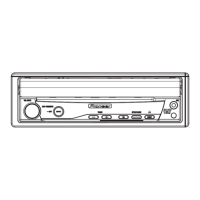
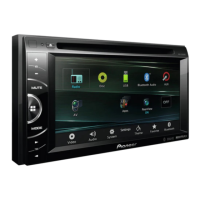
Overview of the components and controls of the head unit.
Explanation of touch panel key functions for basic operations.
Instructions on how to eject a disc from the unit.
Instructions on how to eject an SD card from the unit.
Overview of how to operate the tuner functions.
Guide to playing video content from various sources.
Guide to playing audio content from various sources.
Overview of Bluetooth telephone functionality and setup.
How to find specific parts of a video or audio track.
Instructions for playing DivX Video-on-Demand content.
Adjusting audio settings like fader, balance, and equalizer.
Setting parental lock levels for DVD playback.
Adjusting brightness, contrast, color, hue, dimmer, etc.
Calibrating the touch panel for accurate input.
Common issues and their solutions.
List of error messages and their meanings.
General specifications of the unit.
Audio performance specifications.
Instructions for connecting the main power cord.
Wiring guide for connecting a rear view camera.
Method for mounting the unit using side screw holes.
Guidance for installing the microphone.
 General
| Audio system | Dolby Digital |
|---|---|
| MP3 playback | Yes |
| Audio formats supported | AAC, MP3, WMA |
| Video formats supported | DivX |
| Preset stations quantity | 24 |
| Output power | 200 W |
| Product color | Black |
| Equalizer bands quantity | 8 |
| Aspect ratio | 16:9 |
| Display diagonal | 7 \ |
| Handheld remote control | No |
| File type | MP3, WMA, AAC, JPEG, DivX |
| I/O ports | 1 x RGB in 1 x USB 1 x Video out |
| Power requirements | 14.4 V CD |