EasyManua.ls Logo

Pioneer AVH-X8650BT - User Manual

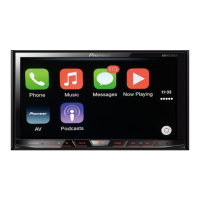
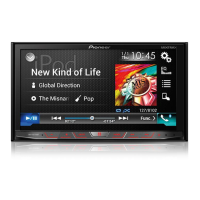
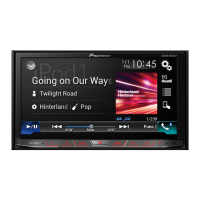
Pioneer AVH-X8650BT
136 pages
Print Icon
To Next Page IconTo Next Page
Loading...
English
DVD RDS AV RECEIVER
ŅŗŅġœŅŔġłŗ௦Ԟᐡ
AVH-X8650BT
!
ϜН
Owner’s Manual
ңЙКь

Table of Contents

Questions and Answers

  • J
    Joseph MooreSep 14, 2025
    What to do if my Pioneer Car Receiver displays a parental lock message during DVD playback?
    • M
      Michelle AllenSep 14, 2025
      If a parental lock message appears and you can't play the DVD, it means the parental lock is activated. You should either turn the parental lock off or change the level. If you are prompted for a code, and it does not work, make sure you input the correct code number.
  • P
    pamelathompsonAug 25, 2025
    Why is there no sound from the iPod on my Pioneer Receiver?
    • C
      connor06Aug 25, 2025
      If you cannot hear sound from the iPod, the audio output direction may have switched automatically because Bluetooth and USB connections are being used simultaneously. Use the iPod to manually change the audio output direction.
  • L
    Laura MccallAug 25, 2025
    What to do if there is no sound during still, slow motion, or frame-by-frame playback with DVD-Video on my Pioneer AVH-X8650BT?
    • M
      marshdaleAug 26, 2025
      If there is no sound during still, slow motion, or frame-by-frame playback with DVD-Video, it is because the system is paused or performing fast reverse or forward during disc playback. For media other than music CD (CD-DA), there is no sound on fast reverse or forward.
  • C
    Cheryl HumphreyAug 26, 2025
    Why are there no sounds during playback on my Pioneer Car Receiver?
    • J
      Juan PonceAug 27, 2025
      No sounds may be produced during still, slow motion, or frame-by-frame playback with DVD-Video because the volume level will not rise. Also, if the system is paused or performing fast reverse or forward during disc playback, for media other than music CD (CD-DA), there is no sound on fast reverse or forward.
  • T
    Todd BrownSep 15, 2025
    Why is CD or DVD playback not possible on my Pioneer Car Receiver?
    • J
      Joshua BurchSep 15, 2025
      CD or DVD playback might fail for several reasons. The files on the disc could be in an irregular format, so check the file format. It might be that the disc format is not supported, in which case you should replace the disc. Also, the loaded disc might be a type not compatible with the player, so verify the disc type.
  • D
    David MartinezSep 23, 2025
    How to insert disc in Pioneer Car Receiver?
    • M
      Melissa LongSep 23, 2025
      Insert the disc with the label upward.
  • S
    Stephanie FloresSep 7, 2025
    What to do if the audio or video skips on my Pioneer Receiver?
    • K
      Kristina HooperSep 7, 2025
      If the audio or video skips, it may be because the Pioneer Receiver is not firmly secured. Make sure the product is securely mounted. Also, check that all cables are correctly connected.
  • M
    Michael WilliamsSep 8, 2025
    How to troubleshoot if dialing is impossible on Pioneer Receiver?
    • S
      Shelby ScottSep 8, 2025
      If dialing is impossible because the touch panel keys are inactive, your phone may be out of the service range. Try again after re-entering the service range. Alternatively, the connection between your phone and the Pioneer Receiver might not be established. In this case, perform the connection process again.
  • G
    Grace StevensSep 2, 2025
    What to do if my Pioneer Receiver disc is inserted upside down?
    • S
      Shannon GibbsSep 2, 2025
      Insert the disc with the label up.
  • J
    jacobgrahamAug 31, 2025
    What to do if CD or DVD playback is not possible on Pioneer AVH-X8650BT Receiver?
    • H
      heatherjohnsonAug 31, 2025
      If CD or DVD playback is not possible, the files on the disc may be in an irregular file format, so check the file format. It could also be that the disc format cannot be played back, so replace the disc. Also, check what type of disc it is.

Pioneer AVH-X8650BT Specifications

General IconGeneral
ModelAVH-X8650BT
Resolution800 x 480
BluetoothYes
USB Ports1
AUX InputYes
DVD PlayerYes
CD PlayerYes
Radio TunerAM/FM
Apple CarPlayYes
Android AutoYes
SD Card SlotYes
HD RadioNo
Equalizer13-Band Graphic Equalizer
Dimensions178 x 100 x 165 mm
DIN Size2 DIN
Screen TypeWVGA
NavigationOptional (with add-on module)
Preamp Outputs3
RMS Power Output14 watts
Peak Power Output50 watts
SiriusXM ReadyYes
Audio OutputRCA Preouts (Front, Rear, Subwoofer)
Video Output1
Audio Formats SupportedMP3, WMA, AAC, WAV
Video Formats SupportedMPEG-1/MPEG-2/MPEG-4

Related product manuals