EasyManua.ls Logo

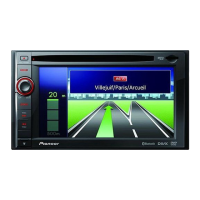
Pioneer AVIC-F60DAB - User Manual

Pioneer AVIC-F60DAB
216 pages
Print Icon
To Next Page IconTo Next Page
Loading...
Operation Manual
NAVIGATION AV SYSTEM
AVIC-F60DAB
AVIC-F960DAB
AVIC-F960BT
AVIC-F860BT
Be sure to read Important Information for the User
first!
Important Information for the User includes the
important information that you must understand before
using this product.
English

Table of Contents

Questions and Answers

  • K
    Kayla MooreAug 15, 2025
    What to do if Pioneer Car Navigation system CD or DVD playback is not possible?
    • K
      Kathleen FloresAug 15, 2025
      If your Pioneer Car Navigation system won't play CDs or DVDs, there might be several reasons: * The disc may be inserted upside down; ensure the label faces upward. * The disc could be dirty; try cleaning it. * The disc might be cracked or damaged; use a normal, round disc. * The files on the disc may be in an irregular format; check the file format. * The disc format may not be supported; replace the disc. * The loaded disc is a type this product cannot play; check what type of disc it is.
  • M
    Michelle BakerAug 18, 2025
    Why is the screen covered by a caution message on my Pioneer Car Navigation system?
    • A
      Amanda BrownAug 18, 2025
      If your Pioneer Car Navigation system screen displays a caution message, it could be due to: * The handbrake lead not being correctly connected or applied; ensure it's properly connected and the handbrake is engaged. * The handbrake interlock being activated; park your vehicle safely and apply the handbrake.
  • M
    mtylerAug 22, 2025
    What to do if the picture stops (pauses) and Pioneer Car Navigation product cannot be operated?
    • L
      lori04Aug 22, 2025
      If the picture on your Pioneer Car Navigation system pauses and the product becomes inoperable, it may be due to the inability to read data during disc playback. Try stopping playback and then restarting it.
  • G
    Gabrielle JacksonAug 26, 2025
    Why are no sounds produced by my Pioneer Car Navigation system?
    • K
      kathy05Aug 26, 2025
      If your Pioneer Car Navigation system isn't producing any sound, it's likely due to incorrectly connected cables. Double-check all cable connections to ensure they are properly connected.
  • A
    Amy EricksonAug 28, 2025
    What to do if the audio or video skips on Pioneer AVIC-F60DAB Car Navigation system?
    • D
      Dominic RomeroAug 28, 2025
      If the audio or video skips on your Pioneer Car Navigation system, it might not be firmly secured. Make sure the system is securely mounted.
  • M
    Megan WallaceSep 1, 2025
    Why is a parental lock message displayed and DVD playback is not possible on my Pioneer AVIC-F60DAB Car Navigation system?
    • B
      brandilewisSep 1, 2025
      If a parental lock message appears and DVD playback is disabled on your Pioneer Car Navigation system, the parental lock is likely enabled. You can either turn the parental lock off or change the level.
  • J
    John SinghSep 4, 2025
    What does icon 9 displayed on Pioneer Car Navigation mean and why operation is impossible?
    • B
      Brendan HernandezSep 4, 2025
      If icon 9 is displayed on your Pioneer Car Navigation system and operation is impossible, it means the current operation is not compatible with the video configuration. This operation is not possible because the DVD playing does not feature that angle, audio system, subtitle language, etc.
  • M
    Marie SnyderSep 7, 2025
    How to cancel the parental lock for DVD playback on Pioneer Car Navigation if it cannot be cancelled?
    • O
      oalexanderSep 7, 2025
      If you're unable to cancel the parental lock for DVD playback on your Pioneer Car Navigation system, it's likely because the code number you're entering is incorrect. Ensure you input the correct code number.
  • S
    Shane RitterSep 12, 2025
    Why is the picture stretched with an incorrect aspect ratio on my Pioneer Car Navigation?
    • C
      Cheryl HendersonSep 12, 2025
      If the picture on your Pioneer Car Navigation system is stretched with an incorrect aspect ratio, the aspect setting is likely incorrect for the display. Select the appropriate setting for that image.

Summary

Location Search and Route Management

Searching for Locations by Address and POI

Guides on searching locations by address and Points of Interest.

Route Modification and Guidance Cancellation

Explains modifying routes, editing destinations, and cancelling guidance.

Customising Navigation Preferences

General Navigation Settings Configuration

Overview of settings: Route Preferences, Sound, Warnings, Map, Regional, Display.

Bluetooth Device Management

Registering and Connecting Bluetooth Devices

Guides on preparing, registering, and searching for Bluetooth devices.

Hands-Free Phoning Operations

Phone Menu Navigation and Call Handling

Covers displaying phone menu, making/receiving calls, and history.

iPod, iPhone, and Smartphone Setup

Basic Setup Flow and Connection Methods

Outlines basic setup, connection methods, and device compatibility.

AppRadio Mode and MirrorLink Usage

Explains AppRadio Mode, MirrorLink, and related touch panel controls.

Aha Radio and Bluetooth Audio Player Operations

Covers using Aha Radio and Bluetooth audio players.

Radio and Digital Radio (DAB) Usage

Radio Operation Basics and Tuning

Covers radio touch keys, screen reading, starting, band selection, and tuning.

Traffic Announcements and News Interruption

Enables traffic announcements and news program interruption features.

Disc and File Playback

Disc Playback Controls and Options

Details touch panel keys, playback controls, and DVD menu operations.

Compressed Audio and Video File Playback

Covers playing compressed audio/video files from discs and external devices.

Still Image File Playback and Slideshows

Guides on viewing still images, slideshows, and file selection.

System Settings and Customization

Navigation and Tuner Settings

Configures navigation info, FM tuning, DAB aerial power, and Bluetooth audio.

Camera, Parking Assist, and Safe Mode Settings

Covers rear view camera, parking assist guidelines, and safe mode configurations.

Audio Adjustments

Theme Menu and Display Customization

Video Player Setup

Common Operations and Other Functions

Appendix: Troubleshooting and Specifications

Troubleshooting AV Screen, Phone, and Application Issues

Addresses common problems with AV screen, phone, and application displays.

Pioneer AVIC-F60DAB Specifications

General IconGeneral
MP3 playbackYes
CD-RW playback-
Audio formats supportedAAC, FLAC, MP3, WMA
Video formats supportedDIVX, H.264, MKV, MPEG1, MPEG2, MPEG4, WMV
Supported radio bandsAM, FM
Preset stations quantity24
DIN size2 DIN
Product colorBlack
DVD region code2
Disc types supportedCD, DVD
Audio output channels4.0 channels
Equalizer bands quantity13
Maximum power per channel50 W
Display diagonal7 \
Number of OSD languages10
USB version2.0
Bluetooth profilesA2DP, AVRCP
Line outputs (RCA)1
Bluetooth functionsAudiostreaming, Handsfree calling
Apple docking compatibilityiPhone 4, iPhone 4S, iPhone 5, iPhone 5c, iPhone 5s, iPod Touch 5
Compatible memory cardsSD, SDHC
Cables includedUSB
Handheld remote controlNo
Menu languagesCZE, DAN, DUT, ENG, ESP, FIN, FRE, GRE, ITA, NOR, POL, POR, SWE, TUR
Charger compatibilitySmartphone
Phonebook capacity1000 entries

Related product manuals