EasyManua.ls Logo

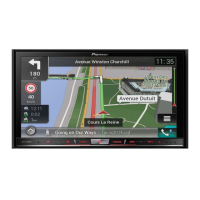
Pioneer AVIC-F60BT - User Manual

Pioneer AVIC-F60BT
188 pages
Print Icon
To Next Page IconTo Next Page
Loading...
Black plate (1,1)
Operation Manual
NAVIGATION AV PLAYER
AVIC-F60BT
Be sure to read Important Information for the User
first!
Important Information for the User includes the
important information that you must understand before
using this product.
English
<CRB4349-A>1

Table of Contents

Other manuals for Pioneer AVIC-F60BT

Questions and Answers

  • A
    Andrew MatthewsAug 1, 2025
    Why is CD or DVD playback not working on my Pioneer AVIC-F60BT?
    • A
      Aaron BurtonAug 1, 2025
      If CD or DVD playback is not possible on your Pioneer Car Navigation system, it might be due to several reasons. First, ensure that the disc is inserted with the label facing upward. If the disc is dirty, clean it carefully. Also, check for any cracks or damage to the disc; if damaged, use a normal, round disc. Verify that the files on the disc are in a supported file format and that the disc format is compatible with your system. If the issue persists, the loaded disc may be a type that your Pioneer Car Navigation system cannot play.
  • K
    Kevin KochAug 6, 2025
    What to do if my Pioneer AVIC-F60BT Car Navigation system screen shows a caution message and blocks video?
    • B
      bryancruzAug 6, 2025
      If your Pioneer Car Navigation system's screen displays a caution message and video playback is blocked, it's likely due to the handbrake lead not being properly connected or applied. Ensure the handbrake lead is correctly connected and that the handbrake is engaged. This issue can also arise if the handbrake interlock is activated; park your vehicle in a safe location and apply the handbrake to resolve this.
  • T
    Tyler WongAug 13, 2025
    What to do if the picture freezes and my Pioneer AVIC-F60BT Car Navigation system stops responding?
    • K
      Kimberly NashAug 13, 2025
      If the picture on your Pioneer Car Navigation system stops (pauses) and the system becomes unresponsive, it could be due to data reading issues during disc playback. Try stopping the playback and then restarting it to resolve the problem.
  • T
    Troy MartinezAug 19, 2025
    Why is the picture stretched on my Pioneer AVIC-F60BT Car Navigation system?
    • M
      Michelle ReyesAug 19, 2025
      If the picture on your Pioneer Car Navigation system is stretched with an incorrect aspect ratio, the aspect setting is likely incorrect for the display. Select the appropriate setting for that image.
  • B
    Brandon RogersAug 25, 2025
    What does icon 9 mean on my Pioneer AVIC-F60BT Car Navigation system?
    • J
      Jesse TurnerAug 26, 2025
      If icon 9 is displayed on your Pioneer Car Navigation system, and operation is impossible, it means that the current operation is not compatible with the video configuration. This operation is not possible.

Summary

Introduction

Manual overview

Explains the manual's structure and usage conventions for effective operation.

Basic operation

Covers device parts, basic functions, and initial setup for everyday use.

Searching for and selecting a location

Searching for a location by address

Step-by-step guide to finding destinations using address details.

Searching for Points of Interest (POI)

Locating nearby points of interest such as gas stations and restaurants.

System settings

Setting the steering wheel control

Customizing steering wheel buttons for controlling device functions.

Setting the FM tuning step

Adjusting the FM tuning step between 100 kHz and 50 kHz based on region.

Audio adjustments

Using fader;balance adjustment

Adjusting front/rear and left/right speaker balance for optimal sound distribution.

Adjusting the time alignment

Correcting sound arrival time from speakers for improved audio clarity.

Appendix

Troubleshooting

Provides solutions for common issues related to AV screen, phone, and application problems.

Error messages

Lists common error messages, their causes, and suggested corrective actions.

Pioneer AVIC-F60BT Specifications

General IconGeneral
Resolution800 x 480 pixels
GPS NavigationYes
BluetoothYes
USB PortYes
SD Card SlotYes
Audio Formats SupportedMP3, WMA, AAC, WAV
Built-in AmplifierYes
TouchscreenYes
DVD PlayerYes
AppRadio ModeYes
Navigation CoverageNorth America
HD RadioNo
CD PlaybackYes
AM/FM TunerYes
Voice ControlYes
Video Formats SupportedMPEG-1, MPEG-2, MPEG-4, WMV
Preamp Outputs3 pairs (Front, Rear, Subwoofer)
Satellite RadioYes
Smartphone IntegrationYes

Related product manuals