EasyManua.ls Logo

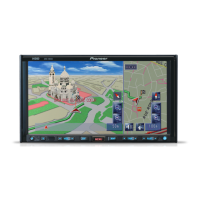
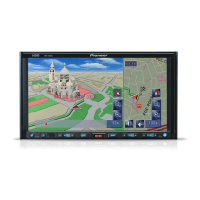
Pioneer AVIC-HD1BT - User Manual

Pioneer AVIC-HD1BT
192 pages
Print Icon
To Next Page IconTo Next Page
Loading...
ENGLISH
HDD AV NAVIGATION HEAD UNIT
AVIC-HD1BT
Don't forget to register your
product on www.pioneer.co.uk
(or www.pioneer-eur.com)
Operation Manual
MAN-HD1BT-SOFTW-EN.book Page 1 Thursday, April 20, 2006 3:47 PM

Table of Contents

Other manuals for Pioneer AVIC-HD1BT

Questions and Answers

  • T
    Thomas MillerAug 19, 2025
    What to do if my Pioneer AVIC-HD1BT does not boot up?
    • B
      Brenda KellerAug 19, 2025
      If your Pioneer Car Navigation system isn't booting up, start by turning the system off and checking the power cable wiring to ensure it's correctly connected. If the wiring is correct, but the system still fails to boot, it could be due to a low temperature affecting the hard disk drive. In this case, wait until the inside of the vehicle warms up. If neither of these steps resolves the issue, the hard disk drive may be defective, and you should consult your authorized Pioneer dealer.
  • K
    Kimberly JacksonAug 21, 2025
    How to fix a Pioneer Car Navigation system that doesn't turn on?
    • D
      don34Aug 21, 2025
      If your Pioneer Car Navigation system isn't turning on, first, double-check all lead and connector connections to ensure they are correctly connected. If the connections are fine, inspect the fuse; if it's blown, determine why, replace it with a fuse of the same rating. If the issue persists, the internal memory may be operating incorrectly due to noise or other factors; in that case, refer to “Returning the Navigation System to the Default or Factory Settings” and carry out appropriate cares. As a final measure, wait until the temperature inside the vehicle falls or rises.
  • D
    David RushAug 23, 2025
    Why is the positioning error large on my Pioneer AVIC-HD1BT Car Navigation system?
    • M
      Michael WalkerAug 23, 2025
      If you're experiencing issues with your vehicle's positioning on the map with the Pioneer Car Navigation system, or if the positioning error is significant, it may be due to poor signal quality from the GPS satellites, which reduces positioning accuracy. Check the GPS signal reception and the position of the GPS aerial, and adjust if necessary. Alternatively, continue driving until the GPS reception improves, ensuring that the aerial remains unobstructed.
  • R
    Raymond Thompson Jr.Aug 26, 2025
    Why is daylight display used when vehicle lights are on Pioneer AVIC-HD1BT?
    • E
      elainejonesAug 26, 2025
      If the daylight display is active even when your vehicle lights are on in your Pioneer Car Navigation system, check the [Day/Night Display] setting. Ensure that [Automatic] is selected to allow the system to switch automatically between day and night modes based on the vehicle's light status.
  • S
    sophiakochAug 28, 2025
    How to stop the map from continually reorienting itself on Pioneer Car Navigation system?
    • S
      Steven KerrAug 28, 2025
      If the map on your Pioneer Car Navigation system is continually reorienting itself, it might be because the traveling direction is set to Heading Up. To resolve this, touch the screen and change the map display settings to your preferred orientation.
  • J
    Jay TurnerAug 30, 2025
    Why is the display very dim on my Pioneer AVIC-HD1BT?
    • J
      Jessica HodgesAug 30, 2025
      If the display on your Pioneer Car Navigation system appears very dim, especially when the vehicle's lights are on and [Automatic] is selected in the [Day/Night Display] settings, read about the [Day/Night Display] setting and, if desired, select [Day].
  • L
    Luke BrandtSep 1, 2025
    Why no sounds are heard from Pioneer AVIC-HD1BT Car Navigation system?
    • G
      Gary BeckSep 2, 2025
      If you cannot hear any sounds from your Pioneer Car Navigation system, the first thing to check is the volume level. Adjust the volume to a suitable level to ensure sounds are audible.
  • W
    williamsbrianSep 4, 2025
    What to do if the volume level will not rise on Pioneer Car Navigation system?
    • R
      Randy BallSep 4, 2025
      If the volume level on your Pioneer Car Navigation system will not increase, it's possible that the attenuator or mute function is activated. Deactivate the attenuator or mute to restore the volume control.
  • T
    Thomas SpencerSep 6, 2025
    How to adjust volume of beeps and navigation guidance on Pioneer Car Navigation system?
    • J
      Jonathan GutierrezSep 6, 2025
      If you're unable to adjust the volume of beeps and navigation guidance on your Pioneer Car Navigation system using the VOL button, use the [Volume] control located in the [Settings] menu to adjust these parameters.
  • J
    Jill ClarkeSep 8, 2025
    Why is the image on the “Rear Display” in black and white on Pioneer Car Navigation system?
    • K
      Katie MurphySep 8, 2025
      If the image on the “Rear Display” connected to your Pioneer Car Navigation system is in black and white or not displayed correctly, it may be due to a mismatch between the NTSC and PAL systems. Use a product that has the NTSC/PAL auto switch function for the “Rear Display”.

Pioneer AVIC-HD1BT Specifications

General IconGeneral
Display Size6.1 inches
Resolution800 x 480 pixels
TouchscreenYes
Navigation TypeGPS
BluetoothYes
Audio Formats SupportedMP3, WMA, AAC
USB PortYes
SD Card SlotYes
RDS TunerYes
ExpandabilityYes
iPod CompatibilityYes
AM/FM TunerYes
Power Output50W x 4
Video FormatsMPEG-1, MPEG-2
Map UpdatesYes, via SD card

Related product manuals