EasyManua.ls Logo

Pioneer BDP-330 - User Manual

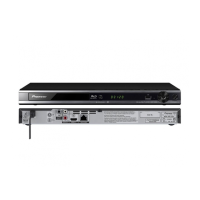
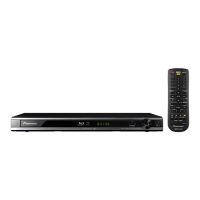
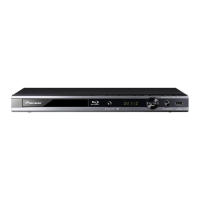
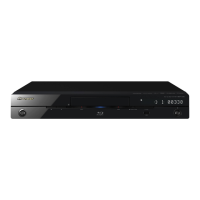
Pioneer BDP-330
64 pages
Print Icon
To Next Page IconTo Next Page
Loading...
Operating Instructions
Blu-ray Disc PLAYER
BDP-LX53
BDP-333
BDP-330

Table of Contents

Other manuals for Pioneer BDP-330

Questions and Answers

  • D
    Daniel HallSep 12, 2025
    Why are the audio channels reversed on my Pioneer Blu-ray Player?
    • J
      Joseph WrightSep 12, 2025
      If the left and right audio channels are reversed or sound only comes out of one side on your Pioneer Blu-ray Player, check if the left and right audio cables are connected to the opposite terminals or if one side is disconnected.
  • J
    John WhitakerAug 25, 2025
    What to do if Pioneer BDP-330 Blu-ray Player remote control does not work?
    • M
      mary66Aug 25, 2025
      If the remote control for your Pioneer Blu-ray Player isn't working, try these steps: * Make sure you are within 23 feet of the remote control sensor. * Replace the batteries in the remote.
  • D
    David MataAug 26, 2025
    Why Pioneer Blu-ray Player power turns off automatically?
    • N
      Nicole LoweAug 26, 2025
      If your Pioneer Blu-ray Player is turning off automatically, check if the “Auto Power Off” setting is set to “Yes”. When this setting is enabled, the power will automatically turn off after 10 minutes of inactivity (no playback).
  • C
    Cheryl SchaeferSep 23, 2025
    Why does my Pioneer Blu-ray Player power turn off automatically?
    • J
      James YangSep 23, 2025
      Your Pioneer Blu-ray Player might be turning off automatically because “Auto Power Off” is set to “Yes,” which turns off the power after 10 minutes of inactivity. Also, if “Settings” – “control function setting” is set to “Yes” on the player, the player’s power may turn off when the power of the connected TV is turned off.
  • R
    ruben39Sep 12, 2025
    Why does my Pioneer Blu-ray Player turn on automatically?
    • M
      Mr. Brandon YoungSep 13, 2025
      If your Pioneer Blu-ray Player is turning on automatically, it may be because “Settings” – “Control” is set to “Yes” on the player. In this case, the player’s power may turn on when the connected TV is operated.
  • C
    Courtney WilliamsSep 18, 2025
    Why can't I download BD-LIVE content on my Pioneer Blu-ray Player?
    • B
      Brian JenkinsSep 18, 2025
      If you cannot download BD-LIVE contents on your Pioneer Blu-ray Player, ensure the LAN cable is properly connected and the USB memory device is correctly connected to the USB port. Check if the BD disc supports BD-LIVE and verify the setting for 'BD Internet Access'.
  • C
    cmontesSep 5, 2025
    What to do if Pioneer BDP-330 Blu-ray Player TV operates incorrectly?
    • W
      watkinsjosephSep 6, 2025
      Some TVs with wireless remote control capability may operate incorrectly when using the remote control of this Pioneer Blu-ray Player. Use such TVs away from this Player.
  • J
    Joshua BlanchardSep 6, 2025
    Is it normal if Pioneer BDP-330 heats up during use?
    • V
      vincentchenSep 6, 2025
      When using this Pioneer Blu-ray Player, the console cabinet may heat up depending on the usage environment. This is not a malfunction.
  • M
    Matthew SilvaSep 18, 2025
    Why doesn't the HDMI control function work on my Pioneer Blu-ray Player?
    • B
      Bruce GreenSep 22, 2025
      If the control function with HDMI does not work on your Pioneer Blu-ray Player, ensure the HDMI cable is properly connected and that you are using High Speed HDMI® Cables. Set “Settings” – “Control” on the player to “Yes”. Note that the control function with HDMI does not work with devices of other brands or devices that do not support the control function with HDMI connected between the HDMI-compatible device and the player. Also, set the control function with HDMI to On on the connected device. Ensure the player’s picture is output to the Flat Screen TV and that no more than three players are connected. Refer to the operating instructions of the connected device as well.
  • K
    kingaustinAug 30, 2025
    Why Pioneer Blu-ray Player power is turned on automatically?
    • J
      Jerry GilbertAug 30, 2025
      The power of your Pioneer Blu-ray player may turn on automatically if the “Control” setting is set to “Yes”. With this setting enabled, the player’s power may turn on when the connected TV is operated.

Summary

Safety and Precautions

Electrical Safety Cautions

Information on preventing electric shock, high voltage, and proper handling of power cords.

Environmental and Handling Warnings

Warnings about water, ventilation, placement, and fire hazards from the equipment.

Laser Product Information

Details regarding the product's classification as a Class 1 laser product.

Connecting the Player

Getting Started with Playback

Playback Operations

Advanced Playback Features

Playback Control Functions

Using functions like fast forward, rewind, skip, pause, slow playback, and repeat.

Player Settings and Customization

Network and Communication Setup

Configuring network settings, IP addresses, and connection types.

Software Updates and USB Management

Procedures for updating player software and managing USB memory devices.

Troubleshooting Guide

Power and Basic Operation Issues

Solutions for common problems related to power, remote control, and player operation.

Disc Playback and Media Issues

Troubleshooting for playback errors, picture issues, and sound problems with discs.

Network and HDMI Control Issues

Solutions for connectivity problems and HDMI control function errors.

System Reset and Error Messages

How to reset the player and interpret common error messages related to discs and USB.

Pioneer BDP-330 Specifications

Power Requirements IconPower Requirements
power requirements120 V 60 Hz
Weight and Dimensions IconWeight and Dimensions
product weight5 lbs. 8 oz.
dimensions16.54” x 2.94” x 26.77”

Related product manuals