EasyManua.ls Logo

Pioneer BDR-XD08EMB-S - User Manual

Pioneer BDR-XD08EMB-S
278 pages
Print Icon
To Next Page IconTo Next Page
Loading...
Nederlands
English
Français
Deutsch
Italiano
Magyar
Svenska
Español
Čeština
Polska
Slovenčina
USB 3.2 Gen1 (USB Type-C
®
) / 2.0 Slim Portable BD/DVD/CD Writer
Graveur de BD/DVD/CD portable mince USB 3.2 Gen1 (USB Type-C) / 2.0
Kompakter tragbarer BD/DVD/CD-Brenner mit USB 3.2 Gen1 (USB Type-C) / 2.0
Grabadora portátil de BD/DVD/CD delgada USB 3.2 Gen1 (USB Type-C) / 2.0
Masterizzatore BD/DVD/CD portatile Slim USB 3.2 Gen1 (USB Type-C) / 2.0
USB 3.2 Gen1 (USB Type-C) / 2.0 compacte draagbare BD/DVD/CD-brander
USB 3.2 Gen1 (USB Type-C) / 2.0 Slim přenosná zapisovací jednotka BD/DVD/CD
Przenośna nagrywarka BD/DVD/CD Slim 2.0, USB 3.2 Gen1 (USB Type-C)
USB 3.2 Gen1 (USB Type-C) / 2.0 karcsú hordozható BD/DVD/CD-író
USB 3.2 Gen1 (USB Type-C) / 2.0 Smal bärbar BD/DVD/CD-brännare
Tenký zapisovač BD/DVD/CD s konektorom USB 3.2 Gen1 (USB Type-C) / 2.0
BDR-XD08EMB-S
Owners Manual
Manuel de l’utilisateur
Gebrauchsanweisung
Manual del propietario
Manuale di istruzioni
Gebruikershandleiding
Příručka uživatele
Instrukcja obsługi
Használati útmutató
Bruksanvisning
Používateľská príručka

Table of Contents

Question and Answer IconNeed help?

Do you have a question about the Pioneer BDR-XD08EMB-S and is the answer not in the manual?

Overview

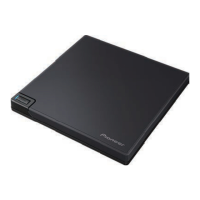
The Pioneer BDR-XD08EMB-S is a slim, portable BD/DVD/CD writer designed for use with USB 3.2 Gen1 (USB Type-C®) and USB 2.0 connections. It allows for recording and playback of various optical disc formats, including Blu-ray, DVD, and CD, and supports Ultra HD Blu-ray playback on compatible Windows platforms.

Function Description:

This device serves as an external optical drive for computers, enabling users to read and write data to and from Blu-ray, DVD, and CD media. It connects to a PC via a supplied USB cable (Type-A or Type-C adapter included). The drive is designed for horizontal installation only. It requires application software, such as CyberLink Media Suite (product key included with the Quick Start Guide), to be installed on the PC for disc writing operations. The drive also features Pioneer's "Drive Utility" software, which allows for configuration of various functions, including adjusting the reading method for music CDs and setting the "PureRead" function.

Important Technical Specifications:

  • Connectivity: USB 3.2 Gen1 (USB Type-C®) / USB 2.0. Connection to a USB 3.0 port is recommended for optimal performance, as a USB 3.0 cable connected to a USB 2.0 port will limit performance to USB 2.0 standards. The unit can operate with USB 1.1 but will not provide optimum performance.
  • Disc Sizes: Supports 12 cm and 8 cm discs. Does not support 8 cm adapters.
  • Data Transfer Rates (Sustained):
    • Read:
      • BD-ROM (SL/DL): Max. 27.00 MB/s (6X)
      • Ultra HD Blu-ray: Max. 18.00 MB/s (4X)
      • DVD-ROM (SL/DL): Max. 10.80 MB/s (8X)
      • CD-ROM: Max. 3.60 MB/s (24X)
    • Write:
      • BD-R (SL/DL): Max. 27.00 MB/s (6X)
      • BD-RE (SL/DL): Max. 9.00 MB/s (2X)
      • DVD±R (SL): Max. 10.80 MB/s (8X)
      • DVD±R (DL): Max. 8.10 MB/s (6X)
      • CD-R: Max. 3.60 MB/s (24X)
    • Note: When using a USB 2.0 port, BD writing/reading speed will not achieve 6X. Transfer rates may also be reduced depending on disc condition (e.g., scratches).
  • Access Time (Random Average):
    • BD-ROM: 270 ms
    • DVD-ROM: 270 ms
    • CD-ROM: 270 ms
  • Seek Time (Random Average):
    • BD-ROM: 250 ms
    • DVD-ROM: 250 ms
    • CD-ROM: 250 ms
  • Power Supply: DC +5 V, 1.0 A (AVE).
  • External Dimensions (excluding foot pad): 133 mm (W) x 14.8 mm (H) x 133 mm (D).
  • Weight (Drive only): 230 g.
  • Operating Temperature/Humidity: +5 °C to +35 °C; 5% to 85% relative humidity (non-condensing).
  • Storage Temperature/Humidity: -40 °C to +60 °C; 5% to 90% relative humidity (non-condensing).
  • Buffer Size: 4 MB.
  • Power (Standby): 0.65 W.
  • Laser Product Classification: Class 1 laser product, containing a Class 3B laser diode.

Usage Features:

  • Disc Loading: Discs are loaded onto a tray by pressing the [OPEN] button and gently lifting the disc cover. Only BD, DVD, or CD discs should be placed on the tray with the label facing up. The disc cover should be closed gently. Manual force should not be used to open the disc cover; a Forced Open Lever is provided for use when the drive is powered off.
  • Power/Busy Indicator: A single indicator LED shows the operational status: dimly lit during power on, brightly lit during reading/writing, and dimly lit during disc cover open/close.
  • PureRead Function: This feature is designed for reading music CDs. It attempts to acquire and reproduce the original sound as much as possible, even from scratched or soiled CDs, by repeatedly reading problematic parts. It has two modes:
    • Master Mode (default): Acquires and reproduces original sound, interpolating data if it cannot be fully reproduced, and continues acquisition.
    • Perfect Mode: Reproduces original sound, but stops acquisition if audio data cannot be fully reproduced.
    • OFF: Normal music CD data acquisition; interpolation occurs if scratches prevent reading.
    • The PureRead mode can be displayed by pressing and holding the [OPEN] button for at least two seconds when no disc is inserted.
  • Custom Eco Function: Reduces power consumption by stopping disc rotation or reducing speed if no commands are received from the PC for a specified period. Shortening this period makes the device enter power-saving mode earlier. However, resuming high-speed operation after power-saving mode may result in reduced speed temporarily. This setting can be configured via the Pioneer BD Drive Utility on Windows and is retained after power off.
  • Dual Disc Playback: The device supports Dual Disc playback, but users should be aware that the non-playback side may get scratched during insertion/removal, potentially causing playback issues. The audio side (non-DVD side) may not be compliant with general physical CD standards and might not play in some cases.
  • Region Codes: The region code for DVD discs can be set only five times. The fifth setting will be locked as the final region code. DVD discs without a region code can be played on all players.

Maintenance Features:

  • Cleaning: Use a soft, dry cloth to wipe the exterior. For significant soiling, dilute a neutral cleaner (5-6 times in water), moisten a soft cloth, wipe the soiling, then dry with a dry cloth. Avoid volatile chemicals (benzene, thinners, alcohol, aerosol sprays) as they can damage the surface.
  • Disc Handling: Do not touch or scratch the shiny side of the disc. Hold discs by both edges or by the center hole and one edge. Do not apply stickers or labels. Avoid cracked, deformed, or repaired discs, as they can cause malfunction or damage due to high-speed rotation. For old or rental discs, check for cracks around the center hole. Do not use special-shaped or non-standard discs. Clean dust or fingerprints by wiping outwards from the center to the outer edge with a soft cloth; avoid circular motions. Do not use record spray or antistatic agents.
  • Condensation: If condensation occurs, leave the device for one to two hours to allow moisture to evaporate before use.
  • Servicing: Do not remove covers or attempt to access the inside of the product. All servicing should be referred to qualified personnel, as the device contains high-voltage parts and is a precision instrument.
  • Data Backup: Pioneer recommends regularly backing up all critical data, as it accepts no liability for data loss due to product use or breakdown.

Pioneer BDR-XD08EMB-S Specifications

General IconGeneral
BrandPioneer
ModelBDR-XD08EMB-S
CategoryComputer Hardware
LanguageEnglish

Related product manuals