
 Need help?
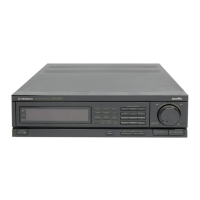
Do you have a question about the Pioneer CLD-3070 and is the answer not in the manual?
Warnings to prevent fire or shock hazards from appliance use.
Instructions for setting the player's voltage selector switch correctly.
Covers reading instructions, cleaning, and proper appliance placement.
Details on preventing shocks, lightning, and overloading.
Guidelines for setup, maintenance, and repairs.
Caution regarding radiation exposure and optical instruments for U.S. models.
Guidelines for proper grounding of CATV cable connection.
Information on loading one disc and NTSC system usage.
Explains the purpose and removal of the transit screw.
Instructions for keeping and reinstalling the transit screw.
Features like dual-side play, auto-loading, and disc compatibility.
Details on S-video, digital filters, optical output, and digital sound.
Covers intro scan, jog dial, one-shot memory, and file management.
Lists player parts, connection cables, and documentation.
Comparison of LD, CDV, and CD disc characteristics.
Covers player placement, ventilation, and heat avoidance.
Notes on automatic loading, stripe patterns, and condensation.
Instructions for cleaning the player's exterior.
Explains standard play (CAV) and extended play (CLV) LaserVision discs.
Details on LaserVision discs with digital audio capabilities.
Introduction to the CD Video system and its components.
Guidance on how to hold and clean discs properly.
Advice on avoiding damaged discs and proper storage methods.
Details on optical, S-Video, Video, and Audio output terminals.
Information on power cord connection and control terminals.
Connections for antenna input/output and channel selector.
Connecting player to TV's video and audio inputs.
Specifics for using the S-VIDEO OUT terminal.
Connecting to stereo amplifiers and integrated systems.
Wiring for regular televisions and antenna input.
Connecting the player to a stereo amplifier for audio output.
Tips on antenna cable placement to avoid interference.
Connecting player to VHF antenna and TV.
How to attach antenna adapters for different cable types.
Specific steps for US Military models with IEC terminals.
How to set the channel selector for TV reception.
Connecting player's audio outputs to amplifier inputs.
Connecting power cords and using optical digital output.
How to connect to projection monitors or component displays.
Enabling system control with SR-marked AV receivers.
Buttons for selecting disc sides and powering the unit on/off.
Buttons for CX system, memory, skip, and play/still functions.
Controls for jog dial operation and the remote sensor window.
Buttons for one-shot memory, program input, and file management.
Controls for door access, still/strobe motion, shuttle ring, and digit input.
Buttons for repeat playback and stopping/ejecting discs.
Key functions of the remote control unit.
Explanation of visual calendar and CX system indicators.
Meaning of various indicators like Repeat, Side B, Total, and Digital Sound.
Explains color coding for LaserVision, CDV, and common keys.
Keys for powering, ejecting, pause, play, and still/sound modes.
Keys for memory, jog mode, digit input, and search operations.
Using the jog dial and shuttle ring for playback control.
Keys for multi-speed, chapter skip, track search, and scan.
Keys for repeat, audio monitor, and auto digital/analog selection.
Keys for file operations, display switching, and program input.
How to change display modes on the player and TV screen.
Explains the data shown for LD and CDV discs.
Details for CD/CDV audio displays and indicator meanings.
Pre-playback checks including transit screw, TV, and stereo setup.
Steps for powering on the player and loading discs correctly.
Instructions for starting playback and handling disc sides.
Steps for stopping playback and safely removing discs.
How to tune the TV for clear playback and troubleshoot signal issues.
How the player remembers the last playback position.
Steps for receiving TV broadcasts through the player.
How to use the remote, range, and potential interference.
Instructions for inserting and handling batteries safely.
Using keys to select digital/analog audio and channels.
Playing stereo, bilingual, and multi-audio discs.
Using the CX system for analog sound and digital audio discs.
Using pause, intro scan, and scan functions for playback control.
How to use intro scan and chapter skip features.
Achieving still frames and adjusting playback speed.
Using memory functions and automatic picture stop codes.
How to execute and select speeds for multi-speed playback.
Lists speeds and corresponding keys for multi-speed playback.
Explains how frame/time numbers are displayed for LaserVision discs.
How to achieve still frames with sound during playback.
How to create strobe effects with timed intervals.
Using the jog dial for variable speed playback forward or reverse.
Using the shuttle ring for fast forward/reverse at different speeds.
General purpose of search functions for finding scenes.
How to directly access chapters by number.
Step-by-step guide for chapter number searches.
How to search for scenes by elapsed time.
How to search for scenes by frame number.
Covers CD search and pause functions.
How to play CD tracks in a random order.
How to stop random playback mode.
Steps for programming tracks within a set time.
How to use intro scan and direct track search.
Using track search and clearing programs.
Using scan for fast forward/reverse and track search.
Locating playback by elapsed time.
How to correct entered numbers during search.
Procedures for canceling or completing searches.
How to begin playback from a specific track.
Functions of REPEAT A/B buttons and repeat key modes.
How to repeat a specific segment of a disc.
How to memorize and recall specific scenes.
Repeating chapters, tracks, or entire sides.
Repeating entire discs or programmed sequences.
How to exit repeat playback modes.
Operations that continue repeat playback.
Operations that terminate repeat playback.
Programming playback by chapter for LDs.
Programming playback by track for CDs.
Steps for programming and handling invalid inputs.
How to insert pauses into programmed sequences.
Steps for modifying or correcting program data.
How programs are displayed and what info is shown.
How to repeat programs and skip steps.
Steps to stop or cancel programmed playback.
Explains what files are used for (messages, selections).
Step-by-step guide to entering text for files.
Steps for finishing file character input.
How to edit characters entered for a file.
Steps for inputting programmed playback data into a file.
How to define specific playback segments for LaserVision discs.
How to play and check the contents of created files.
Procedure for deleting unwanted files.
Solutions for disc table not ejecting or coming out.
Troubleshooting TV channel reception and screen stripes.
Addressing issues with the remote control not working or interfering with TV.
Resolving problems with missing or unstable video.
Solutions for discs not playing correctly or audio issues.
Resolving screen shakes during still playback and search problems.
Addressing long search times and repeat operation delays.
Solutions for immediate stopping after playback starts.
Troubleshooting no sound output or distorted sound.
Details on system, power, dimensions, and disc types.
Technical specs for video output, audio levels, and digital audio.
Information on connection terminals and included accessories.
Lists operations available via the remote control.
Table showing which functions work with which disc types.
 General
| Brand | Pioneer |
|---|---|
| Model | CLD-3070 |
| Category | Car Receiver |
| Language | English |


 To Next Page