EasyManua.ls Logo

Pioneer CT-979 - User Manual

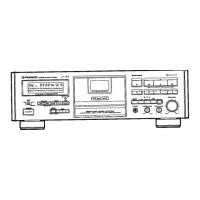
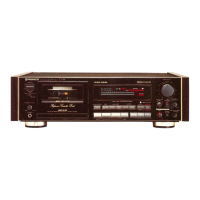
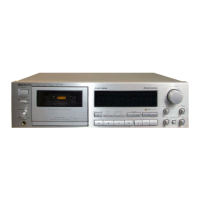
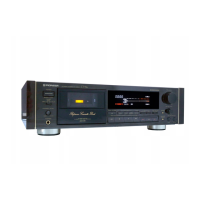
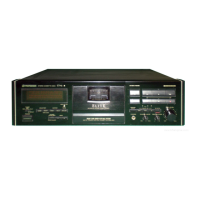
Pioneer CT-979
20 pages
Print Icon
To Next Page IconTo Next Page
Loading...
Question and Answer IconNeed help?

Do you have a question about the Pioneer CT-979 and is the answer not in the manual?

Summary

Operating Instructions

Line Voltage Selector Switch

Selects the appropriate mains voltage for your region.

Safety Instructions

Outdoor Antenna Grounding

Proper grounding for antenna systems to prevent surges and static charges.

Installation

Condensation Prevention

Advice on avoiding condensation during temperature changes for optimal performance.

Maintenance

Cleaning Heads, Pinch Rollers, and Capstans

Guide to cleaning critical playback components for optimal sound quality.

Demagnetizing the Heads

Procedure to remove residual magnetism from playback heads.

Cleaning the Front Panel

Instructions for cleaning the unit's exterior panel.

Handling Cassette Tapes

Checking Cassette Before Use

Essential checks to ensure proper tape loading and function.

Automatic Tape Selector Function

How the deck automatically detects tape type for optimal recording.

Tips for Cassette Tapes

Advice on tape storage and usage for best performance.

Connections

Recording and Playback Connections

How to connect the deck for recording and playback to an amplifier.

MPX Filter Switch Operation

Function and usage of the MPX filter for FM stereo broadcasts.

CD Deck Synchro Recording Connection

Connecting for synchronized recording from a CD player.

System Remote Control Setup

Connecting for remote operation with other Pioneer components.

Power Cord Connection and Safety

Proper connection of the power cord and associated safety precautions.

Front Panel Facilities

Control Panel Overview

Identifies and explains the function of each control on the front panel.

Super Auto BLE and ATLC Functions

Details on automatic tape tuning and tape slack cancellation features.

Function Display (CT-93, CT-979, CT-41, CT-777)

Explanation of the display indicators for specific models.

Function Display (CT-S709, CT-676)

Explanation of the display indicators for other specific models.

Counter Modes

Tape Counter

Tracks tape movement by number for easy location of segments.

Time Counter

Displays elapsed recording or playback time during operation.

Remaining Time Counter

Shows the estimated remaining tape time for optimal recording planning.

Playback Operations

Music Search Function

Skips to the beginning of desired selections on the tape automatically.

Repeat Playback

Enables the tape content to be played back repeatedly for a set number of times.

Recording Operations

Setting the Recording Level

Adjusts recording volume for optimal sound quality and to prevent distortion.

Bias Control Adjustment

Fine-tunes bias for reduced distortion and better frequency response on specific models.

Recording Mute Function

Creates blank sections on tape for music search function operation.

Tape Return and Return Play

Quickly rewinds or fast-forwards tape to a set point.

Recording and Playback Using an Audio Timer

Unattended Recording Setup

Schedules recording to occur automatically at a set time using an external timer.

Wake-Up Playback Setup

Schedules playback to start automatically at a set time using an external timer.

Troubleshooting Guide

Specifications

Summary

Operating Instructions

Line Voltage Selector Switch

Selects the appropriate mains voltage for your region.

Safety Instructions

Outdoor Antenna Grounding

Proper grounding for antenna systems to prevent surges and static charges.

Installation

Condensation Prevention

Advice on avoiding condensation during temperature changes for optimal performance.

Maintenance

Cleaning Heads, Pinch Rollers, and Capstans

Guide to cleaning critical playback components for optimal sound quality.

Demagnetizing the Heads

Procedure to remove residual magnetism from playback heads.

Cleaning the Front Panel

Instructions for cleaning the unit's exterior panel.

Handling Cassette Tapes

Checking Cassette Before Use

Essential checks to ensure proper tape loading and function.

Automatic Tape Selector Function

How the deck automatically detects tape type for optimal recording.

Tips for Cassette Tapes

Advice on tape storage and usage for best performance.

Connections

Recording and Playback Connections

How to connect the deck for recording and playback to an amplifier.

MPX Filter Switch Operation

Function and usage of the MPX filter for FM stereo broadcasts.

CD Deck Synchro Recording Connection

Connecting for synchronized recording from a CD player.

System Remote Control Setup

Connecting for remote operation with other Pioneer components.

Power Cord Connection and Safety

Proper connection of the power cord and associated safety precautions.

Front Panel Facilities

Control Panel Overview

Identifies and explains the function of each control on the front panel.

Super Auto BLE and ATLC Functions

Details on automatic tape tuning and tape slack cancellation features.

Function Display (CT-93, CT-979, CT-41, CT-777)

Explanation of the display indicators for specific models.

Function Display (CT-S709, CT-676)

Explanation of the display indicators for other specific models.

Counter Modes

Tape Counter

Tracks tape movement by number for easy location of segments.

Time Counter

Displays elapsed recording or playback time during operation.

Remaining Time Counter

Shows the estimated remaining tape time for optimal recording planning.

Playback Operations

Music Search Function

Skips to the beginning of desired selections on the tape automatically.

Repeat Playback

Enables the tape content to be played back repeatedly for a set number of times.

Recording Operations

Setting the Recording Level

Adjusts recording volume for optimal sound quality and to prevent distortion.

Bias Control Adjustment

Fine-tunes bias for reduced distortion and better frequency response on specific models.

Recording Mute Function

Creates blank sections on tape for music search function operation.

Tape Return and Return Play

Quickly rewinds or fast-forwards tape to a set point.

Recording and Playback Using an Audio Timer

Unattended Recording Setup

Schedules recording to occur automatically at a set time using an external timer.

Wake-Up Playback Setup

Schedules playback to start automatically at a set time using an external timer.

Troubleshooting Guide

Specifications

Pioneer CT-979 Specifications

General IconGeneral
Type3-head, single compact cassette deck
Track System4-track, 2-channel stereo
Tape Speed4.76 cm/s
Tape Typetype I, CrO2, Metal
Heads1 x record, 1 x playback, 1 x erase
Motor1 x reel, 1 x capstan, 1 x mechanism
Total Harmonic Distortion0.8%
InputsLine
OutputsLine

Related product manuals