EasyManua.ls Logo

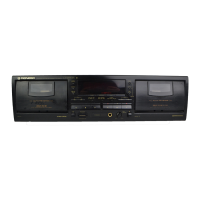
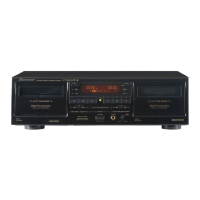
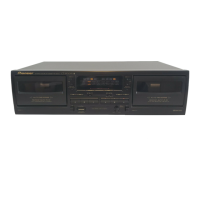
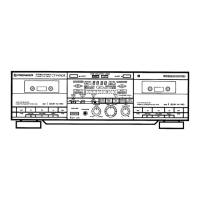
Pioneer CT-W606DR - User Manual

Pioneer CT-W606DR
36 pages
Print Icon
To Next Page IconTo Next Page
Loading...
@
PIONEER’
CT-VV606DR
CT-Wol6DK
CT-W706DR
Operating
Instructions
Mode
d'emploi
STEREO
DOUBLE
CASSETTE
DECK
DOUBLE
PLATINE
CASSETTE
STEREO
e@
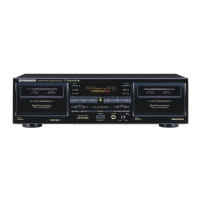
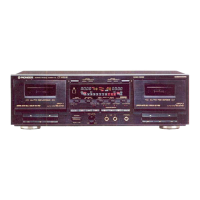
The
above
illustration
shows
CT-W706DR.
e
L
illustration
ci-dessus
represente
le
modéle
CT-W706DR.
@
For
the
demo
function,
refer
to
back
cover
of
these
oper-
ating
instructions.
Thank
you
for
buying
this
Pioneer
product.
Please
read
through
these
operating
instructions
so
you
will
know
how
to
operate
your
unit
properly.
After
you
have
fin-
ished
reading
the
instructions,
keep
them
in
a
safe
place
for
future
reference.
in
some
countries
or
regions,
the
shape
of
the
power
plug
and
power
outlet
may
sometimes
differ
from
that
shown
in
the
explanatory
drawings.
However,
the
method
of
connect-
ing
and
operating
the
unit
is
the
same.
WARNING:
TO
PREVENT
FIRE
OR
SHOCK
HAZARD,
DO
NOT
EXPOSE
THIS
APPLIANCE
TO
RAIN
OR
MOIS-
TURE.
IMPORTANT
Powan
ewact
mucnarean
Legato
Link
Conversion
e@
Pour
la
fonction
de
démonstration,
se
reporter
a
la
couverture
arriere
de
ce
mode
d'emploi.
Nous
vous
remercions
pour
cet
achat
d'un
produit
Pioneer.
Nous
vous
demandons
de
lire
soigneusement
ce
mode
d'emploi;
vous
serez
ainsi
a
méme
de
faire
fonctionner
\‘appareil
correctement.
Aprés
avoir
bien
lu
le
mode
d'emploi,
le
ranger
dans
un
endroit
sdr
pour
pouvoir
s’y
référer
ultérieurement.
Dans
certains
pays
ou
certaines
régions,
la
forme
de
la
fiche
d’alimentation
et
de
!a
prise
d’alimentation
peut
différer
de
celle
qui
figure
sur
les
schémas,
mais
les
branchements
et
le
fonctionnement
de
l'appareil
restent
les
mémes.
ATTENTION:
AFIN
DE
PREVENIR
TOUS
RISQUES
DE
CHOC
ELECTRIQUE
OU
DE
DEBUT
D’INCENDIE,
NE
PAS
EXPOSER
CET
APPAREIL
A
L’HUMIDITE
OU
ALA
PLUIE.
The
lightning
flash
with
arrowhead
symbol,
within
an
equilateral
triangle,
is
intended
to
alert
the
user
to
the
presence
of
uninsuiated
‘dangerous
voltage"
within
the
product's
enclosure
that
may
be
of
sufficient
magnitude
to
constitute
a
risk
of
electric
shock
to
persons.
CAUTION
RISK
OF
ELECTRIC
SHOCK
DO
NOT
OPEN
CAUTION:
TO
PREVENT
THE
RISK
OF
ELECTRIC
SHOCK,
DO
NOT
REMOVE
COVER
(OR
BACK).
NO
USER-SER-
VICEABLE
PARTS
INSIDE.
REFER
SERVICING
TO
QUALIFIED
SERVICE
PERSONNEL.
The
exclamation
point
within
an
equilateral
tiangle
is
intended
to
alert
the
user
to
the
presence
of
inwporant
operating
and
maintenance
(servicing)
instructions
in
the
literature
accompanying
the
appliance.
Question and Answer IconNeed help?

Do you have a question about the Pioneer CT-W606DR and is the answer not in the manual?

Summary

Installation

Condensation

Instructions on how to handle condensation issues to ensure optimal performance.

Handling Cassette Tapes

Tips on Cassette Tapes

Advice on proper cassette tape care and handling to prevent damage.

Check Cassette Before Use

Pre-use checks for cassette tapes to ensure compatibility and prevent malfunctions.

Maintenance Procedures

Cleaning Tape Path Components

Detailed steps for cleaning heads, pinch rollers, and capstans for optimal playback.

Demagnetizing Heads

Instructions on how to demagnetize tape heads to restore sound quality.

Cleaning the Front Panel

Guidance on how to clean the exterior panel of the cassette deck.

Connections and Setup

Pioneer System Remote Control

How to connect and use the system remote control for integrated operation.

Connecting Power Cord

Steps for safely connecting the cassette deck to a power source.

Front Panel Controls and Indicators

Deck I & II Operation Buttons

Explanation of the playback, stop, and search controls for both decks.

Digital Noise Reduction (Digital-NR)

Details on the Digital Noise Reduction system for clearer audio playback.

Digital Flex System

Information on the Digital FLEX system for enhancing high-frequency sound.

Dolby NR & Dolby HX PRO Features

Explanation of Dolby noise reduction and HX PRO headroom extension features.

Reverse Mode Settings

How to select playback modes: one-way, two-way, and repeat.

Function Display Indicators

Meaning of various indicators shown on the cassette deck's display.

Tape Transportation Mode Indicators

Understanding the indicators for tape playback, recording, and transport modes.

Two Modes Counter

Explanation of the tape counter and time counter modes and their functions.

Playback Operations

Single Playback

How to play a prerecorded tape on either Deck I or Deck II.

Blank Skip Function

Function to automatically skip unrecorded portions of a tape during playback.

Relay Playback

Continuous playback by alternating between two loaded cassette tapes.

Music Search Function

Locating desired songs by skipping blank sections between tracks.

Recording Operations

Recording Process

Step-by-step guide for recording audio onto a cassette tape.

Auto BLE XD Tuning

Automatic calibration for optimal recording levels and tape bias.

Recording Mute

Creating silent gaps on tape for proper music search function.

Erasing a Tape

Procedure for erasing recorded content from a cassette tape.

CD-Deck Synchro Recording

Synchronized recording from a CD player to the cassette deck.

Tape Copying

Last Memory Feature

Troubleshooting Guide

Power & Door Issues

Troubleshooting steps for power, cassette door, and loading errors.

Playback & Recording Problems

Resolving issues related to tape playback and recording failures.

Sound Quality Issues

Diagnosing and fixing problems causing distorted, noisy, or low-quality sound.

Other Operational Issues

Solutions for problems with music search, remote control, and synchro recording.

Function Display Error Codes

Interpreting error codes displayed on the cassette deck's screen.

Specifications

Demo Mode Operation

Summary

Installation

Condensation

Instructions on how to handle condensation issues to ensure optimal performance.

Handling Cassette Tapes

Tips on Cassette Tapes

Advice on proper cassette tape care and handling to prevent damage.

Check Cassette Before Use

Pre-use checks for cassette tapes to ensure compatibility and prevent malfunctions.

Maintenance Procedures

Cleaning Tape Path Components

Detailed steps for cleaning heads, pinch rollers, and capstans for optimal playback.

Demagnetizing Heads

Instructions on how to demagnetize tape heads to restore sound quality.

Cleaning the Front Panel

Guidance on how to clean the exterior panel of the cassette deck.

Connections and Setup

Pioneer System Remote Control

How to connect and use the system remote control for integrated operation.

Connecting Power Cord

Steps for safely connecting the cassette deck to a power source.

Front Panel Controls and Indicators

Deck I & II Operation Buttons

Explanation of the playback, stop, and search controls for both decks.

Digital Noise Reduction (Digital-NR)

Details on the Digital Noise Reduction system for clearer audio playback.

Digital Flex System

Information on the Digital FLEX system for enhancing high-frequency sound.

Dolby NR & Dolby HX PRO Features

Explanation of Dolby noise reduction and HX PRO headroom extension features.

Reverse Mode Settings

How to select playback modes: one-way, two-way, and repeat.

Function Display Indicators

Meaning of various indicators shown on the cassette deck's display.

Tape Transportation Mode Indicators

Understanding the indicators for tape playback, recording, and transport modes.

Two Modes Counter

Explanation of the tape counter and time counter modes and their functions.

Playback Operations

Single Playback

How to play a prerecorded tape on either Deck I or Deck II.

Blank Skip Function

Function to automatically skip unrecorded portions of a tape during playback.

Relay Playback

Continuous playback by alternating between two loaded cassette tapes.

Music Search Function

Locating desired songs by skipping blank sections between tracks.

Recording Operations

Recording Process

Step-by-step guide for recording audio onto a cassette tape.

Auto BLE XD Tuning

Automatic calibration for optimal recording levels and tape bias.

Recording Mute

Creating silent gaps on tape for proper music search function.

Erasing a Tape

Procedure for erasing recorded content from a cassette tape.

CD-Deck Synchro Recording

Synchronized recording from a CD player to the cassette deck.

Tape Copying

Last Memory Feature

Troubleshooting Guide

Power & Door Issues

Troubleshooting steps for power, cassette door, and loading errors.

Playback & Recording Problems

Resolving issues related to tape playback and recording failures.

Sound Quality Issues

Diagnosing and fixing problems causing distorted, noisy, or low-quality sound.

Other Operational Issues

Solutions for problems with music search, remote control, and synchro recording.

Function Display Error Codes

Interpreting error codes displayed on the cassette deck's screen.

Specifications

Demo Mode Operation

Pioneer CT-W606DR Specifications

General IconGeneral
Track System4-Track, 2-Channel Stereo
Tape Speed4.76 cm/s
Total Harmonic Distortion0.8%
Weight4.5 kg
TypeDouble Cassette Deck
Heads1 x Playback, 1 x Record/Playback
MotorDC servo
Dolby Noise ReductionDolby B, C
InputLine In
OutputLine Out

Related product manuals