
 Need help?
Do you have a question about the Pioneer CT-W603RS and is the answer not in the manual?
Prevent fire or shock hazard by avoiding rain/moisture and following plug warnings.
Avoid electric shock by not opening the unit and following specific cautions.
Locating and recording the serial number for warranty and security purposes.
Instructions for wiring the mains lead according to UK color codes and plug safety.
Detailed safety instructions for installation, ventilation, heat, power, cords, cleaning, and servicing.
Guidance on selecting an installation location and ensuring adequate ventilation for the unit.
Instructions for preventing condensation when moving the unit between different temperature environments.
Procedure for cleaning critical tape path components for optimal sound quality.
Explanation of why and how to demagnetize cassette deck heads to maintain sound quality.
Steps to check cassette tape condition, slack, and erasure prevention tabs before playback or recording.
Explanation of the tape selector mechanism using cassette sensor holes for bias and EQ.
Recommendations for using cassette tapes, including leader tape, storage, and avoiding C-120 tapes.
Instructions for connecting the cassette deck to a stereo amplifier using TAPE REC/PLAY jacks.
How to connect the deck to a Pioneer CD player for synchronized recording.
Connecting for remote control operation using SR mark components.
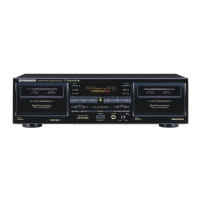
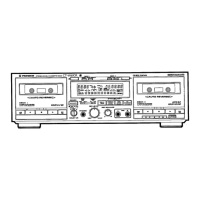
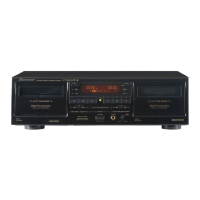
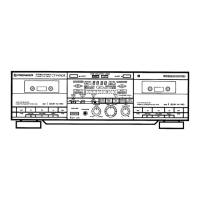
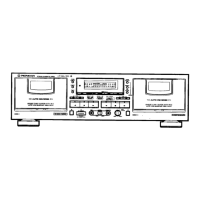
Overview of front panel buttons for power, deck control, noise reduction, and copying.
Detailed functions of playback, stop, search, mute, pause, and eject buttons for both decks.
Explanation of the REV MODE switch settings: one-way, two-way, and repeat/relay/skip.
Utilizing Auto BLE to automatically adjust bias, level, and equalizer for optimum recording.
How the FLEX system compensates for high and low frequency balance during playback.
Explanation of various indicator lights on the front panel for operation status.
Details on Dolby B/C/S type NR systems and the HX PRO headroom extension.
Understanding the indicators for tape transport modes like playback, recording, and pause.
Using the TIME/COUNT button to switch between tape counter and time counter modes.
Information on the effective range and angle for operating the remote control.
Details on the function of counter, DECK I, DECK II, and power buttons on the remote.
Instructions for replacing batteries and important guidelines for battery usage.
Steps for playing a prerecorded tape on either Deck I or Deck II.
How to achieve continuous playback by linking Deck I and Deck II for sequential playback.
Using the Blank Skip feature to automatically skip unrecorded tape sections during playback.
Understanding playback sequences based on REV MODE switch settings and button presses.
How to use the music search feature to find desired selections by skipping blanks.
Procedure for recording audio onto a tape in either Deck I or Deck II.
Instructions for recording audio from a microphone, including level adjustment.
Using the recording mute function to create short blank segments for music search.
Steps to erase recorded content from a cassette tape.
Detailed procedure for Auto BLE tuning to optimize recording bias, level, and equalizer.
How to perform relay recording from Deck I to Deck II, with mode switch options.
Steps for parallel recording, copying the same audio source to both decks simultaneously.
How to record from a CD player to the cassette deck in synchronization.
General guidance on recording, including synchro recording and tape length considerations.
Instructions for copying tapes at normal or double speed, including audible monitoring.
Important notes regarding tape copying, including Dolby NR, interference, and sound quality.
Troubleshooting steps for power issues and problems with the cassette door opening or closing.
Solutions for playback issues like immediate stops, no sound, or malfunctioning level meters.
Troubleshooting steps for recording problems such as no indicator, level meter issues, or inability to record.
Solutions for poor sound quality, including unstable sound, frequency issues, distortion, and noise.
Troubleshooting for music search, remote control system, and CD DECK SYNCHRO functionality.
Technical specifications for the system, heads, motor, wow/flutter, and winding time.
Detailed specifications for frequency response across different tape types and signal-to-noise ratios.
List of included accessories, power requirements, dimensions, weight, and other miscellaneous specs.
Instructions on how to set up and exit the demonstration mode for the cassette deck.
 General
| Track System | 4-track, 2-channel stereo |
|---|---|
| Tape Speed | 4.76 cm/s |
| Total Harmonic Distortion | 0.8% |
| Output | 0.5V (line) |
| Type | Double Cassette Deck |
| Heads | 2 x erase |
| Motor | DC servo |
| Frequency Response (Normal Tape) | 20 Hz |
| Frequency Response (Metal Tape) | 20 Hz |
| Signal-to-Noise Ratio | 67dB (without Dolby) |
| Wow and Flutter | 0.09% (WRMS) |
| Input | Line |





 To Next Page