Need help?
Do you have a question about the Pioneer CT-W103 and is the answer not in the manual?
Instructions for cleaning the heads, pinch rollers, and capstans to maintain sound quality.
Procedure for demagnetizing tape heads to prevent loss of high frequencies.
Instructions for connecting the power cord to the unit and power outlet.
Procedure for copying tapes from Deck I to Deck II at normal or high speed.
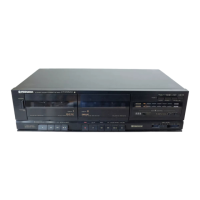
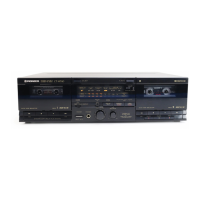
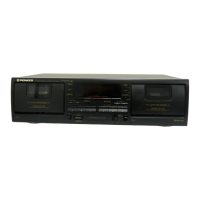
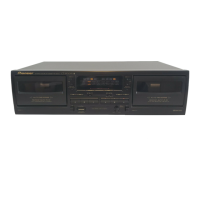
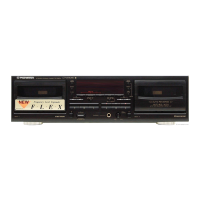
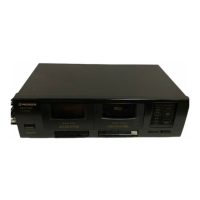
This document describes the Pioneer CT-W103 Stereo Double Cassette Deck, a device designed for recording and playing back audio on cassette tapes. It features two cassette decks, allowing for various playback and recording functionalities, including tape copying.
The Pioneer CT-W103 is a stereo double cassette deck, meaning it has two independent cassette mechanisms, typically referred to as Deck I and Deck II. This configuration enables several key functions:
Single Playback: Users can play prerecorded tapes on either Deck I or Deck II independently. To initiate playback, a tape is loaded into the desired deck, the DOLBY NR switch is set to the appropriate position (matching the recording setting), the stereo amplifier is configured for tape playback, and the PLAY button of the chosen deck is pressed. Playback can be temporarily paused using the PAUSE button and resumed by releasing it. To stop playback, the STOP/EJECT button is used.
Relay Playback: This feature allows for continuous playback from two tapes. When selected, Deck II plays first, and once it reaches the end and stops, Deck I automatically begins playback. To set up relay playback, prerecorded tapes are loaded into both Deck I and Deck II, ensuring both tapes were recorded with the same Dolby NR setting. The DOLBY NR switch is set accordingly, and the stereo amplifier is prepared for tape playback. The process involves pressing PAUSE and PLAY on Deck II, then PAUSE and PLAY on Deck I, and finally releasing PAUSE on Deck II to start the continuous playback. Temporary pausing and stopping functions are similar to single playback.
Recording (Deck II only): The CT-W103 allows recording onto tapes loaded in Deck II. Before recording, a blank tape is loaded into Deck II, and the DOLBY NR switch is set. The audio source (e.g., from a stereo amplifier) is prepared for playback. Recording begins by pressing the REC button. The deck features an automatic level control, but if distortion occurs, the REC LEVEL ATT button can be set to ON to attenuate the level. Recording can be temporarily paused and stopped using the PAUSE and STOP/EJECT buttons, respectively. An important safety feature is the erasure prevention tabs on cassette tapes; if these tabs are broken off, recording on that side of the tape is prevented.
Tape Copying (From Deck I to Deck II): This is a core function of a double cassette deck, allowing users to duplicate tapes from Deck I to Deck II. The CT-W103 offers two copying speeds:
Dolby NR System: The deck incorporates Dolby Noise Reduction (NR) systems, designed to reduce tape hiss, particularly in the treble frequencies. During recording, high-pitched sounds are boosted, and during playback, these boosted sections are attenuated, returning the sound to normal while reducing noise. It's crucial to ensure the DOLBY NR switch is set to the ON position during playback if the tape was recorded using the Dolby NR system. The deck also features a level meter with a reference level indicated for the Dolby NR system.
Automatic Tape Selector Function: This deck is equipped with an automatic tape selector that uses sensor holes on the cassette tape to identify the tape type (e.g., TYPE II HIGH/CrO2). The deck then automatically adjusts its recording bias and equalization to match the tape, ensuring optimal recording quality. It's important that the sensor holes are not blocked for this function to work correctly. The deck is not designed for TYPE III (FeCr) or TYPE IV (METAL) tapes for recording.
The CT-W103 is designed with user convenience and sound quality in mind, incorporating several features to enhance the recording and playback experience:
Proper maintenance is crucial for the longevity and optimal performance of the cassette deck. The manual outlines several key maintenance procedures:
 Power
Power| power consumption | 15 W |
|---|---|
| power requirements (Australian model) | AC 230 ~ 240 V, 50/60 Hz |
| power requirements (U.S. model) | AC 120 V, 60 Hz |
 Audio
Audio| wow and flutter | 0.15% (WRMS, JIS) |
|---|---|
| frequency response (TYPE II tape) | 30 to 16, 000 Hz |
| frequency response (TYPE I tape) | 30 to 16, 000 Hz |
| signal-to-noise ratio (Dolby NR OFF) | More than 56 dB |
| noise reduction effect (Dolby NR ON) | More than 10 dB (at 5 kHz) |
| harmonic distortion | No more than 1.0% |
| input sensitivity (LINE INPUT) | 112 mV (Input impedance 24 kΩ) |
| output (LINE OUTPUT) | 0.5 V (Output impedance 1.9 kΩ) |
 Weight and Dimensions
| weight | 4.2 kg |
|---|---|
| width | 420 mm |
| height | 130 mm |
| depth | 250 mm |

 To Next Page