Need help?
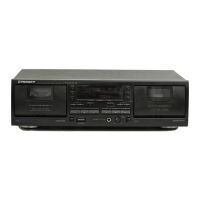
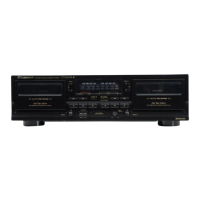
Do you have a question about the Pioneer CT-W300 and is the answer not in the manual?
Guidance on preventing condensation issues when moving the unit between different temperatures.
Recommendations for optimal placement to avoid heat, humidity, sunlight, and noise interference.
Detailed steps and tips for setting optimal recording levels for good sound quality.
Overview of the dual noise reduction system (Dolby B and C) and its operation.
Explanation of how to use and bypass tape tabs to prevent accidental erasure.
Details on the automatic tape selector function utilizing sensor holes for tape type determination.
Information regarding sensor holes for automatic tape selection and compatibility.
Advice on handling cassette tapes, including leader tape, storage, and C-120 tape usage.
Instructions for cleaning critical tape path components to ensure optimal playback and recording.
Procedure for demagnetizing heads to prevent loss of high-frequency sound and interference.
Guidance on cleaning the exterior panels and cassette door safely.
Solutions for problems related to turning the unit on or power supply.
Troubleshooting steps for the cassette compartment door not opening or closing.
Resolving common playback problems like no sound, immediate stops, or level meter issues.
Fixes for recording problems such as the record button not working or incorrect levels.
 Power
Power| power requirements U.S. and Canadian models | AC 120V, 60 Hz |
|---|---|
| power requirements European model | AC 220V, 50/60 Hz |
| power requirements U.K. and Australian models | AC 240V, 50/60 Hz |
 Power Consumption
| power consumption U.S. and Canadian models | 18W |
|---|---|
| power consumption European, U.K. and Australian models | 16W |
| power consumption U.S. military and other destination models | 18W |
Audio Performance| frequency response normal tape | 35 to 15, 000 Hz |
|---|---|
| frequency response chrome tape | 35 to 16, 000 Hz |
| frequency response metal tape | 35 to 16, 000 Hz |
Noise and Distortion| signal-to-noise ratio Dolby NR OFF | More than 56 dB |
|---|---|
| noise reduction effect Dolby NR B type ON | More than 10 dB (at 5 kHz) |
| noise reduction effect Dolby NR C type ON | More than 19 dB (at 5 kHz) |
 Weight and Dimensions
| dimensions | 420(W) x 120(H) x 264(D) mm |
|---|---|
| dimensions in inches | 16-9/16(W) x 4-3/4(H) x 10-3/8(D) in |
| weight (without package) | 3.8 kg (8 lb 6 oz) |

 To Next Page