EasyManua.ls Logo

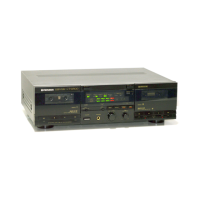
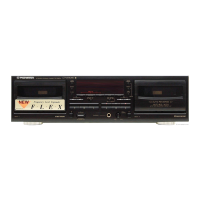
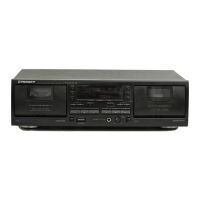
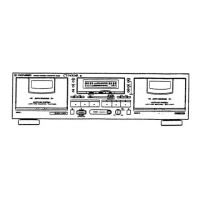
Pioneer CT-W500 - User Manual

Pioneer CT-W500
16 pages
Print Icon
To Next Page IconTo Next Page
Loading...
Question and Answer IconNeed help?

Do you have a question about the Pioneer CT-W500 and is the answer not in the manual?

Summary

LINE VOLTAGE SELECTOR SWITCH

SAFETY INSTRUCTIONS

INSTALLATION GUIDELINES

DEW CONDENSATION EFFECTS

Explains condensation impact on performance and handling.

US MODEL INTERFERENCE NOTICE

FCC compliance and radio interference information for US models.

AUDIO CONNECTIONS

PIONEER SYSTEM REMOTE CONTROL

Instructions for connecting for system remote operation.

FRONT PANEL CONTROLS

POWER, JACKS & TIMER SETTINGS

Controls for power, headphones, and timer functions.

RECORDING & BALANCE ADJUSTMENTS

Controls for setting recording levels and channel balance.

TAPE TRANSPORT & EJECT FUNCTIONS

Controls for tape movement and door operation.

ADDITIONAL FRONT PANEL CONTROLS

NOISE REDUCTION & PLAYBACK MODES

Controls for Dolby NR and playback types.

TAPE SELECTION & COPYING FEATURES

Controls for tape type selection and copying.

TAPE SEARCH & TRANSPORT BUTTONS

Buttons for fast forward, rewind, and stop.

OPERATING DISPLAY INDICATORS

TAPE TRANSPORT AND MODE INDICATORS

Indicators for deck status and modes like Relay/Synchro.

DOLBY NR AND LEVEL METERS

Indicators for Dolby NR status and audio levels.

CASSETTE TAPE HANDLING AND USAGE

PRE-LOAD CASSETTE CHECKS

Advice on tape slack, stoppers, and erasure prevention.

TAPE TYPE DETECTION AND USAGE TIPS

Info on auto selector, sensor holes, and general tape use.

RECORDING OPERATIONS

BASIC RECORDING PROCEDURE

Step-by-step guide for starting and stopping recording.

SETTING RECORDING LEVELS

Guidance on adjusting levels for optimal sound quality.

SPECIAL RECORDING FEATURES

Explanation of record muting and Dolby NR system.

PLAYBACK MODES

SINGLE DECK PLAYBACK

How to play a tape on one deck at a time.

REMOTE CONTROL OPERATION (DECK I)

Special operation for specific remote units.

BLANK SKIP FUNCTION

How to skip unrecorded portions of a tape.

RELAY PLAYBACK FOR CONTINUOUS PLAY

Enabling continuous playback between decks.

ADVANCED PLAYBACK FEATURES

REPEAT PLAYBACK FUNCTION

Repeating playback of a tape side.

COMBINED REPEAT AND RELAY USE

Using repeat and relay functions together.

MUSIC SEARCH FUNCTIONALITY

Feature to find specific selections on a tape.

MUSIC SEARCH SELECTION COUNTING

How selections are counted for music search.

TIMER RECORDING AND PLAYBACK

UNATTENDED TIMER RECORDING SETUP

Procedure for timer-based recording.

WAKE-UP TIMER PLAYBACK SETUP

Procedure for timer-based playback.

TAPE COPYING PROCESS

DECK I TO DECK II COPYING

Procedures for normal and high-speed copying.

MAINTENANCE PROCEDURES

CLEANING HEADS, ROLLERS, CAPSTANS

Detailed instructions for cleaning critical parts.

PINCH ROLLER ROTATING CLEAN

Specific method for cleaning pinch rollers.

HEAD DEMAGNETIZATION

Importance and method for demagnetizing heads.

FRONT PANEL CLEANING

How to clean the unit's exterior.

TROUBLESHOOTING GUIDE

TROUBLESHOOTING SOUND AND OPERATION ISSUES

TECHNICAL SPECIFICATIONS

SYSTEM AND PERFORMANCE DETAILS

Specs for system, heads, motors, and frequency response.

MISCELLANEOUS SPECIFICATIONS

Power, dimensions, and weight information.

INCLUDED ACCESSORIES LIST

List of items supplied with the unit.

KEY SUBFUNCTIONS OVERVIEW

Summary of the unit's features and capabilities.

Summary

LINE VOLTAGE SELECTOR SWITCH

SAFETY INSTRUCTIONS

INSTALLATION GUIDELINES

DEW CONDENSATION EFFECTS

Explains condensation impact on performance and handling.

US MODEL INTERFERENCE NOTICE

FCC compliance and radio interference information for US models.

AUDIO CONNECTIONS

PIONEER SYSTEM REMOTE CONTROL

Instructions for connecting for system remote operation.

FRONT PANEL CONTROLS

POWER, JACKS & TIMER SETTINGS

Controls for power, headphones, and timer functions.

RECORDING & BALANCE ADJUSTMENTS

Controls for setting recording levels and channel balance.

TAPE TRANSPORT & EJECT FUNCTIONS

Controls for tape movement and door operation.

ADDITIONAL FRONT PANEL CONTROLS

NOISE REDUCTION & PLAYBACK MODES

Controls for Dolby NR and playback types.

TAPE SELECTION & COPYING FEATURES

Controls for tape type selection and copying.

TAPE SEARCH & TRANSPORT BUTTONS

Buttons for fast forward, rewind, and stop.

OPERATING DISPLAY INDICATORS

TAPE TRANSPORT AND MODE INDICATORS

Indicators for deck status and modes like Relay/Synchro.

DOLBY NR AND LEVEL METERS

Indicators for Dolby NR status and audio levels.

CASSETTE TAPE HANDLING AND USAGE

PRE-LOAD CASSETTE CHECKS

Advice on tape slack, stoppers, and erasure prevention.

TAPE TYPE DETECTION AND USAGE TIPS

Info on auto selector, sensor holes, and general tape use.

RECORDING OPERATIONS

BASIC RECORDING PROCEDURE

Step-by-step guide for starting and stopping recording.

SETTING RECORDING LEVELS

Guidance on adjusting levels for optimal sound quality.

SPECIAL RECORDING FEATURES

Explanation of record muting and Dolby NR system.

PLAYBACK MODES

SINGLE DECK PLAYBACK

How to play a tape on one deck at a time.

REMOTE CONTROL OPERATION (DECK I)

Special operation for specific remote units.

BLANK SKIP FUNCTION

How to skip unrecorded portions of a tape.

RELAY PLAYBACK FOR CONTINUOUS PLAY

Enabling continuous playback between decks.

ADVANCED PLAYBACK FEATURES

REPEAT PLAYBACK FUNCTION

Repeating playback of a tape side.

COMBINED REPEAT AND RELAY USE

Using repeat and relay functions together.

MUSIC SEARCH FUNCTIONALITY

Feature to find specific selections on a tape.

MUSIC SEARCH SELECTION COUNTING

How selections are counted for music search.

TIMER RECORDING AND PLAYBACK

UNATTENDED TIMER RECORDING SETUP

Procedure for timer-based recording.

WAKE-UP TIMER PLAYBACK SETUP

Procedure for timer-based playback.

TAPE COPYING PROCESS

DECK I TO DECK II COPYING

Procedures for normal and high-speed copying.

MAINTENANCE PROCEDURES

CLEANING HEADS, ROLLERS, CAPSTANS

Detailed instructions for cleaning critical parts.

PINCH ROLLER ROTATING CLEAN

Specific method for cleaning pinch rollers.

HEAD DEMAGNETIZATION

Importance and method for demagnetizing heads.

FRONT PANEL CLEANING

How to clean the unit's exterior.

TROUBLESHOOTING GUIDE

TROUBLESHOOTING SOUND AND OPERATION ISSUES

TECHNICAL SPECIFICATIONS

SYSTEM AND PERFORMANCE DETAILS

Specs for system, heads, motors, and frequency response.

MISCELLANEOUS SPECIFICATIONS

Power, dimensions, and weight information.

INCLUDED ACCESSORIES LIST

List of items supplied with the unit.

KEY SUBFUNCTIONS OVERVIEW

Summary of the unit's features and capabilities.

Pioneer CT-W500 Specifications

General IconGeneral
BrandPioneer
ModelCT-W500
CategoryCassette Player
LanguageEnglish

Related product manuals