EasyManua.ls Logo

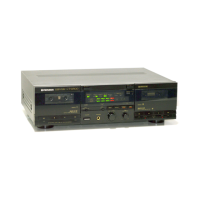
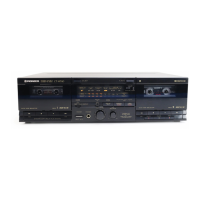
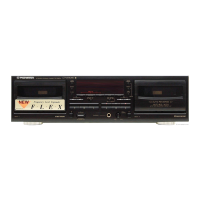
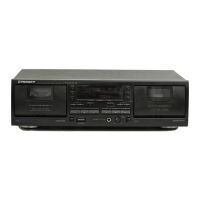
Pioneer CT-W530R - User Manual

Pioneer CT-W530R
16 pages
Print Icon
To Next Page IconTo Next Page
Loading...
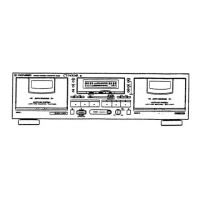
Instructions
STEREO
DOUBLE
CASSETTE
DECK
CT-Wo630R
CIV
550K
@
The
above
illustration
shows
U.S.
model
of
CT-W630R.
Thank
you
for
buying
this
Pioneer
product.
Please
read
through
these
operating
instructions
so
you
will
know
how
to
operate
your
unit
properly.
After
you
have
finished
reading
the
instructions,
keep
the
manual
in
a
safe
place
for
future
reference.
In
some
countries
or
regions,
the
shape
of
the
power
plug
and
power
outlet
may
sometimes
differ
from
that
shown
in
the
drawings.
However,
the
method
of
connecting
and
operating
the
unit
is
the
same.
WARNING
:ro
prevent
FIRE
OR
SHOCK
HAZ-
ARD,
DO
NOT
EXPOSE
THIS
APPLIANCE
TO
RAIN
OR
MOISTURE.
IMPORTANT
NOTICE
{For
U.S.
and
Canadian
models]
The
serial
number
for
this
equipment
is
located
on
the
rear
panel.
Please
write
this
serial
number
on
your
enclosed
war-
ranty
card
and
keep
it
in
a
secure
area.
This
is
for
your
security.
LINE
VOLTAGE
SELECTOR
SWITCH
Only
multi-voltage
models
are
provided
with
this
switch.
U.S.,
Canadian,
European,
U.K.,
and
Australian
models
are
not
provided
with
this
switch.
Main
voltages
in
Saudi
Arabia
are
127V
and
220V
only.
Never
use
this
model
with
a
110V
setting
in
Saudi
Arabia.
The
line
voltage
selector
switch
is
on
the
rear
panel.
Before
your
model
is
shipped
from
the
factory,
this
switch
is
set
to
the
power
requirements
of
the
destination,
Check
that
it
is
set
properly
before
plugging
the
power
cord
into
the
AC
outlet.
If
the
voltage
is
not
properly
set
or
if
you
move
to
an
area
where
the
voltage
requirements
differ,
adjust
the
selector
switch
as
follows.
1.
Disconnect
the
power
cord.
2.
Use
a
medium-size
screwdriver.
3.
Insert
the
screwdriver
into
the
groove
on
the
voltage
selector,
and
adjust
so
that
the
tip
of
the
arrow
points
to
the
voltage
value
of
your
area.
Medium-size
screwdriver
“This
product
complies
with
the
Radio
Interference
require-
ments
of
the
EC
(European
Community}
Directive
87/308/EEC.”
Q
PIONEER’
The
future
of
sound
and
vision.
Question and Answer IconNeed help?

Do you have a question about the Pioneer CT-W530R and is the answer not in the manual?

Summary

Line Voltage Selector Switch

Safety Instructions

Environmental and Location Safety

Guidelines for safe installation regarding water, moisture, location, ventilation, and heat exposure.

Power and Cord Safety

Instructions on correct power connection, cord protection, polarization, and cleaning procedures.

External Connections Safety

Safety advice for power lines, antenna grounding, and preventing object/liquid entry.

Damage and Servicing Procedures

Information on what constitutes damage requiring service and when to contact personnel.

Installation Guidelines

Dew Condensation Handling

Procedures for managing condensation when moving the unit between different temperatures.

Power Cord Precautions

Important safety warnings and handling instructions for the power cord.

User Information for U.S. Models

Specific notes for U.S. users concerning radio interference and FCC compliance.

Connections Guide

Pioneer System Remote Control

How to connect for remote operation of system components.

CD Deck Synchro Connection

Connecting for synchronized recording from a CD player.

Control In;Out Jacks

Connecting system remote control signals between components.

Cassette Tape Handling

Cassette Check Before Use

Important points to check on cassette tapes before loading.

Automatic Tape Selector

Explanation of the automatic function that detects tape type.

Tape Sensor Holes

Notes regarding sensor holes for proper tape type detection.

Tips for Cassette Tape Usage

Advice and recommendations for optimal cassette tape usage.

Front Panel Facilities

Power and Eject Controls

Controls for powering the unit on/off and opening the cassette door.

Recording Operation Controls

Buttons and knobs used for setting up and performing recordings.

Noise Reduction and Jacks

Features for audio quality enhancement and input/output connections.

Front Panel Controls Continued

Timer and Mode Selectors

Selectors for timer operation and reverse mode settings.

Playback and Transport Functions

Buttons for playback, stop, fast forward/reverse, and skip functions.

Synchro Recording Features

Buttons for synchro copy and CD synchro recording operations.

Operating Display and Jacks

The unit's display panel and microphone input jacks.

Tape Transport Mode Indicators

Playback Operations

Single Playback

Instructions for playing back a tape on a single deck.

Relay Playback

How to perform continuous playback between both decks.

Blank Skip Function

How to skip unrecorded portions during playback.

Deck I Remote Operation

Operating deck I with a remote control not designed for double decks.

Playback Features

Music Search Function

How to skip to desired selections using blanks between tracks.

Dolby NR Systems

Explanation of Dolby B and C noise reduction systems.

Dolby HX PRO Headroom Extension

Details on the HX PRO system for enhanced recording headroom.

Recording Procedures

Recording Mute Function

How to create blank sections on the tape using the mute button.

Erasing Recorded Content

Steps to erase recorded material from a tape.

Microphone Recording (CT-W630 R)

Instructions for recording using microphones with the CT-W630R model.

Tape Copying

How to copy tapes from deck I to deck II at normal or high speed.

Timer Recording and Playback

CD-Deck Synchro Recording

Troubleshooting

Maintenance

Cleaning Heads, Pinch Rollers, and Capstans

Procedure for cleaning essential tape path components.

Demagnetizing the Heads

How and why to demagnetize the tape heads.

Cleaning the Front Panel

Instructions for cleaning the unit's front panel section.

Specifications

Pioneer CT-W530R Specifications

General IconGeneral
Track System4-track, 2-channel stereo
Signal to Noise Ratio (Dolby C)78 dB
Total Harmonic Distortion0.8%
TypeDouble Cassette Deck
MotorDC Motor
Frequency Response (Normal Tape)30 Hz - 16 kHz
Frequency Response (Metal Tape)30Hz to 16kHz
Output400 mV
Inputs1 x RCA
Outputs1 x line
Power SupplyAC 220-240 V, 50/60 Hz

Related product manuals