EasyManua.ls Logo

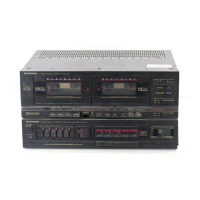
Pioneer DC-Z94 - User Manual

Pioneer DC-Z94
29 pages
Print Icon
To Next Page IconTo Next Page
Loading...
‘Operating
Instructions
STEREO
DOUBLE
CASSETTE
DECK
AMPLIFIER
JC-Z94
FM/AM
DIGITAL
SYNTHESIZER
TUNER
SD,YP
“L948
STEREO
TURNTABLE
L-Z94
Thank
you
for
buying
this
PIONEER
product.
Please
read
through
these
operating
instructions
so
you
will
know
how
to
operate
your
model
properly,
After
you
have
finished
reading
the
instructions,
put
them
away
in
a
safe
place
for
future
reference.
In
some
countries
or
regions,
the
shape
of
the
power
plug
and
power
outlet
may
sometimes
differ
from
that
shown
in
the
explanatory
drawings.
However,
the
method
of
connecting
and
operating
the
unit
is
the
same.
WARNING:
To
PREVENT
FIRE
OR
SHOCK
HAZARD,
DO
NOT
EXPOSE
THIS
APPLIANCE
TO
RAIN
OR
MOISTURE.
LINE
VOLTAGE
SELECTOR
SWITCHES
Only
multi
voltage
models
are
provided
with
these
switches.
U.S.,
Canadian,
European,
U.K.,
and
Australian
models
are
not
provided
with
them.
Mains
voltages
in
Saudi
Arabia
are
127
V
and
220
V
only,
Never
use
this
model
with
110
V
setting
in
Saudi
Arabia.
Before
your
modet
is
shipped
from
the
factory,
these
switches
are
set
to
the
power
requirements
of
the
destination;
nevertheless,
you
should
check
that
they
are
set
properly
before
plugging
the
power
cord
into
the
AC
outlet.
1.
Disconnect
the
power
cord.
2,
Use
a
medium-size
screwdriver.
3.
Insert
the
screwdriver
into
the
220
groove
on
the
voltage
selectors
and
adjust
so
that
the
voltage
value
of
your
area.
TWO
VOLTAGE
SELECTORS:
IMPORTANT
The
ugntzing
Bash
with
arownesa
wathin
an
equiiaerat
CAUTION
inangie.
1s
ntenged
10
alert
the
user
to
me
presence
of
ununsuiated
“gangerous
voltage”
witmin
the
proouct’s
enctosure
that
may
be
of
sulfent
magnitude
1a
consttute
3
15K
of
electric
shock
(9
persons
CAUTION
RISK
OF
ELECTRIC
SHOCK
00
NOT
OPEN
TO
PREVENT
THE
RISK
OF
ELECTRIC
SHOCK.
DO
NOT
REMOVE
COVER
iOR
BACK}
NO
USER-
SERVICEABLE
PARTS
INSIDE.
REFER
SERVICING
TO
QUALIFIED
SEAVICE
PERSONNEL,
The
exciamaticn
saint
witten
an
equlaterat
tnangle
+s
intended
to
alert
the
user
to
the
presence
af
moortant
operating
ana
maintenance
servicing)
mstructons
in
ine
literature
accameanying
the
anplance
@
PIONEER’
The
Art
of
Entertainment
Question and Answer IconNeed help?

Do you have a question about the Pioneer DC-Z94 and is the answer not in the manual?

Summary

Pioneer System Connections Guide

Antenna Connections Setup

Connects FM and AM antennas to the tuner for optimal reception.

Surround System Setup

Explains the setup and use of the surround sound system.

Remote Control Battery Installation

Guide for installing batteries correctly into the remote control unit.

Turntable Setup Guide

Steps for setting up the PL-Z94 turntable.

Component Connection Procedures

CD Player, Tuner, and Turntable Connections

Guides connecting the CD player, tuner, and turntable to the amplifier.

Speaker and AC Power Connections

Details on connecting speakers and the power cord.

Antenna Connections and Placement

FM Antenna Setup

Instructions for connecting FM antennas, including external options.

AM Antenna Setup

Guide for setting up the AM loop antenna and external antenna.

Turntable Installation Caution

Condensation Advisory

Surround System Speaker Placement

Speaker Placement Examples

Illustrates ideal speaker placements for different sound effects.

Remote Control Battery Installation

Turntable Setup Guide

Panel Facilities Overview

Tuner Rear Panel Facilities

Describes the input/output terminals on the F-Z94 tuner.

Cassette Deck Rear Panel Facilities

Details the connection jacks on the DC-Z94 cassette deck amplifier.

Panel Facilities: Tuner and Cassette Deck

Tuner Front Panel Facilities

Explains the display and controls on the F-Z94 tuner.

Cassette Deck Amplifier Front Panel Facilities

Describes the controls and indicators on the DC-Z94 amplifier.

Panel Facilities: Amplifier and Sound Control

Amplifier Section Controls

Details the power, sensor, and direct input controls on the amplifier.

Sound Control Section

Explains the graphic equalizer, sound field control, and memory functions.

Panel Facilities: Cassette Deck and Turntable

Cassette Deck Operations

Describes deck I and deck II operations, including tape handling.

Turntable Controls

Covers the PL-Z94 turntable's speed, arm elevation, and buttons.

Panel Facilities: Remote Control and Timer

Remote Control Unit Functions

Details the operation of various buttons on the remote control unit.

Timer Operation Controls

Explains settings for sleep timer and wake-up timer functions.

Cassette Tape Handling

Basic Operations: Clock and Tuning

Setting the Clock

Step-by-step guide to setting the internal clock on the tuner.

Tuning into Stations

Instructions for auto and manual tuning of radio stations.

Basic Operations: Tape and Recording

Station Memorization and Preset Tuning

How to memorize stations and recall them using preset tuning.

Tape Playback and Music Search

Guide to playing tapes and using the music search function.

Recording Onto a Cassette Tape

Instructions for recording audio onto cassette tapes.

Basic Operations: Dolby NR and Component Play

Dolby NR Systems and Record Play

Explains Dolby NR and how to play records on the turntable.

Playing Connected Components

How to play audio from CD players or CD/VCR units.

Sound Control: Graphic Equalizer

Graphic Equalizer Adjustment

Detailed steps for adjusting sound quality using the graphic equalizer.

Preset Equalization Patterns

Describes how to select and use pre-defined equalization patterns.

Sound Control: Advanced Features

Active Loudness and Sound Field Control

Explains automatic bass/treble boost and digital sound field effects.

Programming and Recalling Sound Settings

How to save and recall custom sound settings into memory.

Smart Operation and Microphone Mixing

Smart Operation

Function to recall usual listening settings with one button press.

Microphone Mixing

Instructions for mixing microphone input with other audio sources.

Mixing Recording

Guide for recording mixed audio sources onto tape.

Cassette Tape Relay Playback

How to achieve continuous playback across two cassette decks.

Tape Copying

A.S.E.S. (Auto Synchro Editing System)

A.S.E.S. Operation Modes

Details FADE, FINE, and DISCO modes for auto synchro editing.

Sleep Timer Function

Timer Playback Guide

Timer Recording Guide

Maintenance Procedures

Head Section Cleaning

Procedures for cleaning the tape head, capstan, and pinch roller.

Demagnetizing and Stylus Replacement

Guides on demagnetizing heads and replacing the turntable stylus.

External Surface Care

Tips for cleaning the unit's exterior surfaces.

Troubleshooting: Cassette Deck Amplifier

Troubleshooting: Tuner, Remote, Clock, Turntable

Technical Specifications

Information to User (US Model)

Power Cord Safety Cautions

Pioneer DC-Z94 Specifications

General IconGeneral
Track System4-track, 2-channel stereo
Tape Speed4.8 cm/s
MotorDC servo motor
InputsLine in
Typedouble cassette deck
Heads1 x record/playback
OutputsLine out

Related product manuals