EasyManua.ls Logo

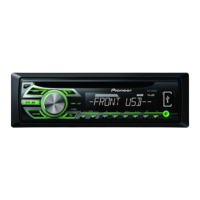
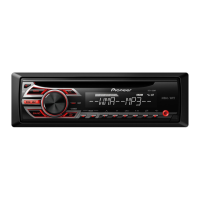
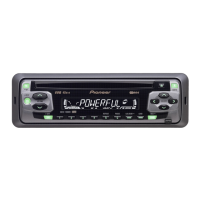
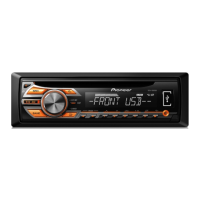
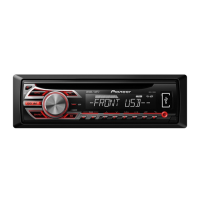
Pioneer DEH-1500UB - User Manual

Pioneer DEH-1500UB
109 pages
Print Icon
To Next Page IconTo Next Page
Loading...
In store "130" you
can find and buy almost all necessary goods for your auto
in
Kyiv and other cities, delivery by ground and postal services. Our experienced
consultants will provide you with exhaustive information and help you to chose
the very particular thing. We are waiting for you at the address
http://130.com.ua
PHONES
(044) 360-7-130
(050) 336-0-130
(063) 788-0-130
(067) 233-0-130
(068) 282
-
-
130
Internet store of
autogoods
CAR RECEIVERS — Receivers • Media receivers and stations • Native receivers • CD/DVD changers • FM-modulators/USB adapters • Flash memory • Facia plates and adapters • Antennas • Accessories |
CAR AUDIO — Car audio speakers • Amplifiers • Subwoofers • Processors • Crossovers • Headphones • Accessories | TRIP COMPUTERS — Universal computers • Model computers • Accessories |
GPS NAVIGATORS — Portable GPS • Built-in GPS • GPS modules • GPS trackers • Antennas for GPS navigators • Accessories | VIDEO — DVR • TV sets and monitors • Car TV tuners • Cameras • Videomodules
• Transcoders • Car TV antennas • Accessories | SECURITY SYSTEMS — Car alarms • Bike alarms • Mechanical blockers • Immobilizers • Sensors • Accessories | OPTIC AND LIGHT — Xenon • Bixenon • Lamps
• LED • Stroboscopes • Optic and Headlights • Washers • Light, rain sensors • Accessories | PARKTRONICS AND MIRRORS — Rear parktronics • Front parktronics • Combined parktronics • Rear-view mirrors
• Accessories | HEATING AND COOLING — Seat heaters • Mirrors heaters • Screen-wipers heaters • Engine heaters • Auto-refrigerators • Air conditioning units • Accessories | TUNING — Vibro-isolation
• Noise-isolation • Tint films • Accessories | ACCESSORIES — Radar-detectors • Handsfree, Bluetooth • Windowlifters • Compressors • Beeps, loudspeakers • Measuring instruments • Cleaners • Carsits
• Miscellaneous | MOUNTING — Installation kits • Upholstery • Grilles • Tubes • Cable and wire • Tools • Miscellaneous | POWER — Batteries • Converters • Start-charging equipment • Capacitors
• Accessories | MARINE AUDIO AND ELECTRONICS — Marine receivers • Marine audio speakers • Marine subwoofers • Marine amplifiers • Accessories | CAR CARE PRODUCTS — Additives • Washer fluid •
Care accessories • Car polish • Flavors • Adhesives and sealants | LIQUID AND OIL — Motor oil • Transmission oil • Brake fluid • Antifreeze • Technical lubricant
ICQ
294-0-130
597-0-130
SKYPE
km-130


Table of Contents

Questions and Answers

  • J
    Joseph SantiagoJul 27, 2025
    What to do if my Pioneer Car Receiver shows 'AMP ERROR'?
    • S
      Scott AyersJul 27, 2025
      If your Pioneer Car Receiver displays 'AMP ERROR', it means the unit isn't working or the speaker connection is faulty, triggering the protective circuit. First, check the speaker connections. If the error persists after restarting the engine, seek assistance from your dealer or an authorized Pioneer Service Station.

Summary

Before You Start

Product Welcome and Information

Expresses gratitude for purchase and provides information about the unit.

About This Unit

Details on tuner frequency allocation and RDS functionality for the unit.

Troubleshooting and Support

Guidance on what to do in case of operational issues and where to seek assistance.

Operating Your Car Stereo

Head Unit and Display Overview

Identifies and describes the components of the head unit and display indicators.

Initial Setup Menu Operations

Guides through initial setup options like language, clock, and FM tuning step.

Language and Clock Settings

How to set the unit's display language and adjust the clock time.

FM Tuning Step Adjustment

Configuration for the FM tuning step used during seek tuning.

Basic Operations and Tuner Functions

Front Panel Handling and Unit Power

Instructions for removing, attaching the front panel, and turning the unit on/off.

Source Selection and Volume Control

How to switch between audio sources and adjust the volume level.

Tuner Basic Operations

Selecting bands, preset stations, manual tuning, and seeking radio stations.

Storing and Recalling Radio Stations

Methods for saving and retrieving favorite radio stations using preset buttons.

Display, PTY, and Function Settings

Switching Display Information

Cycling through various text information displays on the unit.

Using PTY Functions for Station Search

Tuning into stations based on program type (PTY) information.

Configuring Unit Functions

Adjusting settings like BSM, REGION, LOCAL, TA, AF, NEWS, and SEEK.

Media Playback and Audio Adjustments

USB Storage Device Operations

Playing songs from USB, selecting files/folders, pausing, and resuming playback.

CD;CD-R;CD-RW Playback Operations

Selecting repeat play ranges and playing tracks in random order.

Enhancing Audio Quality

Using Sound Retriever and making audio adjustments like FADER and EQ.

Advanced Audio and System Settings

Speaker and Subwoofer Settings

Configuring subwoofer output, crossover frequencies, and speaker settings.

Equalizer, Loudness, and Bass Boost

Adjusting audio response with EQ, loudness compensation, and bass enhancement.

Source Level and System Menu Access

Adjusting source volume levels and accessing the main system menu.

System Preferences and Initial Setup

Language, Clock, and AUX Settings

Configuring display language, clock format, and AUX input settings.

Mute Mode, Power Saving, and Dimmer

Adjusting mute function, power saving, and display brightness.

Initial Menu and FM Tuning Step

Accessing initial setup and configuring FM tuning step for optimal reception.

Installation and Connections

Using the AUX Source Input

How to connect and select an auxiliary audio source via the AUX input.

Vehicle Wiring Connections

Detailed instructions for connecting power, speakers, and other wires to the vehicle.

Important Installation Precautions

Essential safety and operational guidelines to follow during installation.

Power, Amplifier, and Mounting

Power Cord and Wiring Diagram

Illustrates the power cord connections and identifies various wiring leads.

Connecting an External Power Amplifier

Steps for connecting the unit to an optional power amplifier for enhanced audio.

DIN Mount Installation Procedures

Guides for front-mount and rear-mount installation using the DIN sleeve.

Unit Removal and Troubleshooting

Removing the Unit from the Dashboard

Step-by-step instructions for safely removing the unit from the dashboard.

General Troubleshooting Guide

Diagnosing and resolving common operational issues and display messages.

Understanding Error Messages

Explanation of error codes and their corresponding causes and solutions.

Media Handling and File Messages

Troubleshooting Media Playback Errors

Resolving issues related to media format, content, and protection errors.

Disc and Player Handling Guidelines

Best practices for handling discs and the player to ensure longevity and performance.

Media Compatibility and USB Usage

USB Storage Device Usage Advice

Important notes and potential issues when using USB storage devices.

Compressed Audio File Formats

Compatibility details for WMA, MP3, and WAV file formats on discs and USB.

File Hierarchy, Characters, and Specifications

Understanding File Hierarchy

Examples of folder and file structures for playback and organization.

Russian Character Display

Chart showing Russian characters supported by the unit.

Technical Specifications

Detailed technical data including power, dimensions, and tuner ranges.

Pioneer DEH-1500UB Specifications

General IconGeneral
Audio systemMOSFET
MP3 playbackYes
Audio formats supportedMP3, WAV, WMA
Supported radio bandsAM, FM
Preset stations quantity24
Product colorBlack
Ready for iPod-
Disc types supportedCD, CD-R, CD-RW
Audio output channels4.0 channels
Equalizer bands quantity5
Maximum power per channel50 W
Display typeLCD
BluetoothNo
Line outputs (RCA)1
Key illumination colorRed
Number of optical discs1 discs

Related product manuals