
 Need help?
Do you have a question about the Pioneer DEH-1550UBG and is the answer not in the manual?
Discusses precautions, warnings, and general information about the unit.
Explains the terminology used in the manual, specifically for USB storage devices.
Provides guidance on what to do if the unit malfunctions.
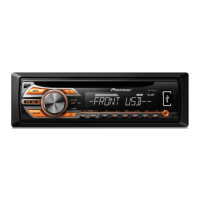
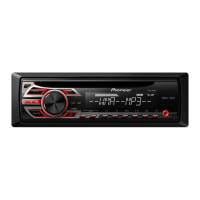
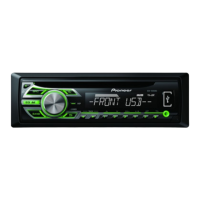
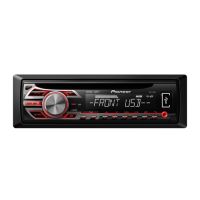
Illustrates the main components of the head unit.
Shows the remote control layout and identifies its parts.
Explains the various indicators and their states shown on the unit's display.
Guides the user through initial setup: Clock Set, FM/MW tuning steps, and confirmation.
Covers essential operations like handling the front panel.
Instructions for removing and reattaching the detachable front panel.
How to power the unit on and off.
Explains how to switch between different audio sources.
How to control the audio volume.
Guidance on using and maintaining the remote control.
Common operations for navigating menus and displays.
Covers basic tuner functions like selecting a band.
Instructions for manual tuning and seeking radio stations.
How to save and retrieve favorite radio stations.
How to cycle through different display information.
How to tune stations based on program type (PTY).
Lists available PTY (Program Type) categories for radio searching.
Accessing and adjusting various unit functions.
Assigning functions to SEEK keys.
Basic operations for playing discs and USB devices.
How to select and play audio files using the name list.
Using special buttons for playback control and sound enhancement.
Enhancing compressed audio quality.
Adjusting various audio settings like fader, balance, and EQ.
Adjusting front-to-rear speaker balance.
Adjusting left-to-right speaker balance.
Selecting and customizing equalizer settings.
Adjusting loudness for low-volume listening.
Enabling or disabling the subwoofer output.
Adjusting subwoofer output parameters.
Boosting bass frequencies.
Adjusting high-pass filter for speakers.
Adjusting volume levels for different sources.
Accessing and adjusting system-wide settings.
Instructions for setting the unit's clock.
Automatically searching for stations with the same programming.
Activating the auxiliary input setting.
Adjusting the display brightness.
Accessing and adjusting initial unit settings.
Adjusting the FM tuning step for seek tuning.
Adjusting the MW tuning step for seek tuning.
Configuring rear output and preout settings.
Accessing and adjusting system-wide settings.
Instructions for using an external AUX device.
How to cycle through different display information.
Procedures to turn the display on or off.
Steps to remove unwanted display elements.
Detailed information on making all necessary electrical connections.
Specific instructions for connecting the power cord.
Steps for installing the unit using the DIN front-mount method.
Steps for installing the unit using the DIN rear-mount method.
Instructions for removing the unit from the dashboard.
Information on both front and rear mounting options.
How to connect an optional power amplifier.
Procedures for removing and reattaching the front panel.
Helps diagnose and resolve common operational issues and error messages.
Further troubleshooting steps for USB storage devices and general error handling.
Guidelines for handling discs and the player safely.
Details on supported audio file formats for discs and USB.
Additional details about file and folder name display limitations.
Information on disc compatibility and capacity.
Notes on USB storage device compatibility and usage.
How audio files are sequenced and limitations.
Copyright and trademark information for MP3 files.
Copyright and trademark information for WMA files.
Technical specifications of the unit.
General specifications like power source and dimensions.
Audio-related technical specifications.
Technical specifications for the CD player.
Technical specifications related to USB connectivity.
Technical specifications for the FM tuner.
Technical specifications for the MW tuner.
Technical specifications for the SW tuner.
 General
| Type | Car Receiver |
|---|---|
| Max Power Output | 50W x 4 |
| Tuner | AM/FM |
| USB Input | Yes |
| Bluetooth | No |
| AUX Input | Yes |
| Detachable Faceplate | Yes |
| Channels | 4 |
| USB Direct Control for iPod/iPhone | Yes |
| Display Type | LCD |
| Presets | 24 |
| CD Player | Yes |
| CD-R/RW Playback | Yes |
| High-Pass Filter | Yes |
| Low-Pass Filter | Yes |
| Subwoofer Output | Yes |
| Audio Formats Supported | MP3, WMA |
| Equalizer | 5-Band Graphic Equalizer |
| Preamp Output Voltage | 2V |
| Steering Wheel Control | Yes |
| Dimensions (W x H x D) | 178 x 50 x 160 mm |
| RMS Power Output | 22W x 4 |



 To Next Page