EasyManua.ls Logo

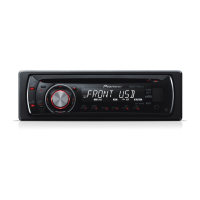
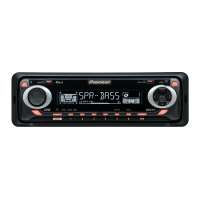
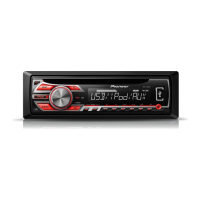
Pioneer DEH-2500UI - User Manual

Pioneer DEH-2500UI
23 pages
Print Icon
To Next Page IconTo Next Page
Loading...
Owners Manual
Mode demploi
Manual de instrucciones
CD RDS RECEIVER
AUTORADIO CD RDS
REPRODUCTOR DE CD CON RECEPTOR RDS
DEH-X3500UI
DEH-X35UI
DEH-2500UI
English EspañolFrançais

Questions and Answers

  • L
    Linda SharpAug 19, 2025
    What to do if the display automatically returns to the ordinary display on Pioneer DEH-2500UI Car Receiver?
    • E
      ellisrachelAug 19, 2025
      If the display on your Pioneer Car Receiver automatically returns to the ordinary display, simply perform the operation again.
  • R
    Richard TorresAug 21, 2025
    What to do if a subfolder is not played back on Pioneer Car Receiver?
    • M
      Michael ValdezAug 21, 2025
      If a subfolder is not playing back on your Pioneer Car Receiver, try selecting another repeat play range.
  • C
    chadhernandezAug 23, 2025
    What to do if 'NO XXXX' appears when a display is changed on Pioneer Car Receiver?
    • E
      ekellyAug 23, 2025
      If your Pioneer Car Receiver displays 'NO XXXX' (e.g., NO TITLE) when changing a display, try switching the display or playing another track/file.
  • J
    Johnny MitchellAug 26, 2025
    What to do if connected USB storage device consumes more than maximum allowable current on Pioneer DEH-2500UI Car Receiver?
    • M
      Mathew PageAug 26, 2025
      If the connected USB storage device consumes more than the maximum allowable current on your Pioneer Car Receiver: 1. Disconnect the USB storage device and do not use it. 2. Turn the ignition switch to OFF, then to ACC or ON. 3. Connect only compliant USB storage devices.
  • J
    jacobmartinezAug 28, 2025
    How to fix if connected USB storage device contains files embedded with Windows Media DRM 9/10 on Pioneer Car Receiver?
    • M
      Misty WilliamsAug 28, 2025
      If the connected USB storage device contains files embedded with Windows Media DRM 9/10, you can either: 1. Play an audio file not embedded with Windows Media DRM 9/10. 2. Transfer audio files not embedded with Windows Media DRM 9/10 to the USB storage device and connect.
  • J
    John SmithAug 30, 2025
    What to do if the USB device connected to Pioneer DEH-2500UI Car Receiver is not supported?
    • I
      iwestAug 30, 2025
      If your Pioneer Car Receiver does not support the connected USB device, connect a USB Mass Storage Class compliant device or disconnect your current device and replace it with a compatible USB storage device.
  • A
    Angela WilliamsSep 1, 2025
    What to do if the USB connector or USB cable has short-circuited on Pioneer Car Receiver?
    • G
      Gwendolyn BallSep 1, 2025
      If the USB connector or USB cable has short-circuited on your Pioneer Car Receiver, check that the USB connector or USB cable is not caught in something or damaged.
  • M
    Michelle AdamsSep 4, 2025
    Why is my Pioneer Car Receiver malfunctioning?
    • Y
      yhicksSep 4, 2025
      If your Pioneer Car Receiver is malfunctioning, it may be due to interference from nearby electrical devices. Try moving these devices away from the receiver.
  • V
    victoriasandovalSep 6, 2025
    What to do if my Pioneer Car Receiver says USB device consumes too much current?
    • M
      Matthew YangSep 6, 2025
      If your Pioneer Car Receiver says that the connected USB storage device consumes more than the maximum allowable current, disconnect the USB storage device and do not use it. Turn the ignition switch to OFF, then to ACC or ON, and then connect only compliant USB storage devices.
  • R
    Rachel CookSep 8, 2025
    What to do if my Pioneer Car Receiver says USB device not supported?
    • N
      Nicole Murphy DDSSep 8, 2025
      If the USB device is not supported by your Pioneer Car Receiver, ensure that you are connecting a USB Mass Storage Class compliant device. If the issue persists, disconnect the current device and replace it with a compatible USB storage device.

Pioneer DEH-2500UI Specifications

General IconGeneral
Power Output50 W x 4
CD PlaybackYes
USB InputYes
Aux InputYes
BluetoothNo
RDSYes
MP3 PlaybackYes
WMA PlaybackYes
Detachable Face SecurityYes
Channels4
RMS Power Output22 W x 4
USB Direct Control for iPod/iPhoneYes
TunerFM/AM
Display TypeLCD
Pre-out RCA Terminals1
AAC PlaybackYes
Remote ControlOptional
Preamp Outputs1
Equalizer5-Band

Related product manuals