EasyManua.ls Logo

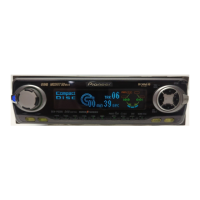
Pioneer DEH-P6350 - User Manual

Pioneer DEH-P6350
104 pages
Print Icon
To Next Page IconTo Next Page
Loading...
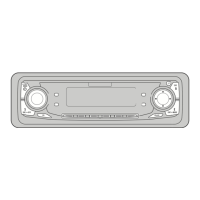
Multi-CD control High power CD player
with FM/AM tuner
Reproductor de CD de alta potencia con control
de múltiples CD con sintonizador FM/AM
Operation Manual
DEH-P6350
Manual de Operación
ENGLISH
ESPAÑOL
PORTUGUÊS (B)
FRANÇAIS
ITALIANO NEDERLANDS

Table of Contents

Question and Answer IconNeed help?

Do you have a question about the Pioneer DEH-P6350 and is the answer not in the manual?

Summary

Key Finder Overview

Head Unit Controls

Overview of the head unit controls and buttons.

Remote Controller Information

Information about the remote control unit and its operation.

Product Pre-use Information

About This Manual

Purpose and recommendation for reading the manual before use.

Demo Mode Explanation

Explanation of Reverse and Feature Demo modes.

Remote Control and Maintenance

Operating the Remote Controller

Instructions for operating the remote controller.

Replacing the Remote Battery

Guidance on replacing the remote control battery.

Front Panel Removal and Installation

Theft Protection Feature

Security feature of the detachable front panel.

Detaching the Front Panel

Step-by-step guide to remove the front panel.

Replacing the Front Panel

Instructions for reattaching the front panel.

Warning Tone Function

Explanation of the warning tone when the panel is not detached.

Basic Operation Guide

How to Listen to Music

Initial operations for listening to music.

Tuner Basic Operations

Manual and Seek Tuning Methods

Methods for tuning radio stations.

Preset Tuning and Recall

Memorizing and recalling radio stations.

Built-in CD Player Basic Operations

Switching the CD Player Display

Changing information shown on the display.

Opening the CD Player Panel

How to open the front panel for disc access.

CD Track Navigation

Navigating through tracks on a CD.

Multi-CD Player Basic Operations

Multi-CD Track Navigation

Navigating tracks on a multi-CD player.

Selecting Discs by Number

Selecting discs by number for playback.

Display Indicators and Button Functions

Entering the Function Menu

How to access the Function Menu.

Function Menu Operations

Tuner Functions in Function Menu

Functions available for the tuner in the Function Menu.

Built-in CD Player Functions in Function Menu

Functions for the built-in CD player in the Function Menu.

Multi-CD Player Function Menu Options

Entering the Detailed Setting Menu

How to access the Detailed Setting Menu.

Detailed Setting Menu Options

Built-in CD Player Detailed Settings

Functions for the built-in CD player in the Detailed Setting Menu.

Multi-CD Player Detailed Settings

Functions for the multi-CD player in the Detailed Setting Menu.

Tuner Operations

Local Seek Tuning (LOCAL)

Tuning to strong reception stations.

Best Stations Memory (BSM)

Automatic station memorization.

Built-in CD Player Usage

Repeat Play (RPT)

Playing a track repeatedly.

Random Play (RDM)

Playing tracks in random order.

Built-in CD Player Advanced Features

Scan Play (T.SCAN)

Playing the beginning of each track.

Pause (PAUSE)

Pausing the current track playback.

Disc Title Input (TITLE)

Inputting titles for CDs.

Multi-CD Player Usage

Repeat Play (PMODE)

Selecting repeat play ranges (track, disc, multi-CD).

Random Play (RDM)

Playing tracks randomly within a selected range.

Multi-CD Player Advanced Features

Scan Play (SCAN)

Scanning tracks or discs for a set duration.

Pause (PAUSE)

Pausing the current playback.

ITS (Instant Track Selection) Features

ITS Programming (ITS)

Programming tracks for automatic playback.

ITS Play (ITS-P)

Activating ITS programmed playback.

Erasing ITS Programs

Erase a Track Program

Removing a programmed track from ITS.

Erase a Disc Program

Removing an entire programmed disc from ITS.

Disc Title Management

Disc Title Input (TITLE)

Entering titles for up to 100 discs.

Select Disc by Title List (T.LIST)

Select Disc by Title

Playing discs using their input titles.

Disc Information Display and Adjustment

Displaying Disc Title

Viewing the title of the currently playing disc.

Compression and DBE Adjustment

Adjusting compression and bass emphasis.

CD TEXT Functionality

Title Display Switching

Changing displayed CD Text information.

Title Scroll Feature

Scrolling long CD Text information.

Audio Adjustment Settings

Sound Focus Equalizer (SFEQ) Setup

Adjusting sound staging with SFEQ modes.

Selecting the Equalizer Curve

Choosing different equalization curves.

Custom Curves Details

Details on CUSTOM 1 and CUSTOM 2 equalizer curves.

Audio Menu Functions Overview

Balance Adjustment (Fad)

Adjusting front/rear and left/right speaker balance.

Equalizer Curve Adjustment Details

Adjusting EQ Bands (Low, Mid, High)

Adjusting equalizer bands (Low, Mid, High).

Equalizer Curve Fine Tuning

Fine Tuning EQ Parameters

Adjusting center frequency and Q factor for EQ bands.

Bass and Treble Level Adjustment

Bass Adjustment (Bass)

Adjusting bass level and cut-off frequency.

Treble Adjustment (Treble)

Adjusting treble level and cut-off frequency.

Loudness and Subwoofer Configuration

Loudness Adjustment (Loud)

Compensating for low-volume sound deficiencies.

Subwoofer Output (Sub-W1)

Turning subwoofer output ON/OFF and setting phase.

Subwoofer and Non Fading Output Settings

Subwoofer Setting Adjustment (Sub-W2)

Adjusting subwoofer cut-off frequency and output level.

Non Fading Output (NonFad)

Outputting audio signal via RCA without LPF.

Non Fading Output Level and HPF Settings

Non Fading Output Level Adjustment (NonFad)

Adjusting the level of non-fading output.

High Pass Filter (HPF)

Filtering out low frequencies for front/rear speakers.

Source Level Adjustment (SLA)

Source Level Adjustment (SLA)

Preventing volume jumps when switching sources.

Initial Setup Guide

Entering the Initial Setting Menu

How to access the Initial Setting Menu.

Initial Setting Menu Options

Setting the Time (CLOCK)

Setting the unit's clock display.

Setting the FM Tuning Step (FM)

Adjusting FM tuning step for seek tuning.

Initial Setting Menu Adjustments Overview

Setting the AM Tuning Step (AM)

Adjusting AM tuning step for North/Central/South America.

Setting the Warning Tone (WARN)

Switching the warning tone function ON/OFF.

Switching the AUX Mode (AUX)

Activating auxiliary input mode for external equipment.

Display Settings and Brightness

Setting the Dimmer (DIM)

Switching display dimming ON/OFF.

Selecting the Brightness (BRIGHT)

Adjusting the display brightness level.

Rear Output and Subwoofer Controller (SW)

Configuring rear output and subwoofer settings.

Telephone and Motion Screen Settings

Switching the Telephone Muting;Attenuation (TEL)

Muting/attenuating sound during phone calls.

Motion Screen Display Switching

Switching the Motion Screen (DISP)

Switching the moving source icon ON/OFF.

Additional Functions

Displaying the Time

Turning the time display ON.

Switching the Entertainment Display

Changing background visuals and display modes.

AUX Source and Telephone Integration

Using the AUX Source

Selecting AUX as the audio source.

AUX Title Input (TITLE)

Setting a display title for the AUX source.

Telephone Muting;Attenuation Function

Automatic sound muting/attenuation for phone calls.

CD Player Care and Precautions

Precaution

Important precautions for CD playback and disc handling.

CD Player Error Message Troubleshooting

Built-in CD Player Error Message

Troubleshooting common CD player error messages.

Technical Specifications

General Specifications

General specifications of the unit.

CD Player Specifications

Specifications for the CD player component.

Amplifier Specifications

Specifications for the amplifier component.

FM Tuner Specifications

Specifications for the FM tuner.

AM Tuner Specifications

Specifications for the AM tuner.

Summary

Key Finder Overview

Head Unit Controls

Overview of the head unit controls and buttons.

Remote Controller Information

Information about the remote control unit and its operation.

Product Pre-use Information

About This Manual

Purpose and recommendation for reading the manual before use.

Demo Mode Explanation

Explanation of Reverse and Feature Demo modes.

Remote Control and Maintenance

Operating the Remote Controller

Instructions for operating the remote controller.

Replacing the Remote Battery

Guidance on replacing the remote control battery.

Front Panel Removal and Installation

Theft Protection Feature

Security feature of the detachable front panel.

Detaching the Front Panel

Step-by-step guide to remove the front panel.

Replacing the Front Panel

Instructions for reattaching the front panel.

Warning Tone Function

Explanation of the warning tone when the panel is not detached.

Basic Operation Guide

How to Listen to Music

Initial operations for listening to music.

Tuner Basic Operations

Manual and Seek Tuning Methods

Methods for tuning radio stations.

Preset Tuning and Recall

Memorizing and recalling radio stations.

Built-in CD Player Basic Operations

Switching the CD Player Display

Changing information shown on the display.

Opening the CD Player Panel

How to open the front panel for disc access.

CD Track Navigation

Navigating through tracks on a CD.

Multi-CD Player Basic Operations

Multi-CD Track Navigation

Navigating tracks on a multi-CD player.

Selecting Discs by Number

Selecting discs by number for playback.

Display Indicators and Button Functions

Entering the Function Menu

How to access the Function Menu.

Function Menu Operations

Tuner Functions in Function Menu

Functions available for the tuner in the Function Menu.

Built-in CD Player Functions in Function Menu

Functions for the built-in CD player in the Function Menu.

Multi-CD Player Function Menu Options

Entering the Detailed Setting Menu

How to access the Detailed Setting Menu.

Detailed Setting Menu Options

Built-in CD Player Detailed Settings

Functions for the built-in CD player in the Detailed Setting Menu.

Multi-CD Player Detailed Settings

Functions for the multi-CD player in the Detailed Setting Menu.

Tuner Operations

Local Seek Tuning (LOCAL)

Tuning to strong reception stations.

Best Stations Memory (BSM)

Automatic station memorization.

Built-in CD Player Usage

Repeat Play (RPT)

Playing a track repeatedly.

Random Play (RDM)

Playing tracks in random order.

Built-in CD Player Advanced Features

Scan Play (T.SCAN)

Playing the beginning of each track.

Pause (PAUSE)

Pausing the current track playback.

Disc Title Input (TITLE)

Inputting titles for CDs.

Multi-CD Player Usage

Repeat Play (PMODE)

Selecting repeat play ranges (track, disc, multi-CD).

Random Play (RDM)

Playing tracks randomly within a selected range.

Multi-CD Player Advanced Features

Scan Play (SCAN)

Scanning tracks or discs for a set duration.

Pause (PAUSE)

Pausing the current playback.

ITS (Instant Track Selection) Features

ITS Programming (ITS)

Programming tracks for automatic playback.

ITS Play (ITS-P)

Activating ITS programmed playback.

Erasing ITS Programs

Erase a Track Program

Removing a programmed track from ITS.

Erase a Disc Program

Removing an entire programmed disc from ITS.

Disc Title Management

Disc Title Input (TITLE)

Entering titles for up to 100 discs.

Select Disc by Title List (T.LIST)

Select Disc by Title

Playing discs using their input titles.

Disc Information Display and Adjustment

Displaying Disc Title

Viewing the title of the currently playing disc.

Compression and DBE Adjustment

Adjusting compression and bass emphasis.

CD TEXT Functionality

Title Display Switching

Changing displayed CD Text information.

Title Scroll Feature

Scrolling long CD Text information.

Audio Adjustment Settings

Sound Focus Equalizer (SFEQ) Setup

Adjusting sound staging with SFEQ modes.

Selecting the Equalizer Curve

Choosing different equalization curves.

Custom Curves Details

Details on CUSTOM 1 and CUSTOM 2 equalizer curves.

Audio Menu Functions Overview

Balance Adjustment (Fad)

Adjusting front/rear and left/right speaker balance.

Equalizer Curve Adjustment Details

Adjusting EQ Bands (Low, Mid, High)

Adjusting equalizer bands (Low, Mid, High).

Equalizer Curve Fine Tuning

Fine Tuning EQ Parameters

Adjusting center frequency and Q factor for EQ bands.

Bass and Treble Level Adjustment

Bass Adjustment (Bass)

Adjusting bass level and cut-off frequency.

Treble Adjustment (Treble)

Adjusting treble level and cut-off frequency.

Loudness and Subwoofer Configuration

Loudness Adjustment (Loud)

Compensating for low-volume sound deficiencies.

Subwoofer Output (Sub-W1)

Turning subwoofer output ON/OFF and setting phase.

Subwoofer and Non Fading Output Settings

Subwoofer Setting Adjustment (Sub-W2)

Adjusting subwoofer cut-off frequency and output level.

Non Fading Output (NonFad)

Outputting audio signal via RCA without LPF.

Non Fading Output Level and HPF Settings

Non Fading Output Level Adjustment (NonFad)

Adjusting the level of non-fading output.

High Pass Filter (HPF)

Filtering out low frequencies for front/rear speakers.

Source Level Adjustment (SLA)

Source Level Adjustment (SLA)

Preventing volume jumps when switching sources.

Initial Setup Guide

Entering the Initial Setting Menu

How to access the Initial Setting Menu.

Initial Setting Menu Options

Setting the Time (CLOCK)

Setting the unit's clock display.

Setting the FM Tuning Step (FM)

Adjusting FM tuning step for seek tuning.

Initial Setting Menu Adjustments Overview

Setting the AM Tuning Step (AM)

Adjusting AM tuning step for North/Central/South America.

Setting the Warning Tone (WARN)

Switching the warning tone function ON/OFF.

Switching the AUX Mode (AUX)

Activating auxiliary input mode for external equipment.

Display Settings and Brightness

Setting the Dimmer (DIM)

Switching display dimming ON/OFF.

Selecting the Brightness (BRIGHT)

Adjusting the display brightness level.

Rear Output and Subwoofer Controller (SW)

Configuring rear output and subwoofer settings.

Telephone and Motion Screen Settings

Switching the Telephone Muting;Attenuation (TEL)

Muting/attenuating sound during phone calls.

Motion Screen Display Switching

Switching the Motion Screen (DISP)

Switching the moving source icon ON/OFF.

Additional Functions

Displaying the Time

Turning the time display ON.

Switching the Entertainment Display

Changing background visuals and display modes.

AUX Source and Telephone Integration

Using the AUX Source

Selecting AUX as the audio source.

AUX Title Input (TITLE)

Setting a display title for the AUX source.

Telephone Muting;Attenuation Function

Automatic sound muting/attenuation for phone calls.

CD Player Care and Precautions

Precaution

Important precautions for CD playback and disc handling.

CD Player Error Message Troubleshooting

Built-in CD Player Error Message

Troubleshooting common CD player error messages.

Technical Specifications

General Specifications

General specifications of the unit.

CD Player Specifications

Specifications for the CD player component.

Amplifier Specifications

Specifications for the amplifier component.

FM Tuner Specifications

Specifications for the FM tuner.

AM Tuner Specifications

Specifications for the AM tuner.

Pioneer DEH-P6350 Specifications

General IconGeneral
CD PlaybackYes
USB PortNo
BluetoothNo
Subwoofer Preamp OutputYes
Channels4
Remote ControlYes
High-Pass FilterYes
Low-Pass FilterYes
Power Output50 W x 4 Channels
RMS Power Output22W x 4
Tuner TypeFM/AM
DIN Size1 DIN
Preamp Voltage4 Volts
Preamp OutputsYes (3 Pairs)

Related product manuals