
 Need help?
Do you have a question about the Pioneer DEH-X1850UB and is the answer not in the manual?
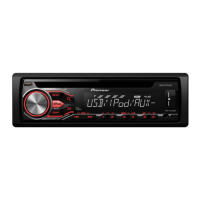
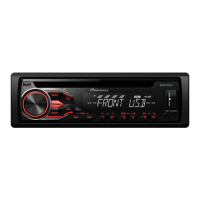
Explains the core functions and physical controls of the car receiver unit.
Details the layout and functionality of the included remote control.
Details various settings for initial unit setup and system reset.
Instructions for receiving, storing, and seeking radio stations.
Instructions for inserting and playing audio CDs.
Connecting and using USB storage devices, including Android.
Common operations for playing music from CD and USB sources.
Detailed guide to setting up the car remote application connection.
Core controls for playing music from a connected Android device.
Guidelines and warnings for connecting power, speakers, and ground wires.
Crucial considerations for secure and safe unit installation.
Interpretation and resolution for various error codes displayed by the unit.
 General
| MP3 playback | Yes |
|---|---|
| Audio formats supported | MP3, WMA |
| DIN size | 1 DIN |
| Output power | 200 W |
| Product color | Black |
| Ready for iPod | No |
| Volume control | Rotary |
| Disc types supported | CD-R, CD-RW |
| Audio output channels | 4.0 channels |
| Equalizer bands quantity | 5 |
| Maximum power per channel | 50 W |
| Display type | LCD |
| Display number of lines | 1 lines |
| Supported radio bands | AM, FM |
| Preset stations quantity | 36 |
| USB version | 2.0 |
| USB port position | Front |
| Line outputs (RCA) | 1 |
| Compatible products | USB Direct Control For Certain Android Phones |
| Key illumination color | Red |
| Number of optical discs | 1 discs |




 To Next Page