4En
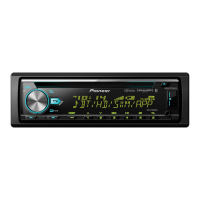
Display indication
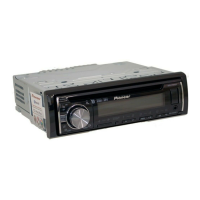
Detach the front panel to prevent theft. Remove any cables and devices attached to the
front panel and turn off the unit before detaching it.
• Avoid subjecting the front panel to excessive shock.
• Keep the front panel out of direct sunlight and high temperatures.
• Always store the detached front panel in a protective case or bag.
Indication Description
Appears when a lower tier of the menu or folder exists.
Appears when a Bluetooth telephone is connected to this unit by HFP
(Hands Free Profile) (page 8) and flashes while the telephone is on hold.
Appears when a Bluetooth audio player is connected to this unit by A2DP
(Advanced Audio Distribution Profile) (page 8).
Appears when the button is pressed.
Appears when a traffic program is received.
Appears when the TA (traffic announcements) function is set (page 15).
Appears when the sound retriever function is set (page 16).
Appears when random/shuffle play is set (except when BT AUDIO is
selected as the source).
Appears when repeat play is set (except when BT AUDIO is selected as the
source).
Appears when the iPod control function is set (page 8).
Appears when a Bluetooth connection is made (page 8).
Detaching the front panel
The microprocessor must be reset in the following situations:
– Before using this unit for the first time after installation
– If the unit fails to operate properly
– When strange or incorrect messages appear on the display
1 Remove the front panel (page 4).
2 Press the RESET button with a pointed instrument longer than 8 mm.
Remove the insulation sheet before use.
• Do not ingest the battery, Chemical Burn Hazard.
• This product, including the supplied remote control, contains a coin/button cell battery. If the coin/
button cell battery is swallowed, it can cause severe internal burns in just two hours and can lead to
death.
• Keep new or used batteries out of the reach of children. If the battery is swallowed or placed inside
any part of the body, consult a doctor immediately.
Resetting the microprocessor
Preparing the remote control
How to replace the battery
Insert the CR2025 (3 V) battery with the plus (+) and
minus (–) poles orientated properly.



 To Next Page
 Loading...