EasyManua.ls Logo

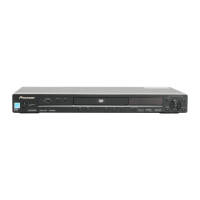
Pioneer DV-464 - User Manual

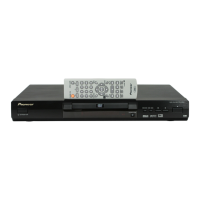
Pioneer DV-464
64 pages
Print Icon
To Next Page IconTo Next Page
Loading...
01
1
En
Operating Instructions
DVD Player
DV-360
DV-464
DV-2650
DV260.book 1 ページ 2002年12月27日 金曜日 午後8時58分

Table of Contents

Question and Answer IconNeed help?

Do you have a question about the Pioneer DV-464 and is the answer not in the manual?

Summary

01 Before You Start

Features Overview

Highlights the player's advanced audio and format capabilities.

Package Contents and Remote Setup

Lists included accessories and guides battery insertion and remote usage.

Disc Compatibility Details

Details supported and unsupported disc and file formats.

Compressed Audio and JPEG Support

Explains playback of MP3, WMA, and JPEG files.

02 Connecting Up

Rear Panel Connections Explained

Identifies and explains all input/output ports on the rear of the player.

Basic Setup and AV Connections

Guides through basic TV setup and AV SCART/S-Video connections.

Connecting to an AV Receiver

Explains how to connect for multi-channel surround sound audio.

03 Controls and Displays

Front Panel Operations

Identifies and explains buttons on the player's front panel.

Display Indicators Explained

Explains the meaning of various symbols and lights on the player's display.

Remote Control Functions

Details the operation of each button on the remote control.

04 Getting Started

Initial Power On and Setup

Steps to turn on the player and begin initial configuration.

On-Screen Navigation and Setup Navigator

How to navigate menus and use the Setup Navigator for configuration.

Basic Disc Playback and Controls

Covers fundamental controls for starting and playing discs.

05 Playing Discs

Disc Navigator and Browsing

How to browse disc contents and select titles or chapters.

Scanning, Slow Motion, and Frame Control

Explains fast scan, slow motion, frame advance/reverse playback modes.

Repeat, Random, and Program Play

How to use repeat, random play, and create custom playback sequences.

Disc Searching and Language Options

How to locate content, switch audio/subtitles, zoom, and display info.

06 Viewing JPEG Discs

JPEG Slideshows and Navigation

How to start and control slideshows from JPEG discs using Navigator/Browser.

Zooming JPEG Images

Explains how to zoom and pan while viewing JPEG images.

07 Audio Settings Menu

Audio DRC Adjustment

How to adjust Dynamic Range Control for clearer Dolby Digital audio.

Virtual Surround Setup

Enabling surround sound effects from stereo speakers.

08 Video Adjust Menu

Standard and Custom Video Adjustments

How to select standard video settings or customize picture presets.

Creating Custom Video Presets

Guide to saving personalized video quality settings.

09 Initial Settings Menu

Initial Settings Overview

Overview of comprehensive player setup options.

Digital Audio Output Configuration

Settings for digital audio outputs (Dolby Digital, DTS, PCM).

Video Output and Language Settings

Settings for TV aspect ratio, output types, and preferred languages.

Display, Options, and Parental Controls

Adjusting OSD, angle indicator, Parental Lock, passwords, and country codes.

10 Additional Information

Player and Disc Care Guidelines

Guidelines for maintaining the player and handling discs properly.

Disc Compatibility and Safety Precautions

Information on discs to avoid, cleaning, and installation safety.

TV System and Screen Size Settings

Guidance on matching player settings to TV aspect ratios and system types.

Player Reset and Region Code Management

How to reset settings, understand disc structure, and manage regional playback restrictions.

Glossary

Audio and Technical Terms

Definitions of key audio concepts, formats, and technical terms.

Media File Formats and Standards

Explanations of image formats, media types, and disc formatting standards.

Specifications

General System and Output Specs

Overview of player model, power, weight, dimensions, and output capabilities.

Digital Audio and Accessories

Technical details for digital audio characteristics and a list of included accessories.

Summary

01 Before You Start

Features Overview

Highlights the player's advanced audio and format capabilities.

Package Contents and Remote Setup

Lists included accessories and guides battery insertion and remote usage.

Disc Compatibility Details

Details supported and unsupported disc and file formats.

Compressed Audio and JPEG Support

Explains playback of MP3, WMA, and JPEG files.

02 Connecting Up

Rear Panel Connections Explained

Identifies and explains all input/output ports on the rear of the player.

Basic Setup and AV Connections

Guides through basic TV setup and AV SCART/S-Video connections.

Connecting to an AV Receiver

Explains how to connect for multi-channel surround sound audio.

03 Controls and Displays

Front Panel Operations

Identifies and explains buttons on the player's front panel.

Display Indicators Explained

Explains the meaning of various symbols and lights on the player's display.

Remote Control Functions

Details the operation of each button on the remote control.

04 Getting Started

Initial Power On and Setup

Steps to turn on the player and begin initial configuration.

On-Screen Navigation and Setup Navigator

How to navigate menus and use the Setup Navigator for configuration.

Basic Disc Playback and Controls

Covers fundamental controls for starting and playing discs.

05 Playing Discs

Disc Navigator and Browsing

How to browse disc contents and select titles or chapters.

Scanning, Slow Motion, and Frame Control

Explains fast scan, slow motion, frame advance/reverse playback modes.

Repeat, Random, and Program Play

How to use repeat, random play, and create custom playback sequences.

Disc Searching and Language Options

How to locate content, switch audio/subtitles, zoom, and display info.

06 Viewing JPEG Discs

JPEG Slideshows and Navigation

How to start and control slideshows from JPEG discs using Navigator/Browser.

Zooming JPEG Images

Explains how to zoom and pan while viewing JPEG images.

07 Audio Settings Menu

Audio DRC Adjustment

How to adjust Dynamic Range Control for clearer Dolby Digital audio.

Virtual Surround Setup

Enabling surround sound effects from stereo speakers.

08 Video Adjust Menu

Standard and Custom Video Adjustments

How to select standard video settings or customize picture presets.

Creating Custom Video Presets

Guide to saving personalized video quality settings.

09 Initial Settings Menu

Initial Settings Overview

Overview of comprehensive player setup options.

Digital Audio Output Configuration

Settings for digital audio outputs (Dolby Digital, DTS, PCM).

Video Output and Language Settings

Settings for TV aspect ratio, output types, and preferred languages.

Display, Options, and Parental Controls

Adjusting OSD, angle indicator, Parental Lock, passwords, and country codes.

10 Additional Information

Player and Disc Care Guidelines

Guidelines for maintaining the player and handling discs properly.

Disc Compatibility and Safety Precautions

Information on discs to avoid, cleaning, and installation safety.

TV System and Screen Size Settings

Guidance on matching player settings to TV aspect ratios and system types.

Player Reset and Region Code Management

How to reset settings, understand disc structure, and manage regional playback restrictions.

Glossary

Audio and Technical Terms

Definitions of key audio concepts, formats, and technical terms.

Media File Formats and Standards

Explanations of image formats, media types, and disc formatting standards.

Specifications

General System and Output Specs

Overview of player model, power, weight, dimensions, and output capabilities.

Digital Audio and Accessories

Technical details for digital audio characteristics and a list of included accessories.

Pioneer DV-464 Specifications

General IconGeneral
TypeDVD Player
Disc TypesDVD-Video, DVD-R, DVD-RW, CD, CD-R, CD-RW
Progressive ScanYes
Video OutputComposite, S-Video, Component
Remote ControlYes
Video DAC10-bit / 27MHz
Audio DAC24-bit / 96kHz
Playback FormatsMP3, JPEG
Audio OutputCoaxial, Optical
Output Resolution480p

Related product manuals