Need help?
Do you have a question about the Pioneer DV-S633A and is the answer not in the manual?
Covers risk of electric shock, keeping the unit dry, and laser safety.
Includes FCC compliance, voltage checks, and standby usage advice.
Specific cautions regarding laser beam exposure and eye safety.
Details on progressive scan, Video Adjust, Legato PRO, Hi-Bit, DAC, and Setup Navigator.
Explanation of Super VCD standard and its advantages.
Describes DVD-Audio, Dolby Digital, DTS, and TruSurround capabilities.
Information on playing MP3 tracks from discs.
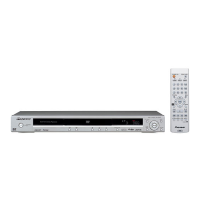
Lists accessories supplied with the DVD player.
Step-by-step guide to inserting batteries into the remote.
Tips for optimal remote operation and range.
Details compatibility with DVD-Video, DVD-Audio, DVD-R/RW, Audio CD, Video CD, and Super VCD formats.
Explains region coding for DVD discs and player compatibility.
Details on MP3 file format, sampling rates, and naming conventions.
Basic connections for immediate playback of DVD video.
Guidance on connecting RCA and S-Video cables correctly.
Instructions for connecting control cables for system integration.
Connecting the player to TV via component, S-Video, or composite.
Proper insertion and best picture quality considerations.
Advice on selecting S-Video for better picture quality.
Connecting player audio outputs to amplifier inputs.
Guidance on connecting analog audio cables.
Instructions for digital audio connections.
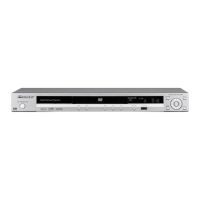
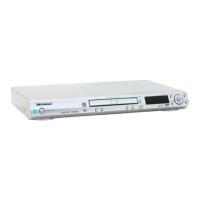
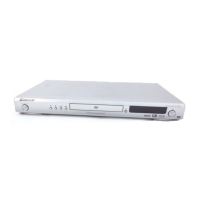
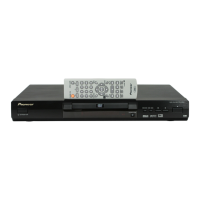
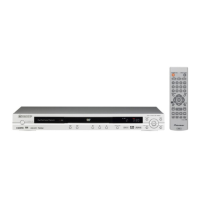
Identifies and describes buttons and indicators on the player's front panel.
Details the function of each button on the remote control unit.
Explains the meaning of various indicators shown on the player's display.
Guides on selecting the correct TV system (AUTO, PAL, NTSC) for optimal picture.
Step-by-step guide to configuring basic player settings via on-screen menus.
Choosing the language for on-screen display menus.
Setting the player based on TV aspect ratio (16:9, 4:3).
Configuring analog audio output based on amplifier setup.
Confirming amplifier compatibility with digital audio formats.
Verifying amplifier compatibility with 96kHz audio playback.
Instructions on how to save the made settings.
Basic instructions for loading and playing discs on the player.
Explains common playback functions like Play, Pause, Stop, Scan, and Skip.
How to interact with DVD menus for titles, chapters, and options.
Using playback control menus on Super VCD/Video CD discs.
Accessing and selecting options from DVD-RW disc menus.
Overview of chapter functions applicable to various disc types.
Using search modes (Title, Chapter, Time) to locate content.
Changing between multiple camera angles on DVD-Video discs.
Selecting or turning off subtitles for DVD-Video discs.
Changing the spoken language for DVD-Video audio tracks.
Selecting audio channels for DVD-Audio and other disc types.
Creating custom playback sequences by selecting titles, chapters, or tracks.
Advice on creating, deleting, and managing programmed playback lists.
Playing tracks or chapters in a random, shuffled order.
Setting the player to repeat tracks, chapters, titles, or the entire disc.
Repeating a specific segment of audio or video playback.
Saving the current playback point to resume later on specific disc types.
Storing and recalling custom preferences (e.g., angle, subtitle) for discs.
Showing track, chapter, title, and transmission rate details on-screen.
Instructions for loading and playing MP3 files from CD-ROM discs.
Navigating MP3 files by folder or track number.
Using random and repeat functions for MP3 playback.
Viewing track details, folder names, and bit rates.
Interface for easier MP3 track searching and program list management.
Building custom playback sequences for MP3 tracks.
Overview of accessing and navigating player settings.
Choosing between Basic and Expert modes for settings.
Configuring on-screen display language and operational display.
Adjusting audio settings like Dynamic Range Control (DRC).
Setting the Dolby Digital output mode for digital connections.
Configuring DTS and Linear PCM output for digital connections.
Configuring MPEG audio output for digital connections.
Enabling or disabling all digital audio outputs.
Simulating surround sound with stereo outputs.
Configuring analog audio output for 2-channel or 5.1-channel systems.
Reference table for audio output modes per source type.
Configuring speaker size, position, and distance for surround sound setups.
Adjusting sound character with digital filters.
Enhancing audio dynamic range and detail.
Adjusting speaker channel volume levels with test tones.
Optimizing CD audio quality by bypassing circuits.
Adjusting TV screen aspect ratio and S-Video output.
Configuring screen saver and player background image.
Setting component video output for progressive scan or interlaced video.
Selecting preset picture quality modes (TV, PDP, Memory).
Adjusting picture parameters like motion, noise reduction, sharpness, and color.
Further adjustments for detail, white/black levels, gamma, and hue.
Configuring still frame display and camera angle icon.
Setting the preferred audio language for DVD playback.
Setting the preferred subtitle language for DVD playback.
Automatic selection of audio and subtitle languages based on disc content.
Choosing the language for DVD disc menus.
Controlling subtitle display, including Assist Subtitle.
Setup Navigator access, Parental Lock, and Country Code configuration.
Setting up and modifying the player's password.
Controlling content access based on age ratings.
Selecting the country code for disc region compatibility.
Enabling or disabling automatic display of disc menus.
Accessing special content on DVD-Audio discs using a key number.
Selecting playback order for DVD-Audio disc groups.
Guidelines for holding, cleaning, and storing discs.
Warning against using damaged or shaped discs.
Information on cleaning the player's optical lens.
Advice on preventing and managing condensation issues.
Recommended placement for optimal player performance and longevity.
Procedure for moving the unit, especially during playback.
Guidelines for safe handling and use of the power cord.
Definitions of audio, video, and disc-related terms from Analog to MP3.
Definitions of audio, video, and disc-related terms from MPEG to Track.
Guidance for resolving common operational problems with the player.
Addressing issues like screen stretching, disturbances, and color loss.
Resolving problems with remote control and setup menu functionality.
Troubleshooting issues related to sound output and signal integrity.
Resolving problems with audio levels, channels, and MP3 file playback.
Procedure for returning all settings to their original state.
How discs appear on standard 4:3 TVs with different player/TV settings.
How discs appear on widescreen TVs with different player/TV settings.
Reference list of country codes used for DVD region settings.
Reference list of language codes for audio and subtitle selection.
Details on player system, power, dimensions, and operating conditions.
Technical details on analog and digital audio output levels and channels.
Specifications for frequency response, S/N ratio, and THD for digital audio.
Details on video outputs, terminals, and accessories.
 Power
Power| power requirements | 110 V, 60 Hz |
|---|---|
| power consumption | 13 W |
| power consumption in standby mode | 0.3 W |
 Operating Environment
| operating temperature | +5°C to +35°C |
|---|---|
| operating humidity | 5% to 85% |
 Weight and Dimensions
| weight | 2.9 kg |
|---|---|
| width | 420 mm |
| depth | 277 mm |
| height | 95.5 mm |
Power| power requirements | 110-127/220-240 V, 50/60 Hz |
|---|---|
| power consumption | 14 W |
| power consumption in standby mode | 0.5 W |
Operating Environment| operating temperature | +5°C to +35°C |
|---|---|
| operating humidity | 5% to 85% |
Weight and Dimensions| weight | 3.0 kg |
|---|---|
| width | 420 mm |
| depth | 277 mm |
| height | 95.5 mm |


 To Next Page