EasyManua.ls Logo

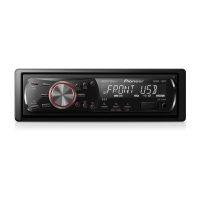
Pioneer DVH-330UB - User Manual

Pioneer DVH-330UB
40 pages
Print Icon
To Next Page IconTo Next Page
Loading...
Operation Manual
DVD RDS RECEIVER
DVH-330UB
English

Table of Contents

Other manuals for Pioneer DVH-330UB

Questions and Answers

  • K
    Kathleen FerrellAug 17, 2025
    Why is there no sound coming from my Pioneer DVH-330UB Car Receiver?
    • M
      Michael AnthonyAug 17, 2025
      If there is no sound from your Pioneer Car Receiver, make sure the cables are correctly connected. Also, check the volume level and adjust it if necessary. Ensure that the attenuator is turned off.
  • J
    Jeffrey NguyenAug 20, 2025
    How to fix a Pioneer DVH-330UB that will not turn on?
    • C
      cristianserranoAug 20, 2025
      If your Pioneer Car Receiver's power won't turn on, double-check all the leads and connectors to ensure they are correctly connected.
  • C
    Cynthia RodriguezAug 22, 2025
    What to do if my Pioneer DVH-330UB will not operate?
    • R
      Russell AdamsAug 23, 2025
      If your Pioneer Car Receiver unit will not operate, the fuse may be blown. Find the cause, fix it, and then replace the fuse with one of the same rating.
  • J
    Joseph MorrisAug 26, 2025
    How to increase the volume on my Pioneer DVH-330UB?
    • H
      Howard WileyAug 26, 2025
      If the volume level is low on your Pioneer Car Receiver, try adjusting the volume to a higher level.
  • J
    jamesjonesAug 28, 2025
    What to do if the image freezes on my Pioneer DVH-330UB Car Receiver?
    • M
      Mike MorrisAug 28, 2025
      If the image displayed on your Pioneer Car Receiver stops (pauses) and the unit cannot be operated, it might be because the data could no longer be read during playback. Stop playback and start it again.
  • E
    Erin CarterAug 31, 2025
    Why is my Pioneer Car Receiver remote control not working?
    • Q
      qcamachoAug 31, 2025
      If the remote control is not working with your Pioneer Car Receiver, the remote control operation mode may be incorrect, so switch to the correct mode. Also, the battery power might be low, so load a new battery.
  • D
    Donald LawrenceSep 3, 2025
    How to stop my Pioneer Car Receiver from skipping sound and video?
    • S
      Savannah HarveySep 3, 2025
      If the sound and video skip on your Pioneer Car Receiver, make sure the unit is firmly secured.
  • A
    aphillipsSep 5, 2025
    Why is my Pioneer DVH-330UB Car Receiver stuck in slow motion?
    • M
      Michael BakerSep 5, 2025
      If your Pioneer Car Receiver is performing still, slow motion or frame-by-frame playback, this operation may be prohibited for the disc or the operation is not compatible with the configuration of the disc. This operation is not possible.
  • E
    Eileen OlsonSep 8, 2025
    How to fix the stretched image on my Pioneer DVH-330UB?
    • N
      Nicole RodgersSep 8, 2025
      If the aspect ratio is incorrect and the image is stretched on your Pioneer Car Receiver, select the appropriate setting for your display.
  • C
    Curtis DixonSep 12, 2025
    Why can't I play certain discs on my Pioneer DVH-330UB?
    • H
      Henry ReedSep 12, 2025
      If some operations are prohibited with certain discs on your Pioneer Car Receiver, the disc may be dirty, so clean it. Also, the type of disc loaded may not be playable on the unit, so check the disc type. Finally, the disc loaded may not be compatible with your video system, so change the disc to one that is compatible.

Summary

Before you start

To ensure safe driving

Safety precautions for viewing video while driving.

In case of trouble

Instructions for troubleshooting unit malfunctions.

CAUTION

General caution notes regarding liquid contact, volume, moisture, and battery.

Operating this unit

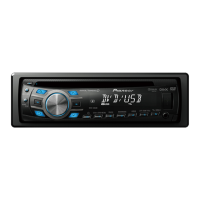
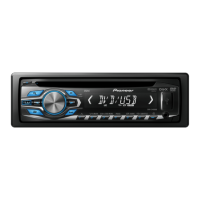
Head unit

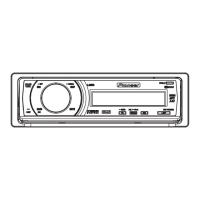
Overview and parts of the head unit.

Remote control

Identification and function of remote control buttons.

Button names

Table detailing button names and their functions in DVH and DVD modes.

Basic Operations of this unit

Basic operations like removing/attaching the front panel and turning the unit on/off.

Tuner

Basic operations for the tuner, including band selection and tuning.

Built-in DVD player

Basic operations for playing discs on the built-in DVD player.

Basic operations

Steps for playing, ejecting, selecting folders/tracks on the DVD player.

Basic playback controls

Controls for playback, pause, stop, fast forward/reverse, and skipping.

Operating the DVD menu

How to navigate and use DVD menus for playback selection.

Resume playback (Bookmark)

How to bookmark playback points to resume later.

Changing audio language during playback (Multi-audio)

How to switch audio languages during DVD playback.

Changing the subtitle language during playback (Multi-subtitle)

How to switch subtitle languages during playback.

Changing the viewing angle during playback (Multi-angle)

How to switch viewing angles for multi-angle recordings.

USB portable audio player;USB memory

How to play files from USB storage devices.

Basic operations

Basic steps for using USB storage devices.

Function settings

How to configure function settings for USB devices.

Audio Adjustments

How to adjust audio settings like fader, balance, equalizer, and loudness.

Setting up the DVD player

Introduction to DVD setup adjustments.

Introduction of DVD setup adjustments

Overview of available DVD setup menu categories.

Setting the subtitle language

How to set the desired subtitle language for DVDs.

Setting the audio language

How to set the desired audio language for DVDs.

Setting the menu language

How to set the menu language for DVDs.

Setting the aspect ratio

How to set the TV aspect ratio for display.

Setting parental lock

How to set parental lock levels for DVDs.

Changing the level

How to change the parental lock level.

If you forget your code number

Instructions for canceling a forgotten parental lock code.

Initial Settings

How to access and perform initial unit settings.

Additional Information

Troubleshooting

Common troubleshooting steps for unit operation issues.

DVD

Troubleshooting specific to DVD playback issues.

Video CD

Troubleshooting specific to Video CD playback issues.

Error messages

Explains various error messages and their causes/actions for DVD.

USB audio player;USB memory

Explains error messages for USB devices.

Message

Lists error messages for USB devices and their causes/actions.

Compressed audio and DivX compatibility (disc, USB)

Detailed compatibility information for audio and DivX formats.

Pioneer DVH-330UB Specifications

General IconGeneral
DIN Size1 DIN
Display TypeLCD
Max Power Output50W x 4
BluetoothYes
TunerAM/FM
Equalizer5-Band Graphic Equalizer
USB InputYes
AUX InputYes
Remote ControlYes
DisplaySingle Line
Media PlaybackMP3/WMA

Related product manuals