EasyManua.ls Logo

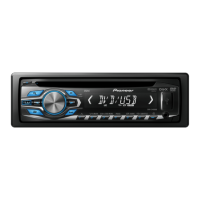
Pioneer DVH-3490UB - User Manual

Pioneer DVH-3490UB
32 pages
Print Icon
To Next Page IconTo Next Page
Loading...
Owners Manual
DVD RECEIVER
DVH-3490UB
English

Questions and Answers

  • J
    jason95Jul 26, 2025
    Why is playback not performed with the audio language and subtitle language settings selected in SETUP on my Pioneer DVH-3490UB Car Receiver?
    • Z
      zkingJul 26, 2025
      If the audio or subtitle language you selected in the SETUP settings isn't playing on your Pioneer Car Receiver, it's likely that the DVD doesn't have those languages available.
  • S
    Sarah BarrettJul 30, 2025
    Why the language cannot be switched on my Pioneer DVH-3490UB?
    • D
      Danielle ScottJul 30, 2025
      If the language cannot be switched on your Pioneer Car Receiver, it means that the language you're trying to select isn't available on the disc.
  • D
    Dr. Angela Harris MDAug 3, 2025
    What to do if a parental lock message is displayed on my Pioneer Car Receiver and playback is not possible?
    • J
      Joshua BeckAug 3, 2025
      If a parental lock message appears on your Pioneer Car Receiver and playback is impossible, it means the parental lock feature is currently activated. To resolve this, you can either disable the parental lock or adjust the level settings.
  • B
    bbrayAug 8, 2025
    How to fix subfolders that cannot be played back on Pioneer DVH-3490UB?
    • S
      Sheena CortezAug 8, 2025
      If subfolders aren't playing back on your Pioneer Car Receiver, it might be because folder repeat play is currently enabled. To fix this, select the repeat range again.
  • A
    Amy LongAug 12, 2025
    Why are no subtitles displayed on my Pioneer DVH-3490UB?
    • R
      Rodney MorganAug 12, 2025
      If you aren't seeing subtitles on your Pioneer Car Receiver, it's because the DVD you're watching doesn't have subtitles recorded on it. Subtitles are not displayed if they are not recorded on the disc.
  • M
    mary26Aug 16, 2025
    Why the viewing angle cannot be switched on my Pioneer DVH-3490UB Car Receiver?
    • J
      Jacob SaundersAug 16, 2025
      If the viewing angle cannot be switched on your Pioneer Car Receiver, it's because the DVD you're watching wasn't filmed with multiple camera angles.
  • R
    robinjonesAug 21, 2025
    Why does the motor sound when the ignition switch is turned ON (or is turned to ACC) on my Pioneer DVH-3490UB Car Receiver?
    • E
      ellisonaliciaAug 21, 2025
      This motor sound is a normal operation.

Summary

Before You Start

Safe Driving Guidelines

Essential safety precautions to prevent accidents and ensure legal compliance while driving.

Troubleshooting and Support

Guidance on what to do if the unit fails to operate properly and contact information.

Operating the Head Unit

Basic Unit Operations

Fundamental operations for using the unit, including panel removal and basic functions.

Built-in DVD Player Operations

DVD Player Basic Operations

Instructions for playing discs, ejecting, and selecting files or folders.

DVD Playback Controls

Details on essential playback controls like play, pause, stop, and fast forward/reverse.

USB Portable Audio and Memory Operations

USB Device Basic Operations

Steps for connecting and playing files from a USB storage device.

Connections

Power Cable Connection Guide

Detailed instructions for correctly connecting the power cable and speaker wiring.

Connecting External Power Amplifiers

Wiring diagrams and instructions for connecting separately sold power amplifiers.

Installation

DIN Front-Mount Installation

Steps for installing the unit using the DIN front-mount method.

Additional Information and Troubleshooting

Troubleshooting Common Issues

Solutions for common problems like no power, remote issues, or no sound.

DVD and Video CD Error Messages

Explanation of error messages related to DVD and Video CD playback.

Specifications

Pioneer DVH-3490UB Specifications

General IconGeneral
Display TypeLCD
Audio Formats SupportedMP3, WMA, WAV
BluetoothNo
USB PortYes
Aux InputYes
Detachable FaceplateYes
TypeCar Receiver
Media TypeCD, USB
Remote ControlYes
Power Output50 Watts x 4 channels
Tuner TypeAM/FM
Playback FormatsMP3, WMA, WAV

Related product manuals