
 Need help?
Do you have a question about the Pioneer DVH-P4150UB and is the answer not in the manual?
Precautions to avoid accidents and comply with traffic laws while driving.
General information and cautions regarding the unit's operation and handling.
Details on supported media formats, DivX, and compatibility.
Instructions for removing and attaching the detachable front panel.
Guidance on installing the battery and operating the remote control.
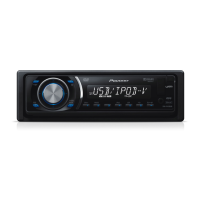
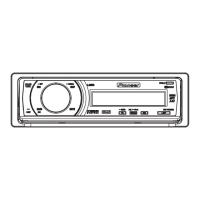
Overview of buttons and ports on the main unit for operation.
Detailed explanation of remote control buttons and modes.
Explanation of symbols and information shown on the unit's display.
How to turn the unit on/off and switch between audio sources.
Selecting bands, tuning, and storing/recalling broadcast frequencies.
Loading discs, basic playback controls, and navigating menus.
PBC playback, DivX VOD content, and CM skip features.
Resume playback, specifying titles/tracks, and searching playback parts.
Changing audio and subtitle languages during playback.
Changing viewing angle, frame-by-frame, slow motion, and auto playback.
Viewing text information and selecting files from lists.
Selecting files from USB and tracks from CD TEXT discs.
Selecting repeat play range, random order, and scanning folders/tracks.
Selecting audio output channels and pausing playback.
Using Sound Retriever, rotating JPEG images, and switching information display.
Explaining chapter/track numbers and variable message area contents.
Connecting, playing, and selecting files from USB devices.
Advanced functions for USB and file name list operations.
Connecting, controlling, and disconnecting the iPod.
Browsing and searching iPod content by category or alphabetically.
Displaying iPod text information and using advanced functions.
Random playback, shuffle all, and playing related songs.
Changing iPod screen mode and adjusting audiobook speed.
Introduction to audio settings and adjusting speaker balance.
Recalling/adjusting equalizer curves, bass/mid/treble, and loudness.
Introduction to DVD setup adjustments for language, picture, and general.
Setting display language, character set, angle icon, and aspect ratio.
Setting slide show intervals and parental lock levels/codes.
Setting DivX subtitles, digital output, and displaying DivX VOD registration code.
Overview of initial settings and how to adjust clock, FM/AM tuning steps.
Configuring auxiliary inputs and switching ever scroll display.
Setting DVD output signal and managing display connection.
Resetting audio functions to default values, requires multi-channel processor.
Connecting and selecting AUX sources, switching digital/analog.
Turning clock display on/off and controlling external Pioneer units.
Basic and advanced operations for controlling a multi-CD player.
Using compression, bass emphasis, and managing ITS playlists.
Deleting individual tracks or entire CDs from ITS playlists.
Using the unit to control a Bluetooth adapter for phone/audio.
Overview of settings for multi-channel processor for fine-tuned sound.
Configuring speaker settings and adjusting fader/balance.
Using Dolby Pro Logic II and Sound Field Control for surround effects.
Using down-mix, dynamic range control, and direct control features.
Adjusting source levels and using the auto-equalizer.
Steps for preparing and performing auto time alignment and EQ measurement.
Configuring speaker settings based on size, type, and installed status.
Correcting subwoofer phase, selecting crossover frequency, and adjusting speaker levels.
Using test tones and time alignment for precise audio tuning.
Recalling equalizer curves and adjusting 3-band parametric equalizer.
Adjusting center speaker settings and equalizer bands (low, mid, high).
Resolving issues with power, operation, playback, sound, and DVD playback.
Resolving issues related to Video CD playback and iPod connectivity.
Understanding and resolving error messages from DVD player, USB, and iPod.
Diagnosing and resolving errors during automatic time alignment and EQ.
Proper handling and care for DVD, Video CD, CD discs, and compatibility notes.
Notes on compatibility for DVD-R/RW, AVCHD, CD-R/RW, and Dual Discs.
Details on compressed audio formats and USB device handling.
How audio files are sequenced on discs and USB devices.
Supported iPod models, settings, handling, and JPEG file compatibility.
Details on supported DivX video formats, extensions, and codecs.
A chart of language codes and their input codes for DVD menus.
Notices regarding copyright protection technology and licensing.
Trademarks and licensing information for Dolby, DTS, and DivX technologies.
Definitions of audio, video, compression, and file format terms.
Explanation of ISO9660, JPEG, PCM, MP3, MPEG, and other standards.
Definitions of disc writing methods, parental controls, PBC, and region numbers.
Technical details on power source, dimensions, and weight of the unit.
Technical details on audio power output, tone controls, and signal-to-noise ratio.
Technical details on DVD system, region numbers, and USB interface.
Technical details on FM/AM tuner sensitivity and infrared remote control output.
 General
| Brand | Pioneer |
|---|---|
| Model | DVH-P4150UB |
| Category | Car Receiver |
| Language | English |



 To Next Page