EasyManua.ls Logo

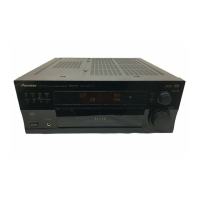
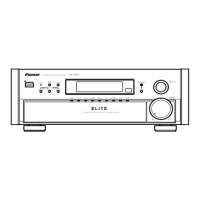
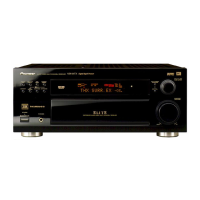
Pioneer Elite VSX-35TX - User Manual

Pioneer Elite VSX-35TX
96 pages
Print Icon
To Next Page IconTo Next Page
Loading...
VSX-35TX
Operating Instructions
AUDIO/VIDEO
MULTI-CHANNEL RECEIVER

Table of Contents

Questions and Answers

  • S
    Sheri CampbellAug 12, 2025
    How to reset my Pioneer Elite VSX-35TX Receiver when it does not respond to button presses?
    • D
      davidcunninghamAug 12, 2025
      If your Pioneer Receiver isn't responding when you press the buttons, it may be due to static electricity caused by dry air. To resolve this, disconnect the power plug from the outlet and then reinsert it.
  • L
    Lisa MitchellAug 16, 2025
    How to fix no sound when selecting a function on my Pioneer Receiver?
    • D
      Daniel BrownAug 16, 2025
      If your Pioneer Receiver isn't outputting any sound when a function is selected, consider the following: * Verify all connections are correct. * Ensure the sound is not muted by pressing the MUTE button on the remote control. * Adjust the MASTER VOLUME. * Press the TAPE 2 MONITOR button if it's engaged. * Select the appropriate speakers by pressing SPEAKERS (A/B). * Check that the DIGITAL/ANALOG switch is correctly set. * Confirm that the digital inputs are correctly assigned.
  • A
    Allen StrongAug 19, 2025
    How to increase the subwoofer output on my Pioneer Receiver?
    • J
      Julie LewisAug 20, 2025
      If the subwoofer output on your Pioneer Receiver is very low, it might be due to settings routing the signal away from the subwoofer. To increase the signal to the subwoofer, set it to PLUS or choose SMALL for the FRONT speakers.
  • T
    Tricia WoodsAug 25, 2025
    What to do if there is no sound when playing an LD with SIGNAL SELECT on DIGITAL on my Pioneer Elite VSX-35TX?
    • T
      tyrone76Aug 25, 2025
      If you are playing an LD and the SIGNAL SELECT is on DIGITAL but there is still no sound from your Pioneer Receiver, it may be because the LD is not a Dolby Digital compatible disc. Set the SIGNAL SELECT to analog and ensure your LD player is connected with analog connections in addition to digital and 2 RF connections.
  • R
    Richard SmithAug 31, 2025
    What to do if there is no image output when selecting a function on my Pioneer Elite VSX-35TX?
    • R
      Richard BaileyAug 31, 2025
      If your Pioneer Receiver is not outputting an image when a function is selected, check the following: * Ensure all components are correctly connected. * Verify that you have selected the correct input source by pressing the appropriate function button.
  • D
    Dana FlynnSep 4, 2025
    Why can't my Pioneer Receiver automatically select broadcast stations?
    • L
      Laura BarnesSep 4, 2025
      If broadcast stations cannot be selected automatically on your Pioneer Receiver, it may be due to weak radio signals. Consider connecting an outdoor antenna.
  • L
    lucasamberSep 7, 2025
    Why doesn't the 5.1 Channel indicator light up on my Pioneer Elite VSX-35TX Receiver when playing a Dolby Digital / DTS source?
    • H
      Heather KnoxSep 8, 2025
      If you're playing a Dolby Digital / DTS source on your Pioneer Receiver and the 5.1 Channel indicator isn't lighting up, it's likely that the Dolby Digital / DTS source is not 5 channels. This means there is no problem with the receiver itself; to experience 5-channel sound, you need to play a 5-channel source.
  • L
    Leon YoungNov 26, 2025
    Why is there so much noise in radio broadcasts on my Pioneer Elite VSX-35TX Receiver?
    • C
      Colin MooreNov 26, 2025
      If you are experiencing considerable noise in radio broadcasts with your Pioneer Receiver, first, ensure you are tuned to the correct frequency. Then: * Check that the antenna is properly connected. * Route any RF and digital cables away from the antenna terminals and wires. For FM broadcasts: * Fully extend the FM wire antenna and position it for the best reception, securing it to a wall. If the radio signals are weak, consider connecting an outdoor FM antenna. For AM broadcasts: * Adjust the direction and position of the AM antenna for the best reception. If the signals are weak, connect an additional internal or external AM antenna. Also, try turning off or moving away any equipment that may be causing interference, such as fluorescent lamps or motors. Alternatively, place ...

Summary

Important Safety Instructions

General Safety Guidelines

Comprehensive safety instructions for operation, maintenance, and hazard prevention.

Electrical Safety Precautions

Warnings regarding electric shock, moisture, and proper plug usage.

Grounding and Polarization

Safety features and procedures for polarized and grounding type plugs.

Quick Start Guide

Hooking Up Your DVD Player & TV

Instructions for connecting audio/video components, including coaxial and optical digital audio.

Speaker Connections

Guidance on connecting front, center, surround, and surround back speakers to the receiver.

Remote Control and Unit Setup

Steps for setting up the remote control, unit power, and system setup.

Digital Input Assignment

Procedure to assign digital inputs to specific components for proper audio signal routing.

Surround Sound Playback Setup

Steps for configuring sound modes and ensuring optimal surround sound experience.

Product Features

Multi Channel Stereophonic Concept

Pioneer's approach to multi-channel audio circuitry for optimal sound reproduction.

Universal Player Compatibility

Receiver's ability to handle various audio formats and multi-channel inputs.

Next Generation Audio Formats

Support for advanced audio formats like DVD Audio and THX surround modes.

Advanced Theater and DSP Modes

Enhancements for movie soundtracks and music using DSP for sonic environments.

Special Audio Functions

Features like Midnight Mode, Digital Noise Reduction, and 7 Channel Tone Control.

Remote Control Features

Description of the illuminated and multi-operation remote control functionality.

Energy-saving Design

Information on the unit's low power consumption in standby mode.

Before You Start

Checking Supplied Accessories

List of included accessories to verify upon unboxing the receiver.

How to Use This Manual

Guidance on navigating the manual's sections for setup and operation.

Preparing the Remote Control

Instructions for loading batteries and understanding remote operation basics.

Remote Control Operation Range

Details on the effective range and conditions for remote control operation.

Installing and Opening the Receiver

Guidelines for proper receiver installation and accessing the front panel.

Connecting Your Equipment

Audio Component Connections

Procedures for connecting analog audio sources like turntables and cassette decks.

Digital Audio Connections

Steps for making coaxial or optical digital audio connections for surround sound.

Video Component Connections

How to connect video sources using composite, S-video, or component video.

Speaker and Amplifier Connections

Guidance on connecting various speaker configurations and external amplifiers.

Antenna and TV Connections

Instructions for connecting FM/AM antennas and the television for output.

Displays & Controls

Front Panel Controls Overview

Explanation of buttons and indicators on the receiver's front panel.

Remote Control Overview

Detailed description of the functions and buttons on the remote control unit.

Receiver Display Information

Explanation of the various indicators and information shown on the receiver's display.

Initial Setup

On Screen Display Configuration

Rules for ensuring the receiver's on-screen display functions correctly with connected TVs.

Setting Up for Surround Sound

Comprehensive guide to configuring speaker systems, channels, and audio settings for surround sound.

Assign Setup Menu Options

Procedures for assigning digital inputs, multi-channel inputs, and component video connections.

Input and Speaker Configuration

Guides for assigning digital inputs and configuring speaker settings like size and type.

Audio Path and Level Settings

Procedures for setting multi-channel inputs, component video, and channel volume levels.

Tone and Range Adjustments

Instructions for setting crossover frequencies, bass peak levels, and dynamic range control.

Basic Playback

Sound Mode Selection and Usage

Explains various sound modes like STANDARD, THX, ADVANCED THEATER, DSP, and STEREO.

Playing Digital Sources (Dolby;DTS)

Steps for playing back sources with Dolby Digital or DTS audio formats.

Playing Stereo Sources

Instructions for playing back standard stereo audio sources.

Signal Input Switching and Noise Reduction

How to select analog/digital inputs and reduce playback noise using DIGITAL NR.

Special Playback Modes

Details on using Midnight Mode, Loudness, Direct Playback, and Multi Channel In.

Using the Tuner

Automatic and Manual Tuning

Procedures for finding FM and AM radio stations using search or step tuning.

Direct Access Tuning

How to tune to specific radio frequencies using the remote's number buttons.

Station Memorization and Recall

Steps to store and recall favorite radio stations into memory classes.

Remote Control of Other Components

Programming the Remote Control

Guide to recalling preset codes and learning commands for controlling external devices.

Component Operation Guides

Instructions for operating DVD/LD players, VCRs, CD players, MDs, STBs, TVs, and cassette decks.

Using Other Functions

Function Rename

Customizing display names for sources and functions on the receiver.

Recording Components

Procedures for recording audio and video signals from various sources.

Multi Operations and System Off

Setting up and using multi-command sequences and the system power-off function.

Multi-Room System Setup

Configuring the receiver for multi-room audio output with an optional IR receiver.

Techno Tidbits & Problem-solving

Dolby Digital and DTS Information

Technical explanations of Dolby Digital and DTS audio formats and their playback.

THX Technology Overview

Explanation of THX sound technologies for movie presentation accuracy.

Troubleshooting Common Issues

A guide to diagnosing and resolving common operational problems and symptoms.

Safety and Maintenance Precautions

Guidelines for safe operation, power cord handling, and external surface maintenance.

Pioneer Elite VSX-35TX Specifications

General IconGeneral
Input Sensitivity200 mV
Tuner BandsAM/FM
Surround Sound FormatsDolby Digital, DTS
Input Impedance47k ohms
Audio D/A Converter24-bit/96kHz
Audio Channels5.1 channel

Related product manuals