EasyManua.ls Logo

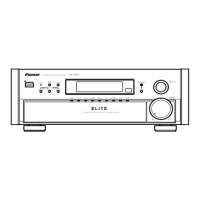
Pioneer Elite VSX-39TX - User Manual

Pioneer Elite VSX-39TX
92 pages
Print Icon
To Next Page IconTo Next Page
Loading...
VSX-39TX
Operating Instructions
AUDIO/VIDEO
MULTI-CHANNEL RECEIVER

Table of Contents

Questions and Answers

  • S
    Samantha SalinasAug 13, 2025
    What to do if there is no sound from my Pioneer Elite VSX-39TX Receiver?
    • N
      Nicholas JacksonAug 13, 2025
      If no sound is output when a function is selected on your Pioneer Receiver, consider the following potential causes: Improper connections—ensure all components are connected correctly. The sound may be muted, so press the MUTE button on the remote control. The volume might be turned down, so adjust the MASTER VOLUME. Check if the TAPE 2 MONITOR is ON and, if so, press the TAPE 2 MONITOR button. The speakers might be turned OFF, so press SPEAKERS (A/B) to select the connected speakers. Finally, the DIGITAL/ANALOG switch might be set incorrectly; set SIGNAL SELECT.
  • P
    pjacksonAug 16, 2025
    How to increase the subwoofer output on my Pioneer Elite VSX-39TX Receiver?
    • E
      Eddie MartinAug 16, 2025
      If the subwoofer output is very low on your Pioneer Receiver, it could be due to settings that route the signal away from the subwoofer. To get more signal to the subwoofer, set it to PLUS or choose SMALL for the FRONT speakers.
  • W
    Wesley HarmonAug 20, 2025
    What to do if there is no sound when playing an LD with SIGNAL SELECT on 2 RF on my Pioneer Elite VSX-39TX Receiver?
    • S
      sara96Aug 20, 2025
      If you're not getting any sound when playing an LD with the SIGNAL SELECT set to 2 RF, the LD might not be a Dolby Digital compatible disc. Try setting the SIGNAL SELECT to analog, ensuring your LD player is connected with analog connections in addition to digital and 2 RF connections.
  • S
    Sharon CarrollAug 27, 2025
    How to fix no image output on Pioneer Elite VSX-39TX Receiver?
    • K
      Katherine GreeneAug 27, 2025
      If you're not getting any image output when selecting a function on your Pioneer Receiver, there are a couple of things to check. First, make sure all your components are connected correctly. Second, ensure that you've selected the correct input source by pressing the appropriate function button.
  • J
    Joshua WalkerSep 1, 2025
    What to do if my Pioneer Elite VSX-39TX Receiver doesn't respond to button presses?
    • T
      turnerandreaSep 1, 2025
      If your Pioneer Receiver isn't responding when you press the buttons, it could be due to static electricity caused by dry air. To resolve this, disconnect the power plug from the outlet and then reinsert it.
  • R
    Richard JonesSep 4, 2025
    Why can't my Pioneer Elite VSX-39TX automatically select broadcast stations?
    • O
      othomasSep 4, 2025
      If your Pioneer Receiver cannot automatically select broadcast stations, it is likely due to weak radio signals. You can try connecting an outdoor antenna.
  • J
    Justin GreenSep 8, 2025
    Why doesn't the 5.1 Channel indicator light up on my Pioneer Elite VSX-39TX Receiver when playing a Dolby Digital / DTS source?
    • B
      bmayerSep 8, 2025
      If the 5.1 Channel indicator doesn't light up when playing a Dolby Digital / DTS source, it could be because the source is not actually 5 channels. There is no problem with the receiver, but if you want 5 channel sound, you must play a 5 channel source.
  • D
    Donald LivingstonNov 23, 2025
    Why is there so much noise in my Pioneer Receiver radio broadcasts?
    • M
      Manuel AlvarezNov 23, 2025
      There are several reasons why you might be experiencing considerable noise in radio broadcasts. It could be due to an incorrect frequency, so try tuning to the correct one. The antenna might not be connected properly; ensure it is connected. Also, reroute any nearby RF and digital cables away from the antenna terminals and wires. For FM broadcasts, fully extend the FM wire antenna and position it for the best reception, securing it to a wall. If the radio signals are weak, consider connecting an outdoor FM antenna. For AM broadcasts, adjust the direction and position of the AM antenna for the best reception, or connect an additional internal or external AM antenna. Finally, interference from other equipment like fluorescent lamps or motors can cause noise; try turning off the equipment or ...

Summary

Safety and Important Notices

General Safety Warnings

Key warnings and precautions for safe operation and handling of the unit.

Specific Safety Guidelines

Detailed instructions on grounding, servicing, and handling precautions.

Quick Start Guide

Initial Setup and Connections

Steps for connecting components, speaker setup, remote setup, digital input assignment.

Connecting Your Equipment

Displays & Controls

Initial Set Up

Surround Sound Configuration

Comprehensive guide to configuring surround sound settings like inputs, speakers, and levels.

Using the Tuner

Remote Control of Other Components

Using Other Functions

Techno Tidbits & Problem-solving

Troubleshooting and Specifications

Common issues, solutions, and technical specifications of the receiver.

Power Cord Safety

Power Cord Handling Precautions

Critical safety instructions for handling the power cord.

Pioneer Elite VSX-39TX Specifications

General IconGeneral
Total Harmonic Distortion0.09 %
Input Sensitivity200 mV
Tuner BandsAM/FM
Audio Formats SupportedDolby Digital, DTS, DTS Neo:6, Dolby Pro Logic II
Video Formats SupportedComposite, S-Video, Component
Response Bandwidth5Hz-100kHz
Input Impedance47 kOhm
Built-in DecodersDolby Digital, DTS, DTS Neo:6, Dolby Pro Logic II
Sound EffectsMidnight Mode
Tuning RangeFM: 87.5 - 108 MHz, AM: 530 - 1700 kHz
Video Outputs1 composite, 1 S-video, 1 component
Audio Inputs6
Audio Outputs2
Impedance8 Ohm

Related product manuals