EasyManua.ls Logo

Pioneer VSX-330-K - User Manual

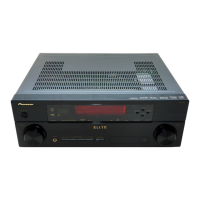
Pioneer VSX-330-K
36 pages
Print Icon
To Next Page IconTo Next Page
Loading...
AV Receiver
Operating Instructions
Discover the benefits of registering your product online at http://www.pioneer.co.uk (or http://www.pioneer.eu).
VSX-330-K

Table of Contents

Other manuals for Pioneer VSX-330-K

Questions and Answers

  • L
    Lauren MooreSep 23, 2025
    How to restore sound from center and rear speakers on Pioneer VSX-330-K Receiver?
    • J
      Jason WarrenSep 23, 2025
      To restore sound to the center and rear speakers of your Pioneer Receiver, press the ALC/STANDARD or ADV SURR button to change the listening modes. For example, press ADV SURR several times to select EXT.STEREO.
  • M
    Matthew MartinezAug 23, 2025
    Why is there no sound from the subwoofer connected to my Pioneer VSX-330-K?
    • H
      hillbrentAug 25, 2025
      If you're not getting any sound from your subwoofer with your Pioneer Receiver, check these things: make sure the subwoofer is turned on and if it has a volume knob, ensure it's turned up. If you are listening to a Dolby Digital or DTS source, verify that the source has an LFE channel, and switch the subwoofer setting in Speaker Setting to YES or PLUS. Also, switch the LFE ATT (LFE Attenuate) to LFEATT 0.
  • M
    michael41Aug 25, 2025
    Why does my Pioneer VSX-330-K power suddenly turn off?
    • M
      Mrs. Allison GreenAug 26, 2025
      If your Pioneer Receiver suddenly turns off, first check the speaker wires at the rear panel to ensure no loose strands are touching each other or the panel. If you find stray strands, re-attach the wires carefully. Also, the Auto Power Down feature might be enabled, causing the receiver to turn off automatically at a set time.
  • K
    Kenneth LittleAug 27, 2025
    How to fix no sound on my Pioneer Receiver?
    • C
      chaselisaAug 27, 2025
      If you're not getting any sound from your Pioneer Receiver when an input function is selected, try these solutions: first, use the VOLUME +/– buttons to increase the volume. Next, check if muting is enabled by pressing the MUTE button on the remote. Also, ensure the SIG SEL is correctly set to H (HDMI), C1/O1 (digital) or A (analog) according to your connections. Verify that all components are connected properly. Finally, check the audio output settings of the source component.
  • F
    fburtonAug 27, 2025
    Why can't I operate the remote control of my Pioneer Receiver?
    • J
      Jacob BakerAug 27, 2025
      If you're unable to operate your Pioneer Receiver's remote control, try the following: replace the batteries. Ensure you're within 7 meters and 30 degrees of the remote sensor. Remove any obstacles blocking the sensor, or try operating from a different position. Avoid direct light on the remote sensor.
  • M
    Michael GilbertSep 15, 2025
    How to eliminate noise during cassette deck playback with my Pioneer VSX-330-K Receiver?
    • A
      Ann ArroyoSep 15, 2025
      To eliminate noise during cassette deck playback with your Pioneer Receiver, move the cassette deck away from the receiver until the noise disappears.
  • J
    Jessica ObrienSep 12, 2025
    Why does the display of my Pioneer VSX-330-K flash and cannot be operated?
    • R
      Rachel AllenSep 12, 2025
      If the display on your Pioneer Receiver flashes and it cannot be operated, it may be because certain functions are unavailable depending on the input signal or listening mode.
  • A
    Angela KhanSep 14, 2025
    How to brighten the display on my Pioneer VSX-330-K?
    • J
      Jonathan BallardSep 14, 2025
      If the display on your Pioneer Receiver is dark, press the DIMMER button on the remote control repeatedly to return to the default levels.
  • J
    Jason SullivanSep 5, 2025
    Why does my Pioneer VSX-330-K turn ON/OFF automatically and switch inputs with ARC on?
    • S
      sadamsSep 5, 2025
      If your Pioneer Receiver is automatically turning ON/OFF and switching inputs while the ARC function is ON, it may be due to the CEC (Consumer Electronic Control) function activating. Try turning OFF the HDMI CONTROL setting on the connected player. If that doesn't work, turn OFF the ARC function.
  • H
    Heather HerringSep 2, 2025
    What to do if no image is output from my Pioneer Receiver?
    • J
      Joe LeeSep 3, 2025
      If you're not getting any image output from your Pioneer Receiver when an input function is selected, check that the component is connected correctly. Ensure you're using the same type of video cables for both the source component and TV. Also, verify that the video input selected on the TV is correct.

Summary

Controls and Displays

Front Panel Overview

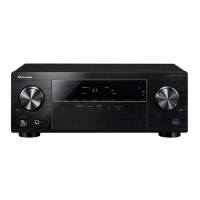
Overview of the front panel controls and indicators on the AV receiver.

Display Indicators Explained

Explanation of various indicators and the character display on the receiver.

Remote Control Functions

Details on the functions of each button on the remote control for operation.

Connecting Your Equipment

Connecting Speakers

Instructions for physically connecting speaker wires to the receiver's terminals.

Connecting via HDMI

How to connect components and TV using HDMI cables for audio and video.

Basic Playback

Playing a Source

Step-by-step guide to playing audio or video from connected sources.

Home Menu Settings

Manual Speaker Setup

Configuring speaker size, distance, and levels for optimal surround sound.

Additional Information

Troubleshooting Common Issues

Solutions for common operational problems like no power, overheating, or sound loss.

HDMI Troubleshooting

Solutions for picture and sound issues specific to HDMI connections.

Pioneer VSX-330-K Specifications

General IconGeneral
Receiver typeSurround
Audio output channels5.1 channels
Power output per channel (20-20KHz@8 Ohm)105 W
3DNo
Product colorBlack
Audio decodersDTS Neo:6, DTS-HD, DTS-HD Master Audio, Dolby Digital Plus, Dolby Pro Logic II, Dolby TrueHD
Audio Return Channel (ARC)Yes
Apple docking compatibilityNot supported
HDMI in4
Composite video in2
USB ports quantity1
Supported radio bandsAM, FM
Preset stations quantity30
Audio formats supportedAAC, MP3, WMA
AC input voltage220-240 V
AC input frequency50 - 60 Hz
Power consumption (standby)0.45 W
Power consumption (typical)165 W
Connectivity technologyWired
Weight and Dimensions IconWeight and Dimensions
Depth320.5 mm
Width435 mm
Height168 mm
Weight7300 g

Related product manuals