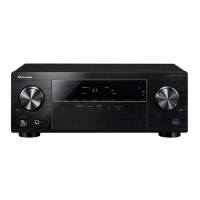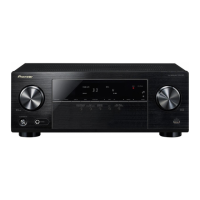
EasyManua.ls Logo

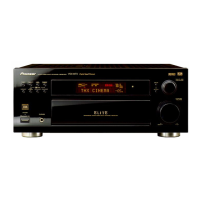
Pioneer VSX-33TX - User Manual

Pioneer VSX-33TX
84 pages
Print Icon
To Next Page IconTo Next Page
Loading...
VSX-33TX
Operating Instructions
AUDIO/VIDEO
MULTI-CHANNEL RECEIVER

Table of Contents

Questions and Answers

Summary

Important Model Information

Model Specific Notices

Important notices for U.S. and Canadian models regarding serial numbers and compliance.

Key Safety Warnings

Critical warnings to prevent fire, shock hazards, and ensure safe operation.

Important Safety Instructions

General Usage and Handling Precautions

Essential guidelines for safe operation, cleaning, and placement.

Electrical and Installation Safety

Safety measures for electrical connections, grounding, and unit placement.

Servicing and Damage Prevention

Guidelines for maintenance, repairs, and preventing unit damage.

Quick Start Guide

Connecting Your DVD Player and TV

Steps to connect your DVD player and TV to the receiver.

Coaxial Digital Audio Connection

How to establish a digital audio connection using a coaxial cable.

Optical Digital Audio Connection

How to establish a digital audio connection using an optical cable.

Speaker Connections Overview

Connecting front, center, and surround speakers to the receiver.

Remote and Unit Setup Basics

Initial steps to set up the remote control and the main unit.

Digital Input Configuration

Assigning digital inputs to match connected components for proper recognition.

DVD Playback with Surround Sound

How to play a DVD and select surround sound modes.

Optimizing Surround Sound

Tips and procedures for improving the surround sound experience.

Product Features

Multi Channel Audio Technology

Pioneer's concept for multi-channel stereophonic audio receivers.

Digital Format Compatibility

Support for various digital audio formats and player compatibility.

Advanced Audio Modes

Description of Advanced Theater and DSP Surround modes for enhanced audio.

Specialized Audio Features

Midnight mode, noise reduction, tone control, remote capabilities, and energy saving.

Before You Start

Checking Supplied Accessories

Verify all included accessories are present before proceeding.

Understanding This Manual

Guidance on navigating the manual and understanding its structure.

Remote Control Preparation

Instructions for loading batteries into the remote control.

Remote Control Operation Range

Information on the effective range and operational conditions of the remote control.

Receiver Installation Guidelines

Proper placement and ventilation requirements for the receiver unit.

Pioneer SR System Integration

Connecting and operating other Pioneer components via the SR system.

Connecting Your Equipment

Analog Audio Component Connections

Connecting analog audio sources like cassette decks and CD players.

Digital Audio Cable Types

Using coaxial and optical cables for digital audio connections.

Digital Audio Source Connections

How to make digital audio connections for surround sound formats.

Digital Input Assignment Procedure

Assigning digital inputs to match connected components for proper recognition.

DVD;LD Player Connection Example

Detailed example for connecting DVD/LD players with RF demodulators.

Video Component Connections

Connecting video sources like DVD players, VCRs, and DVRs.

TV and Satellite Tuner Connections

Connecting TV and satellite tuners for audio and video signals.

Television Connection

Connecting the television to the receiver for video output.

Multi Channel External Decoder Setup

Instructions for connecting an external multi-channel decoder if required.

Radio Antenna Connections

Connecting FM and AM antennas for optimal radio reception.

External Antenna Usage

Tips for using external antennas to enhance radio reception quality.

Speaker System Connections

Connecting speaker systems (A and B) and the subwoofer.

Speaker Terminal Usage

How to correctly connect speaker wires to the receiver terminals.

Speaker Impedance Settings

Adjusting speaker impedance settings for proper compatibility and performance.

Optimal Speaker Placement Guide

Guidelines for positioning speakers to achieve the best surround sound effect.

Additional Amplifier Connections

Connecting external amplifiers to expand speaker output capabilities.

Power Connection and Outlet Usage

Connecting the receiver to power and guidelines for using switched outlets.

Receiver Controls and Displays

Front Panel Operation

Explanation of the receiver's front panel buttons, dials, and indicators.

Remote Control Functions

Identification and explanation of buttons and functions on the remote control.

Display Indicators Explained

Explanation of the various indicators and messages shown on the receiver's display.

Initial Setup

Surround Sound Setup Procedure

Comprehensive guide to setting up surround sound for optimal audio performance.

Assign Setup Menu Options

Overview of options within the Assign Setup menu, including digital inputs.

Surround Setup Menu Options

Overview of options within the Surround Setup menu for speaker configuration.

Function Rename Utility

Utility for personalizing input names displayed on the receiver.

Digital Input Selection Process

Step-by-step guide to assigning digital inputs for connected components.

Multi Channel Input Settings

Configuring settings for external multi-channel decoders.

Speaker Setting Configuration

Specifying speaker types, sizes, and presence for surround sound.

Speaker Setting Details

Detailed explanations for FRONT, CENTER, SURROUND, and SUBWOOFER settings.

Channel Delay Adjustment

Adjusting speaker delay based on listening position for improved sound separation.

Channel Level Balancing

Adjusting speaker output levels for a balanced soundstage.

Test Tone Modes Explained

Using automatic or manual test tones for speaker level adjustments.

Fine-Tuning Speaker Levels

Fine-tuning speaker levels using test tones for precise audio balance.

Crossover Network Configuration

Adjusting crossover frequency to manage bass signal routing to the subwoofer.

Bass Level Adjustment for LFE

Setting the maximum output level for the LFE channel's bass tones.

Dynamic Range Control Settings

Compressing dynamic range for enhanced audio clarity at low volumes.

Basic Playback

Understanding Sound Modes

Overview of cinema, DSP, and stereo sound modes for playback.

Detailed DSP Sound Modes

Explanations of HALL, JAZZ, DANCE, THEATER, and 5CH STEREO modes.

Stereo Playback Mode

How to use standard stereo playback with front speakers.

Selecting and Adjusting Sound Modes

Steps to select and adjust STANDARD, THX, ADVANCED, or DSP sound modes.

Playing Dolby Digital and DTS Sources

Instructions for playing sources encoded with Dolby Digital or DTS.

Playing Stereo Sources

Steps for playing stereo audio or audio-visual sources.

Analog vs. Digital Signal Input Switching

How to switch between analog and digital signal inputs for optimal playback.

Noise Reduction During Playback

Utilizing DIGITAL NR to minimize extraneous noise during playback.

Midnight Listening Mode

Feature for achieving excellent surround sound at low volumes.

Loudness Mode for Bass Boost

Using Loudness mode to enhance bass for music at low volumes.

Adjusting Bass and Treble Tones

Adjusting low and high frequencies for specific speaker sets.

Multi Channel Input Playback

Playing specialized discs using an external decoder via MULTI CH IN.

High Resolution Audio Playback (96 kHz;24 bit)

Information on playing advanced DVD discs with 96 kHz/24 bit audio formats.

Direct Playback Mode

Playing sound sources in their purest form without tone or effect adjustments.

Display Brightness Adjustment

Adjusting the brightness of the front panel display.

Dual Mono Audio Setting

Selecting specific channels for Dolby Digital discs with dual mono soundtracks.

Using the Tuner

Radio Tuning Methods

Steps for automatic and manual tuning of FM/AM radio stations.

Direct Access Radio Tuning

How to tune directly to specific radio frequencies using number buttons.

Memorizing Radio Stations

Steps to memorize up to 30 radio stations into classes for quick recall.

Recalling Stored Radio Stations

How to recall memorized radio stations using the remote or front panel.

Remote Control of Other Components

Remote Control Setup with Preset Codes

Programming the remote to operate other components using preset codes.

Learning Remote Control Signals

Programming the remote to learn commands from other component remotes.

Learning Remote Signals (Continued)

Continuing the process of teaching the remote control new commands.

Reassigning Multi Control Buttons

Reassigning MULTI CONTROL buttons to control different component types.

Verifying Remote Preset Codes

How to check the preset code associated with a MULTI CONTROL button.

Clearing Individual Remote Settings

Clearing a single programmed button and restoring its factory preset.

Resetting All Remote Control Settings

Resetting all programmed functions and restoring all factory presets.

Controlling CD, VCR, and LD Players

Explains remote control functions for CD, VCR, and LD players.

Controlling Cassette Decks

Explains remote control functions for cassette decks.

Controlling DVD and DVR Players

Explains remote control functions for DVD and DVR players.

Controlling Digital Televisions (DTV)

Explains remote control functions for digital televisions.

Controlling TVs, CATV, and Satellite TV

Explains remote control functions for TVs, CATV, and satellite TV.

Using Other Functions

Personalizing Input Names (Function Rename)

Personalizing input names displayed on the receiver for easier identification.

Completing Function Rename

Completing the process of renaming input functions on the receiver.

Recording Audio Components

How to record analog or digital audio signals from connected components.

Recording Digital Audio Sources

Making exact digital copies of audio sources like CDs or MDs.

Recording Video Components

Recording audio and video signals to a VCR or DVR.

Direct Function Operation

Keeping the receiver in one function while controlling another component.

Selecting Video Input Source

Selecting a video input source while listening to a different audio source.

Changing Front Panel Display

Switching the front panel display between function and sound mode information.

Techno Tidbits & Problem-solving

Dolby Digital Format Explained

Explanation of the Dolby Digital compression format and its application in movie soundtracks.

THX Sound Technology Explained

Explanation of THX program for accurate and immersive movie sound presentation.

Remote Control Preset Code List

List of preset codes for various manufacturers and components for remote control setup.

Troubleshooting Common Issues

Guide to diagnose and resolve common operational issues and malfunctions.

Troubleshooting (Continued)

Further troubleshooting steps and remedies for operational problems.

Troubleshooting and Station Call Sheet

Additional troubleshooting advice and a sheet for recording preset radio stations.

Technical Specifications

Detailed technical specifications for the receiver's amplifier, tuners, and various sections.

Safe Listening Practices

Advice on safe listening levels to protect hearing from potential damage.

Power Cord Safety and Handling

Important safety precautions regarding the handling and use of the power cord.

External Surface Maintenance

Guidelines for cleaning and maintaining the unit's external surfaces.

Summary

Important Model Information

Model Specific Notices

Important notices for U.S. and Canadian models regarding serial numbers and compliance.

Key Safety Warnings

Critical warnings to prevent fire, shock hazards, and ensure safe operation.

Important Safety Instructions

General Usage and Handling Precautions

Essential guidelines for safe operation, cleaning, and placement.

Electrical and Installation Safety

Safety measures for electrical connections, grounding, and unit placement.

Servicing and Damage Prevention

Guidelines for maintenance, repairs, and preventing unit damage.

Quick Start Guide

Connecting Your DVD Player and TV

Steps to connect your DVD player and TV to the receiver.

Coaxial Digital Audio Connection

How to establish a digital audio connection using a coaxial cable.

Optical Digital Audio Connection

How to establish a digital audio connection using an optical cable.

Speaker Connections Overview

Connecting front, center, and surround speakers to the receiver.

Remote and Unit Setup Basics

Initial steps to set up the remote control and the main unit.

Digital Input Configuration

Assigning digital inputs to match connected components for proper recognition.

DVD Playback with Surround Sound

How to play a DVD and select surround sound modes.

Optimizing Surround Sound

Tips and procedures for improving the surround sound experience.

Product Features

Multi Channel Audio Technology

Pioneer's concept for multi-channel stereophonic audio receivers.

Digital Format Compatibility

Support for various digital audio formats and player compatibility.

Advanced Audio Modes

Description of Advanced Theater and DSP Surround modes for enhanced audio.

Specialized Audio Features

Midnight mode, noise reduction, tone control, remote capabilities, and energy saving.

Before You Start

Checking Supplied Accessories

Verify all included accessories are present before proceeding.

Understanding This Manual

Guidance on navigating the manual and understanding its structure.

Remote Control Preparation

Instructions for loading batteries into the remote control.

Remote Control Operation Range

Information on the effective range and operational conditions of the remote control.

Receiver Installation Guidelines

Proper placement and ventilation requirements for the receiver unit.

Pioneer SR System Integration

Connecting and operating other Pioneer components via the SR system.

Connecting Your Equipment

Analog Audio Component Connections

Connecting analog audio sources like cassette decks and CD players.

Digital Audio Cable Types

Using coaxial and optical cables for digital audio connections.

Digital Audio Source Connections

How to make digital audio connections for surround sound formats.

Digital Input Assignment Procedure

Assigning digital inputs to match connected components for proper recognition.

DVD;LD Player Connection Example

Detailed example for connecting DVD/LD players with RF demodulators.

Video Component Connections

Connecting video sources like DVD players, VCRs, and DVRs.

TV and Satellite Tuner Connections

Connecting TV and satellite tuners for audio and video signals.

Television Connection

Connecting the television to the receiver for video output.

Multi Channel External Decoder Setup

Instructions for connecting an external multi-channel decoder if required.

Radio Antenna Connections

Connecting FM and AM antennas for optimal radio reception.

External Antenna Usage

Tips for using external antennas to enhance radio reception quality.

Speaker System Connections

Connecting speaker systems (A and B) and the subwoofer.

Speaker Terminal Usage

How to correctly connect speaker wires to the receiver terminals.

Speaker Impedance Settings

Adjusting speaker impedance settings for proper compatibility and performance.

Optimal Speaker Placement Guide

Guidelines for positioning speakers to achieve the best surround sound effect.

Additional Amplifier Connections

Connecting external amplifiers to expand speaker output capabilities.

Power Connection and Outlet Usage

Connecting the receiver to power and guidelines for using switched outlets.

Receiver Controls and Displays

Front Panel Operation

Explanation of the receiver's front panel buttons, dials, and indicators.

Remote Control Functions

Identification and explanation of buttons and functions on the remote control.

Display Indicators Explained

Explanation of the various indicators and messages shown on the receiver's display.

Initial Setup

Surround Sound Setup Procedure

Comprehensive guide to setting up surround sound for optimal audio performance.

Assign Setup Menu Options

Overview of options within the Assign Setup menu, including digital inputs.

Surround Setup Menu Options

Overview of options within the Surround Setup menu for speaker configuration.

Function Rename Utility

Utility for personalizing input names displayed on the receiver.

Digital Input Selection Process

Step-by-step guide to assigning digital inputs for connected components.

Multi Channel Input Settings

Configuring settings for external multi-channel decoders.

Speaker Setting Configuration

Specifying speaker types, sizes, and presence for surround sound.

Speaker Setting Details

Detailed explanations for FRONT, CENTER, SURROUND, and SUBWOOFER settings.

Channel Delay Adjustment

Adjusting speaker delay based on listening position for improved sound separation.

Channel Level Balancing

Adjusting speaker output levels for a balanced soundstage.

Test Tone Modes Explained

Using automatic or manual test tones for speaker level adjustments.

Fine-Tuning Speaker Levels

Fine-tuning speaker levels using test tones for precise audio balance.

Crossover Network Configuration

Adjusting crossover frequency to manage bass signal routing to the subwoofer.

Bass Level Adjustment for LFE

Setting the maximum output level for the LFE channel's bass tones.

Dynamic Range Control Settings

Compressing dynamic range for enhanced audio clarity at low volumes.

Basic Playback

Understanding Sound Modes

Overview of cinema, DSP, and stereo sound modes for playback.

Detailed DSP Sound Modes

Explanations of HALL, JAZZ, DANCE, THEATER, and 5CH STEREO modes.

Stereo Playback Mode

How to use standard stereo playback with front speakers.

Selecting and Adjusting Sound Modes

Steps to select and adjust STANDARD, THX, ADVANCED, or DSP sound modes.

Playing Dolby Digital and DTS Sources

Instructions for playing sources encoded with Dolby Digital or DTS.

Playing Stereo Sources

Steps for playing stereo audio or audio-visual sources.

Analog vs. Digital Signal Input Switching

How to switch between analog and digital signal inputs for optimal playback.

Noise Reduction During Playback

Utilizing DIGITAL NR to minimize extraneous noise during playback.

Midnight Listening Mode

Feature for achieving excellent surround sound at low volumes.

Loudness Mode for Bass Boost

Using Loudness mode to enhance bass for music at low volumes.

Adjusting Bass and Treble Tones

Adjusting low and high frequencies for specific speaker sets.

Multi Channel Input Playback

Playing specialized discs using an external decoder via MULTI CH IN.

High Resolution Audio Playback (96 kHz;24 bit)

Information on playing advanced DVD discs with 96 kHz/24 bit audio formats.

Direct Playback Mode

Playing sound sources in their purest form without tone or effect adjustments.

Display Brightness Adjustment

Adjusting the brightness of the front panel display.

Dual Mono Audio Setting

Selecting specific channels for Dolby Digital discs with dual mono soundtracks.

Using the Tuner

Radio Tuning Methods

Steps for automatic and manual tuning of FM/AM radio stations.

Direct Access Radio Tuning

How to tune directly to specific radio frequencies using number buttons.

Memorizing Radio Stations

Steps to memorize up to 30 radio stations into classes for quick recall.

Recalling Stored Radio Stations

How to recall memorized radio stations using the remote or front panel.

Remote Control of Other Components

Remote Control Setup with Preset Codes

Programming the remote to operate other components using preset codes.

Learning Remote Control Signals

Programming the remote to learn commands from other component remotes.

Learning Remote Signals (Continued)

Continuing the process of teaching the remote control new commands.

Reassigning Multi Control Buttons

Reassigning MULTI CONTROL buttons to control different component types.

Verifying Remote Preset Codes

How to check the preset code associated with a MULTI CONTROL button.

Clearing Individual Remote Settings

Clearing a single programmed button and restoring its factory preset.

Resetting All Remote Control Settings

Resetting all programmed functions and restoring all factory presets.

Controlling CD, VCR, and LD Players

Explains remote control functions for CD, VCR, and LD players.

Controlling Cassette Decks

Explains remote control functions for cassette decks.

Controlling DVD and DVR Players

Explains remote control functions for DVD and DVR players.

Controlling Digital Televisions (DTV)

Explains remote control functions for digital televisions.

Controlling TVs, CATV, and Satellite TV

Explains remote control functions for TVs, CATV, and satellite TV.

Using Other Functions

Personalizing Input Names (Function Rename)

Personalizing input names displayed on the receiver for easier identification.

Completing Function Rename

Completing the process of renaming input functions on the receiver.

Recording Audio Components

How to record analog or digital audio signals from connected components.

Recording Digital Audio Sources

Making exact digital copies of audio sources like CDs or MDs.

Recording Video Components

Recording audio and video signals to a VCR or DVR.

Direct Function Operation

Keeping the receiver in one function while controlling another component.

Selecting Video Input Source

Selecting a video input source while listening to a different audio source.

Changing Front Panel Display

Switching the front panel display between function and sound mode information.

Techno Tidbits & Problem-solving

Dolby Digital Format Explained

Explanation of the Dolby Digital compression format and its application in movie soundtracks.

THX Sound Technology Explained

Explanation of THX program for accurate and immersive movie sound presentation.

Remote Control Preset Code List

List of preset codes for various manufacturers and components for remote control setup.

Troubleshooting Common Issues

Guide to diagnose and resolve common operational issues and malfunctions.

Troubleshooting (Continued)

Further troubleshooting steps and remedies for operational problems.

Troubleshooting and Station Call Sheet

Additional troubleshooting advice and a sheet for recording preset radio stations.

Technical Specifications

Detailed technical specifications for the receiver's amplifier, tuners, and various sections.

Safe Listening Practices

Advice on safe listening levels to protect hearing from potential damage.

Power Cord Safety and Handling

Important safety precautions regarding the handling and use of the power cord.

External Surface Maintenance

Guidelines for cleaning and maintaining the unit's external surfaces.

Pioneer VSX-33TX Specifications

General IconGeneral
Channels7.1
TypeAV Receiver
Total Harmonic Distortion0.09 %
HDMI Outputs1
Input Sensitivity200 mV
Speaker load impedance6-16 ohms
Frequency Response5 Hz - 100 kHz
Audio Formats SupportedDolby Digital
Digital inputs3 Optical
Video inputs4 Composite
Audio Inputs6
Power Output (8 ohms)110W per channel

Related product manuals