To Next Page
C
Carla SavageSep 16, 2025
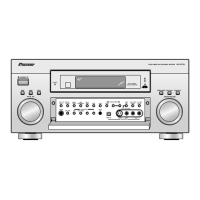
Why doesn't the digital format indicator light up on my Pioneer Elite VSX-55TXi?
- KKaren SantosSep 16, 2025
Play the source. Fix the audio settings (check the manual that came with your DVD player).

Why doesn't the digital format indicator light up on my Pioneer Elite VSX-55TXi?
Play the source. Fix the audio settings (check the manual that came with your DVD player).
What to do if my Pioneer Elite VSX-55TXi Receiver is not responding to the buttons?
If your Pioneer Receiver is not responding when you press the buttons, try switching the unit off and then on again, as the issue might be due to static electricity. If that doesn't work, disconnect the power plug from the outlet and reinsert it.
How to troubleshoot no sound output on my Pioneer Elite VSX-55TXi?
If no sound is output when a function is selected on your Pioneer Receiver, check the following: Ensure the components/speakers are connected correctly. Press MUTING on the remote control to unmute. Adjust MASTER VOLUME. Press SPEAKERS (A/B) to select the connected speakers. Select the proper signal with the SIGNAL SELECT button. Turn MULTI CH IN mode off.
Why is there no sound coming from the subwoofer on my Pioneer Elite VSX-55TXi?
If there is no sound output from the subwoofer of your Pioneer Receiver, check the following: Change the subwoofer setting to YES or PLUS. Adjust the output setting to the desired level. Adjust the bass peak level setting to the desired level. Change your subwoofer setting to Front: SMALL Subwoofer:YES or Front:LARGE Subwoofer:PLUS if there is very little low frequency information in your source. Raise the crossover frequency level to match your speakers' characteristics. Check the power, volume control, and standby mode of the subwoofer. Ensure the subwoofer is connected properly.
Why do the PRO LOGIC II or NEO:6 indicators show during playback of a compressed digital source on my Pioneer Elite VSX-55TXi?
Choose DIGITAL or AUTO with the signal select button. This is not a malfunction. Check the manufacturer information for the source.
Why is there a time lag between the speakers and the subwoofer output on my Pioneer Elite VSX-55TXi Receiver?
The MCACC system will automatically compensate for a delay in the sub-woofer output during the Auto Surround Sound Setup.
How to increase subwoofer output on my Pioneer Elite VSX-55TXi?
To get more signal to the subwoofer on your Pioneer Receiver, set it to PLUS or choose SMALL for the front speakers.
Why does my Pioneer Elite VSX-55TXi downmix multi channel DVD source to 2 channels?
If a multi channel DVD source appears to be downmixed from 2 channels during playback on your Pioneer Receiver, check the MULTI CH IN connection and select the type of playback with the MULTI CH IN button.
What does 'AMP ERR' mean on my Pioneer Elite VSX-55TXi?
If your Pioneer Receiver displays 'AMP ERR' and turns off, with the STANDBY indicator blinking, do not attempt to turn it back on. Contact a Pioneer-accredited repair center for assistance, as this indicates a serious problem.
How to reduce noise in radio broadcasts on my Pioneer Elite VSX-55TXi Receiver?
If you are experiencing considerable noise in radio broadcasts on your Pioneer Receiver, ensure you are tuned to the correct frequency. Connect the antenna. Route digital cables away from the antenna terminals and wires.
Covers fire, shock hazards, power cord safety, and general operational cautions.
Provides specific safety precautions for U.S. and Canadian models.
Covers important safety instructions, power cord, and grounding guidelines.
Addresses outlet grounding and lightning protection measures.
Explains the i.LINK interface for digital audio and data transfer.
Describes the Multichannel Acoustic Calibration EQ System.
Covers Dolby Digital EX, DTS-ES, DTS 96/24 and video format support.
Lists all the items included with the receiver.
Instructions for battery installation and remote indicator.
Explains the operational range and conditions for the remote control.
Covers ventilation, heat dispersal, and placement requirements.
Instructions on how to open the front panel of the receiver.
Explains fundamental concepts of home theater and surround sound.
Covers equipment, source material, and listening modes for surround sound.
Details coaxial and optical connections for digital audio output.
Provides instructions on connecting speaker wires to terminals.
Steps to power on the receiver and enter setup mode.
Maps digital inputs to specific components for proper input selection.
Steps to start the MCACC automatic surround sound setup process.
Guidance on test tones, warnings, and microphone placement during setup.
Verifying and correcting speaker settings after auto setup.
Steps for exiting auto setup and confirming the settings.
Instructions on playing a DVD and adjusting the master volume.
Addresses common issues and solutions for surround sound playback.
Instructions for connecting the TV via component, S-video, or composite video.
Details the default settings for component video inputs.
Explains how to connect various video components like DVD players.
Specific instructions for connecting a DVD player, including audio.
Details how to connect VCRs and DVRs to the receiver.
Instructions for connecting video components to the front panel.
Instructions for connecting satellite TV tuners and audio sources.
Details analog audio connections for turntables, CD players, and cassette decks.
Instructions for connecting multi-channel analog audio inputs.
Details connecting digital audio sources like DVD, CD, and CD-R.
Describes coaxial and optical cables used for digital connections.
Explains the default assignments for digital inputs.
Instructions for connecting FM wire and AM loop antennas.
Tips for using outdoor antennas to improve AM and FM reception.
Detailed instructions on how to connect speaker wires to terminals.
How to change the speaker impedance setting for the receiver.
Explains the technique and requirements for bi-wiring speakers.
Guidelines for positioning speakers for best surround sound effect.
Precautions and limitations for using the switched AC outlet.
Explains the i.LINK interface for digital audio and data transfer.
Instructions on how to connect components using the i.LINK interface.
Details on chaining components and creating a network topology.
Describes the Multi Jog dial, ENTER button, and SYSTEM SETUP.
Explains STANDBY, MCACC, and i.LINK indicators on the front panel.
Covers MULTI CH IN, ACOUSTIC EQ, SIGNAL SELECT, and listening mode buttons.
Describes tuner edit, tone, bass/treble adjustments.
Describes the remote display screen and SOURCE selection buttons.
Explains multi-control functions and number button usage.
Covers DNR, VIDEO SEL, SYSTEM SETUP, and LISTENING MODE buttons.
Explains command buttons for other components and TV controls.
Describes RETURN, INPUT, and VOLUME control buttons.
Covers MIDNIGHT, MUTE, and ACOUSTIC CAL buttons.
Explains SIGNAL, Digital format, and Program format indicators.
Explains LOUDNESS, TUNER, SB CH, and Speaker indicators.
Describes i.LINK connectors and CONTROL IN/OUT terminals.
Covers DIGITAL IN/OUT, MONITOR OUT, and COMPONENT VIDEO OUT terminals.
Describes MULTI-ROOM & SOURCE OUT and SPEAKERS terminals.
Covers Audio input/output and Component Video input terminals.
Steps to enter the SYSTEM SETUP menu and select SURROUND SETUP.
Introduces Auto Setting, Normal Setup, Expert Setup, and SURRBACK SYSTEM.
Explains NORMAL SYSTEM, SECOND ZONE, and MR&S options for surround back speakers.
Guides through SPEAKER SETTING, CHANNEL LEVEL, and SPEAKER DISTANCE adjustments.
Explains settings for FRONT, CENTER, SURROUND, and SUBWOOFER (LARGE/SMALL, NO, YES/PLUS).
Steps to select speaker type, number, size, and subwoofer settings.
Explains MANUAL and AUTO methods for setting channel levels.
How to set speaker distances for accurate delay calculations.
Steps to power on the receiver and select input sources.
How to select surround or stereo listening modes.
How to choose between AUTO, ANALOG, and DIGITAL input signals.
Explains MOVIE, MUSIC, and STEREO modes and their usage.
Details the STEREO and DIRECT modes for stereo playback.
Describes THX CINEMA, Dolby Pro Logic II, Pro Logic, and Neo:6 Cinema modes.
Explains ACTION, SCI-FI, DRAMA, MUSICAL, MONOFILM, and 5/7-D THEATER modes.
Describes Dolby Pro Logic II Music and Neo:6 Music modes for music.
Explains CLASSICAL, CHAMBER, JAZZ, ROCK, DANCE, 5/7CH STEREO modes.
How to adjust the amount of effect for DSP listening modes.
Explains CENTER WIDTH, DIMENSION, and PANORAMA settings.
How to activate and use the ACOUSTIC CAL EQ function.
Instructions for using the DIGITAL NR function to reduce noise.
Explains the MIDNIGHT mode for improved low-volume listening.
Explains the LOUDNESS mode for boosting bass and treble at low volumes.
How to use the TONE and BASS/TREBLE controls for tone adjustment.
How to adjust sound delay to match video presentation.
How to use the HI-BIT/HI-SAMPLING feature for finer audio reproduction.
How to connect and play multi-channel sources via MULTI CH IN.
Explains SB CH MODE settings (ON, OFF, AUTO) for surround back speakers.
Explains VIRTL SB modes for emulating surround back channels.
How to use dual mono settings for specific soundtracks.
Instructions for using headphones with the receiver.
How to cycle through video inputs using the VIDEO SEL button.
How to adjust the brightness of the receiver's display.
How to tune stations automatically or manually using the tuner.
Using MPX mode to improve FM reception quality.
How to use number buttons for direct access tuning of radio stations.
Steps to save up to 30 radio stations in 3 classes.
How to assign custom names (up to four characters) to preset stations.
How to select class and channel to recall stored radio stations.
Steps to recall stored settings for controlling other components.
How to assign MULTI CONTROL buttons and verify component operation.
Steps to program signals from original remotes into the receiver's remote.
Steps to confirm learned commands and program additional ones.
Lists button functions for controlling CD, MD, VCR, DVD, and LD players.
Lists button functions for controlling TV, Cable, Satellite, and Digital TV.
How to turn the direct function ON or OFF for specific components.
Steps for recording audio/video from one component to another.
Connect speakers to surround back terminals for second zone playback.
Using the SPEAKERS button to select speaker systems (A, B, A+B, OFF).
Steps to connect a PC and play audio through the receiver.
How to connect external amplifiers to power speakers.
Connecting IR receiver, amplifier, and TV for sub-room setup.
Diagrams illustrating MULTI ROOM and MR&S setup examples.
Adjusting volume level and selecting IR receiver type.
Steps to turn MULTI ROOM on/off and select source/volume from main unit.
Using the remote from the sub-room to control receiver functions.
Connecting and controlling other Pioneer components using the receiver's remote.
Steps to program a sequence of up to five operations for one remote button.
How to start a programmed multi operation sequence.
Steps to program a sequence for powering off multiple components.
How to change the display names of MULTI CONTROL buttons on the remote.
How to assign new names to individual buttons (keys) on the remote.
How to adjust the brightness level of the remote control's backlight.
Options to clear LEARNING, KEYLABEL, or all REMOTE SETUP settings.
Steps to reset the receiver to its factory default settings.
How to configure THX CINEMA decoding for 2-channel sources.
How to assign digital inputs to specific components for proper selection.
How to change default assignments for component video inputs.
How to assign i.LINK-equipped components to specific functions.
How to select the source for i.LINK connections and manage assignments.
How to rename functions on the receiver and OSD for personalization.
How to enable SACD Direct mode for bypass of DSP circuitry.
How to configure inputs for turntables or line-level audio components.
How to enable or disable the 12V trigger function for connected equipment.
Steps to enter the EXPERT setup menu for advanced tuning.
Lists expert settings: Crossover, Channel Level, Delay, EQ, Bass Peak, Dynamic Range.
How to set the frequency point for bass sound distribution to subwoofer/speakers.
How to finely adjust individual speaker volume levels for balance.
How to set speaker distances for accurate sound delay calculations.
How to perform automatic acoustic calibration using the microphone.
How to copy ALL CH ADJUST or FRONT ALIGN settings to CUSTOM 1 or CUSTOM 2.
How to adjust EQ for specific speakers and frequencies in CUSTOM modes.
How to adjust TRIM for volume balance and check EQ settings.
How to set the maximum peak level for the LFE channel.
How to set dynamic range compression for low-volume listening.
Explains Dolby Digital format, channels, and Dialog Normalization.
Explains Pro Logic II features and compares it to Pro Logic.
Explains DTS, DTS-ES, DTS Neo:6, and DTS 96/24 formats.
Explains THX features like Re-Equalization and Adaptive Decorrelation.
Explains common i.LINK messages like BUS FULL, CANNOT LINK, LOOP CONNECT.
Solutions for i.LINK indicator, sound output, and connection problems.
Troubleshooting steps for when the unit does not turn on.
Solutions for buttons not responding, overheating, and fan errors.
Troubleshooting issues with the setup screen and auto setup process.
No sound from speakers, subwoofer issues, and incorrect speaker settings.
No sound from surround back speakers or single speakers.
Problems with digital components, signal selection, and radio noise.
No image output, dark display, incorrect video input selection.
Problems with audio recording and signal type compatibility.
Issues with display dimness, digital format indicators not lighting up.
Cannot be remote controlled, other components not operated by remote.
Speaker/subwoofer delay, SR cable issues, and static electricity effects.
Lists compatible brands for DVD, CD, Tape, TV, LD, VCR, etc. for remote setup.
Information on protecting hearing from loud noise and establishing safe levels.
Instructions for cleaning the unit's exterior surfaces.
Details power output, input sensitivity, frequency response, and tone control specs.
Details video section specs, FM/AM tuner performance, and miscellaneous items.
 General