EasyManua.ls Logo

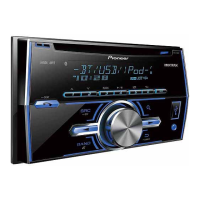
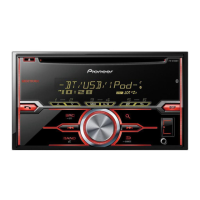
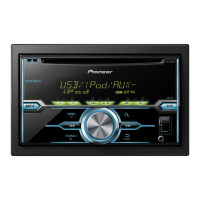
Pioneer FH-X360UB - User Manual

Pioneer FH-X360UB
32 pages
Print Icon
To Next Page IconTo Next Page
Loading...
Black plate (1,1)
Owners Manual
Руководство пользователя
CD RDS RECEIVER
CD RDS ПРИЕМНИК
FH-X360UB
<QRB3357-A>1
English Русский

Questions and Answers

  • R
    rodneypowellAug 16, 2025
    Why is there 'NO AUDIO' from my Pioneer FH-X360UB via USB?
    • M
      Maria SmithAug 16, 2025
      If you are getting 'NO AUDIO' from your Pioneer Car Receiver via USB, it could be because there are no songs on the USB storage device. Transfer audio files to the USB storage device and connect it again.
  • M
    Maurice BurtonAug 18, 2025
    What to do if my Pioneer FH-X360UB Car Receiver displays 'PROTECT'?
    • R
      Rhonda PerkinsAug 18, 2025
      If your Pioneer Car Receiver displays 'PROTECT', this indicates that the files on your connected USB storage device are embedded with DRM. You should replace the USB storage device.
  • W
    wallacecarlosAug 21, 2025
    What does 'CHECK USB' mean on my Pioneer Car Receiver and how to fix it?
    • M
      Meredith MontoyaAug 21, 2025
      If your Pioneer Car Receiver displays 'CHECK USB', it could mean that the USB connector or cable has short-circuited. Check the USB connector and cable to ensure they are not caught or damaged. Alternatively, the connected USB storage device may be consuming too much current. Disconnect the USB storage device and only use compliant USB storage devices, after turning the ignition switch OFF, then to ACC or ON.
  • N
    nknightAug 25, 2025
    What does AMP ERROR mean on my Pioneer FH-X360UB and what should I do?
    • F
      Francis ValenciaAug 26, 2025
      If your Pioneer Car Receiver shows 'AMP ERROR', the speaker connection is incorrect, or the protective circuit has been activated. Check the speaker connection. If the message persists after switching the engine off and on, seek assistance from your dealer or an authorized Pioneer Service Station.
  • E
    Elizabeth BlanchardAug 27, 2025
    Why does my Pioneer FH-X360UB Car Receiver say 'ERROR-07, 10, 11, 12, 15, 17, 30, A0' and how can I fix it?
    • A
      Anthony LongAug 28, 2025
      If your Pioneer Car Receiver displays 'ERROR-07, 10, 11, 12, 15, 17, 30, A0', this indicates an electrical or mechanical error. Try turning the ignition switch OFF and then back ON. Also, the disc might be dirty or scratched. Clean the disc or replace it if necessary.
  • R
    Rodney GarciaAug 31, 2025
    What to do if my Pioneer FH-X360UB says 'N/A USB'?
    • W
      wilcoxjennaAug 31, 2025
      If your Pioneer Car Receiver displays 'N/A USB', connect a USB Mass Storage Class compliant device. Disconnect your current device and replace it with a compatible USB storage device.
  • E
    eric80Sep 3, 2025
    What to do if my Pioneer Car Receiver displays 'FORMAT READ'?
    • K
      Kelsey MorrisSep 3, 2025
      If your Pioneer Car Receiver displays 'FORMAT READ', wait until the message disappears, and you hear sound.
  • L
    Leslie ParkerSep 6, 2025
    What to do if my Pioneer FH-X360UB Car Receiver inserted disc does not contain any playable files?
    • C
      Cynthia WaltersSep 6, 2025
      If the inserted disc does not contain any playable files, replace the disc.
  • J
    johnrushSep 9, 2025
    Why does my Pioneer FH-X360UB skip DRM protected files?
    • A
      Adam WardSep 9, 2025
      When using a Pioneer Car Receiver, if the inserted disc contains DRM protected files, the protected files are skipped.
  • V
    victoria28Sep 12, 2025
    What to do if my Pioneer Car Receiver is causing audible interference?
    • A
      alicia15Sep 12, 2025
      If your Pioneer Car Receiver is causing audible interference, move electrical devices that may be causing the interference away from the unit.

Summary

Using this unit

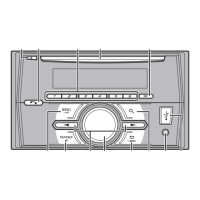
Head Unit Controls and Ports

Identifies the main controls, buttons, and ports on the head unit for operation.

Initial Setup Menu Guide

Step-by-step guide for initial setup, including language and clock settings.

Basic Unit Operations

Covers fundamental operations like powering the unit on/off and selecting audio sources.

Radio Operations: Tuning and Presets

How to select radio bands, store, recall, and tune stations using preset buttons.

CD and USB Playback Operations

Operations for playing audio from CDs and USB storage devices.

Audio Adjustments

Covers Fader, Balance, EQ, Loudness, Subwoofer, Bass Boost, HPF, and SLA settings.

Initial Menu Settings

Guide to initial settings adjustments, including FM Step and SP-P/O Mode.

System Menu Settings

Guide to system settings adjustments, including language and clock.

Installation

Installation: Connection Precautions

Critical safety and operational guidelines for connecting the unit in a vehicle.

Installation: Power Cord Wiring

Detailed diagram and instructions for connecting the power cord.

Installation: General Guidelines

Essential advice for safe and proper installation, including heat dispersal and secure wiring.

Installation: Method Overview

Explanation of the different methods available for installing the unit.

Installation: With Mounting Holder

Step-by-step guide for installing the unit using the factory-supplied holder.

Appendix

Pioneer FH-X360UB Specifications

General IconGeneral
Channels4
Max Power Output50 W x 4
TunerAM/FM
BluetoothYes
USB PortYes
Aux InputYes
Display TypeLCD
DisplaySingle-line
Subwoofer Preamp OutputYes
CEA-2006 CompliantYes
Remote ControlYes
Built-in MicrophoneYes
Steering Wheel ControlYes
Compatible FormatsMP3/WMA
Preamp Voltage2V
Equalizer13-band
RMS Power Output22W x 4 Chan
Preamp Outputs2

Related product manuals