
 To Next Page
G
gharrisAug 14, 2025
Why does my Pioneer HTP-074 receiver suddenly switch off?
- MMichelle PattonAug 14, 2025
The Auto Power Down function might be enabled. Check the setting for the Auto Power Down function.

Why does my Pioneer HTP-074 receiver suddenly switch off?
The Auto Power Down function might be enabled. Check the setting for the Auto Power Down function.
What to do if OVERHEAT shows on my Pioneer HTP-074 Home Theater System display?
If 'OVERHEAT' appears on the display and the power turns off, it means the unit's internal temperature is too high. Try moving the Pioneer Home Theater System unit to a location with better ventilation.
How to fix no sound when input is selected on Pioneer Home Theater System?
If there's no sound when you select an input function, try pressing the VOLUME +/–MUTE button on the remote control to ensure muting is turned off.
How to troubleshoot no sound from a specific speaker on Pioneer HTP-074?
Ensure the speaker cable is correctly connected. Check that the connection terminal is correct, the speaker wire is firmly inserted, and no speaker wire is touching the rear panel.
What to do if my Pioneer Home Theater System power does not turn on?
If the power does not turn on, disconnect the power plug from the outlet and then re-insert it.
Why does TEMP show on my Pioneer Home Theater System and the volume drops?
If 'TEMP' is displayed and the volume level drops, the unit's internal temperature is too high. Try moving the unit for better ventilation.
Why won't my Bluetooth device connect to my Pioneer Home Theater System?
There might be interference. Ensure that there are no devices emitting electromagnetic waves in the 2.4 GHz band (like a microwave oven, wireless LAN device, or another Bluetooth device) near the receiver. Also, check that the Bluetooth device is not too far from the receiver and that there are no obstructions between them.
What does USB Error 4 (I/U ERR4) mean on Pioneer Home Theater System?
USB Error 4 (I/U ERR4) indicates that the power requirements of the USB device are too high for the receiver.
Steps for connecting speakers, playback devices, and antennas to the receiver.
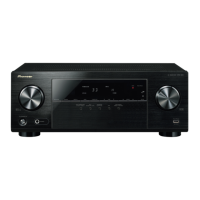
Identifies and explains all controls, dials, and indicators on the receiver's front panel.
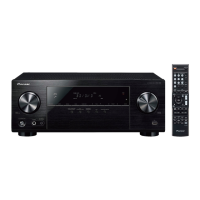
Describes the purpose and operation of each button on the remote control.
Guidelines for speaker placement, wiring, and affixing pads for optimal surround sound.
Guide to selecting playback sources and audio input signals for optimal sound.
Selecting playback modes like AUTO SURROUND, STEREO, and surround effects.
Configuring speaker size, distance, levels, and crossover for optimal surround sound.
Solutions for common operational problems like power, sound, or display errors.
Specific troubleshooting steps for HDMI signals and USB device errors.
 General
| Disc types supported | No |
|---|---|
| Optical disc player type | Not included |
| 3D | Yes |
| Audio decoders | DTS, DTS 96/24, DTS Neo:6, DTS-HD, Dolby Digital, Dolby Digital EX |
| RMS rated power | 550 W |
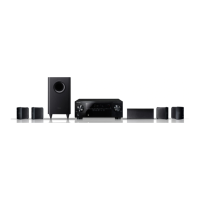
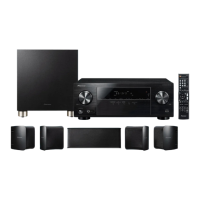
| Audio output channels | 5.1 channels |
| Total Harmonic Distortion (THD) | 0.7 % |
| Supported radio bands | AM, FM |
| Preset stations quantity | 30 |
| Front speaker type | 1-way |
| Front speakers RMS power | 150 W |
| Front speaker dimensions (WxDxH) | 106 x 106 x 116 mm |
| Center speaker weight | 800 g |
| Center speaker dimensions (WxDxH) | 270 x 106 x 100 mm |
| Wireless satellite speakers | - |
| Number of satellite speakers | 2 |
| Subwoofer type | Passive subwoofer |
| Subwoofer weight | 4000 g |
| Subwoofer drivers quantity | 1 |
| Subwoofer dimensions (WxDxH) | 285 x 300 x 318.5 mm |
| Product color | Black |
| Bluetooth profiles | A2DP |
| Cables included | AC |
| HDMI in | 4 |
| Bluetooth version | 3.0+HS |
| HDMI ports quantity | 5 |
| SCART ports quantity | 0 |
| USB 2.0 ports quantity | USB 2.0 ports have a data transmission speed of 480 Mbps, and are backwards compatible with USB 1.1 ports. You can connect all kinds of peripheral devices to them. |
| Connectivity technology | Wired & Wireless |
| AC input voltage | 220-240 V |
| AC input frequency | 50 - 60 Hz |
| Power consumption (standby) | 0.45 W |
| Power consumption (typical) | 190 W |
| Recommended usage | Home theatre |
| Amplification device type | AV receiver |
 Weight and Dimensions
| Receiver weight | 7700 g |
|---|---|
| Receiver dimensions (WxDxH) | 435 x 320.5 x 168 mm |